
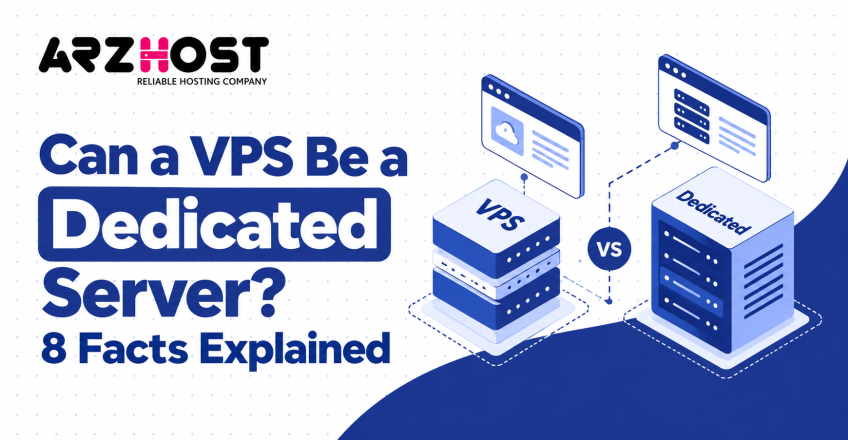

A VPS can offer many features of a dedicated server, but the two are not identical. A VPS runs inside a virtualized physical server and shares the underlying hardware. A dedicated server gives one customer exclusive access to the physical machine.
This difference affects performance, control, scalability, isolation, and overall cost. Terms like dedicated CPU, VPS, VDS, and bare metal can make the distinction confusing. Website owners, developers, and businesses often compare these options when their resource requirements increase.
This guide explains whether a VPS can function as a dedicated server. It also covers dedicated resources, physical hardware, performance limits, and cost differences. You will also learn when VPS hosting is sufficient and when dedicated hosting becomes necessary.
Can a VPS Actually Be a Dedicated Server?
No, a VPS cannot become a physical dedicated server because it remains a virtual machine. A hosting provider creates a VPS by dividing physical computing resources through virtualization. Google Cloud defines a VPS as a virtual machine using resources from a shared physical server.
A dedicated server uses a different infrastructure model. One customer receives exclusive access to one complete physical server and its computing resources. Other hosting customers do not run virtual machines on that same dedicated hardware.
A VPS can still provide many dedicated server like capabilities. These include root access, allocated CPU, private memory, independent software, and a separate operating system. However, these capabilities do not change the VPS into physical dedicated hardware.
How Does a VPS Differ From a Dedicated Server?
The main difference is virtual resource allocation versus exclusive physical hardware. Both options can provide administrative access, isolated environments, and strong computing performance. Their underlying infrastructure and resource ownership remain different.
| Feature | VPS | Dedicated Server |
| Server type | Virtual machine | Physical machine |
| Physical hardware | Shared | Exclusive |
| CPU | Shared or allocated vCPU | Physical CPU resources |
| RAM | Allocated | Entire server RAM |
| Root access | Usually available | Available |
| Hardware control | Limited | Extensive |
| Resource contention | Possible | No neighboring customer workloads |
| Scaling | Usually easier | May require hardware changes |
| Cost | Usually lower | Usually higher |
VPS Uses Virtualized Shared Hardware
A VPS runs as an isolated virtual machine on a physical host. A hypervisor separates virtual environments and allocates CPU, RAM, storage, and network capacity. Multiple virtual machines can therefore operate independently on one physical server.
Each VPS can run operating systems like Ubuntu, AlmaLinux, or Windows Server. The customer controls software, services, and operating system settings inside that virtual environment. The hosting provider retains control over the underlying physical hardware.
Dedicated Server Uses Exclusive Physical Hardware
A dedicated server reserves the complete physical machine for one customer. Other hosting customers do not run workloads on the same server hardware. This provides direct access to all assigned physical computing capacity.
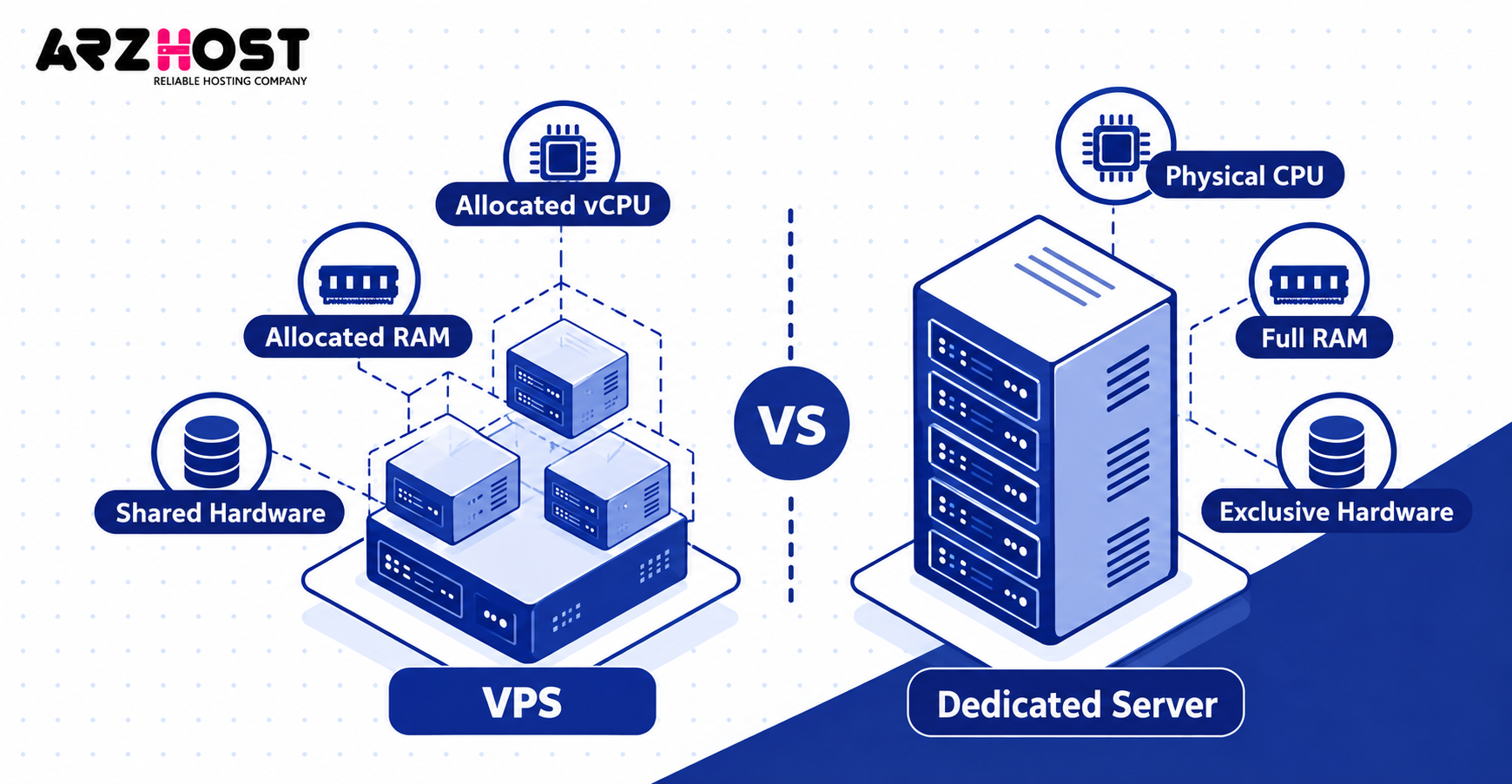
Physical resources include processors, RAM modules, storage devices, and network interfaces. Dedicated hosting can also provide greater freedom for hardware configurations like RAID and specialized storage. The exact customization options depend on the hosting provider.
Bare metal normally refers to single tenant physical infrastructure without a shared virtualization layer. A customer can still install a hypervisor on that server and create virtual machines. The hardware itself remains exclusively assigned to that customer.
Why Can a VPS Feel Like a Dedicated Server?
A VPS can feel dedicated because it provides isolation, administrative control, and defined computing resources. From inside the operating system, it behaves like an independent server. Users can configure applications without accessing neighboring virtual environments.
A VPS can host websites, databases, applications, email systems, and development environments. These workloads run independently inside the allocated virtual environment. This flexibility makes VPS hosting suitable for many projects that previously required dedicated hardware.
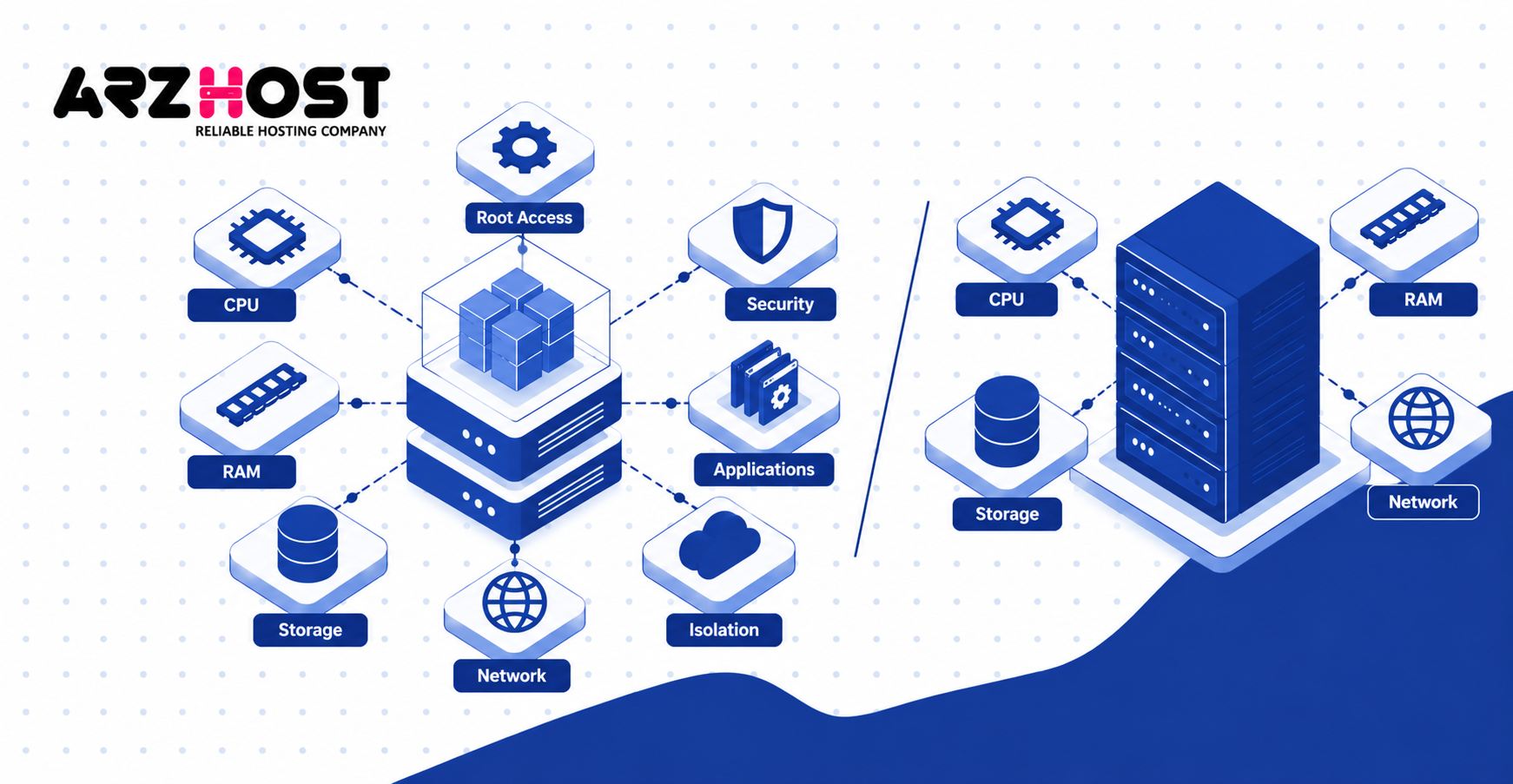
The major difference exists beneath the operating system. The customer controls the virtual server, while the provider controls the physical host. A dedicatedvserver customer receives exclusive access to that physical host.
Root Access and Server Control
Root access provides administrative control over the VPS operating system, not the physical machine. You can install software like Nginx, Apache, MySQL, Docker, and Redis. You can also change operating-system configurations and security policies.
Administrators can manage services like SSH, firewalls, databases, cron jobs, and application runtimes. This level of control is similar to what users receive on many dedicated servers. It is one reason VPS hosting can feel like dedicated hosting.
Root access does not usually provide direct control over physical components. These components include disks, network cards, processors, and motherboard firmware. Hardware level changes remain the responsibility of the hosting provider.
Dedicated CPU, RAM, and Other Allocated Resources
A VPS can receive reserved computing resources without becoming a dedicated physical server. A plan might include 4 vCPUs, 8 GB RAM, and 160 GB NVMe storage. These specifications describe the virtual machine’s available capacity.
A virtual CPU, or vCPU, represents CPU capacity exposed to the virtual machine. Providers may use shared scheduling, reserved CPU time, or physical core pinning. The exact allocation method depends on the virtualization platform and hosting provider.
The meaning of dedicated CPU can therefore vary between hosting companies. One provider may reserve processor time, while another may pin vCPUs to physical cores. Neither model automatically provides exclusive ownership of the complete physical server.
Dedicated Resources vs Dedicated Hardware
Dedicated resources describe reserved computing capacity, while dedicated hardware describes exclusive physical infrastructure. This distinction is central when comparing VPS hosting with dedicated servers. Marketing terms can otherwise make both options appear identical.
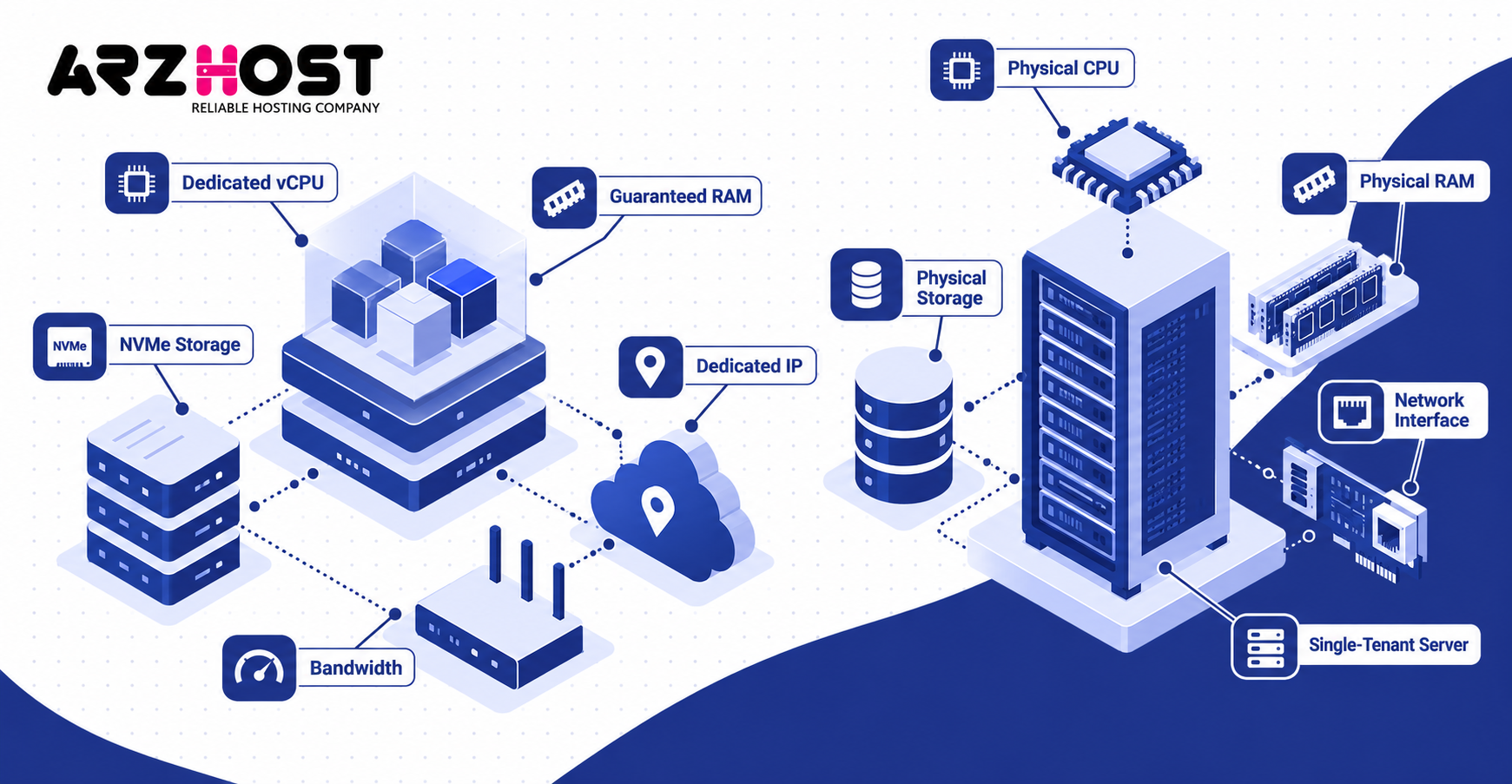
A VPS may include:
- Dedicated or reserved vCPU capacity
- Guaranteed RAM
- Allocated NVMe or SSD storage
- Dedicated IP addresses
- Defined bandwidth or transfer limits
These allocations can improve performance consistency inside the virtual environment. They still exist within a physical host that may run other virtual machines. Reserved resources therefore do not automatically mean reserved physical hardware.
Dedicated hardware includes physical processors, RAM modules, storage devices, and network interfaces. These components are assigned to one customer instead of several virtual tenants. Virtual dedication and physical dedication are therefore different concepts.
VPS vs Dedicated Server: Key Differences
Performance, isolation, scalability, hardware control, and cost create the most important practical differences. Each factor affects different types of workloads and infrastructure requirements. The correct choice should depend on measurable resource needs.
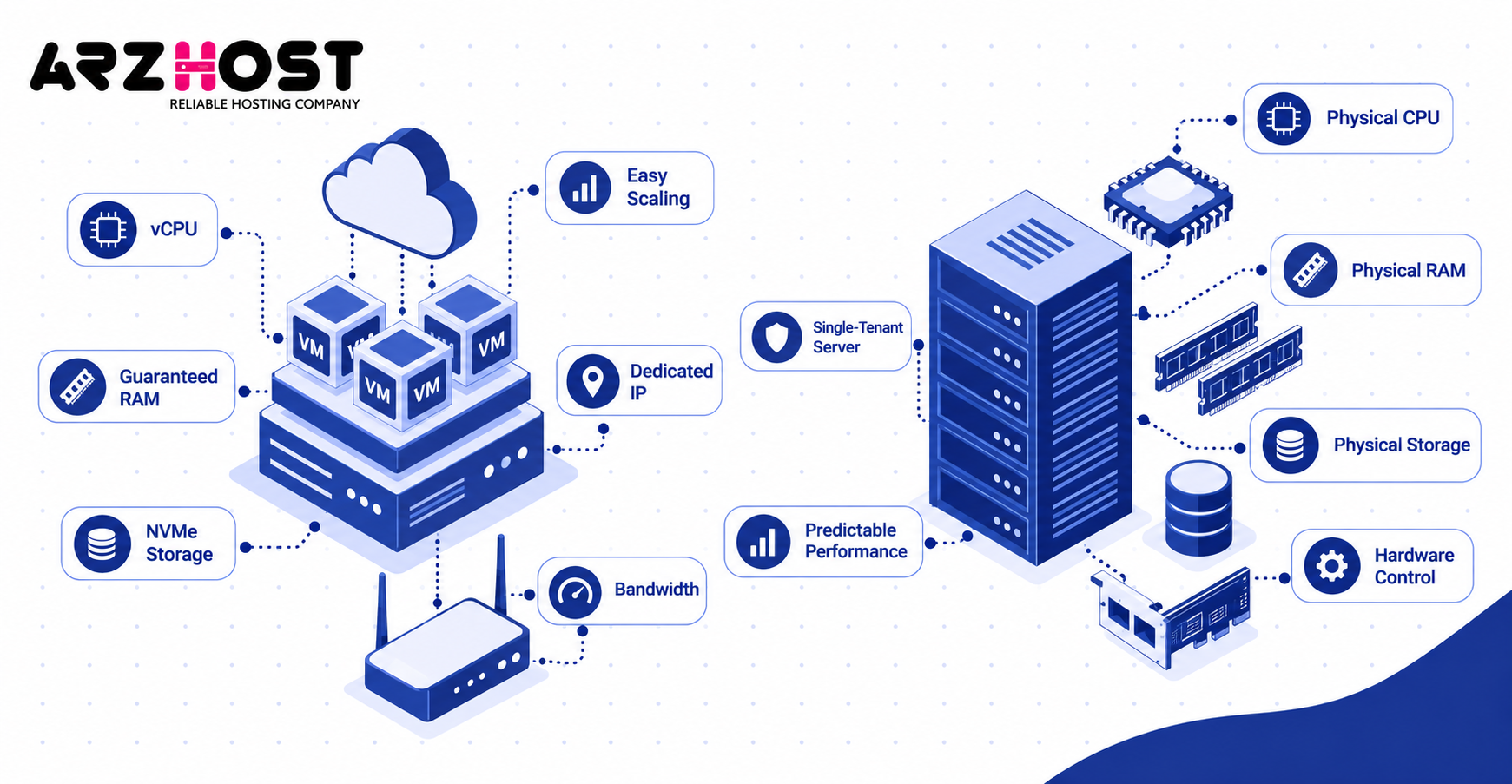
Performance and Resource Contention
Dedicated servers usually provide more predictable access to physical computing resources. Neighboring customers cannot consume CPU, memory, or storage capacity on that machine. This can benefit workloads requiring sustained and consistent performance.
A VPS can experience contention when underlying physical resources are shared. CPU scheduling, storage activity, and network congestion can affect virtual machine performance. The severity depends on the provider’s resource management policies.
One example is the noisy neighbor effect. Another virtual machine may heavily consume shared CPU, storage, or network resources. This activity can temporarily reduce the performance available to neighboring VPS instances.
Another useful metric is CPU steal time. It measures time when a virtual machine waits because physical CPU capacity is being used elsewhere. High steal time can indicate CPU contention on virtualized infrastructure.
However, a VPS is not automatically slower than a dedicated server. A modern VPS can outperform an older dedicated machine with weaker hardware. Server category alone does not determine real world speed.
Performance also depends on CPU generation, RAM, storage latency, network throughput, and software configuration. Storage IOPS means input/output operations per second and measures storage operation capacity. These metrics provide more useful evidence than hosting labels alone.
Security and Isolation
A VPS uses virtualization for tenant isolation, while dedicated hosting removes other customers from the physical machine. Both approaches can provide secure environments when configured correctly. The difference is virtual isolation versus physical single-tenancy.
Virtualization separates operating systems, applications, and allocated resources between VPS instances. A dedicated server eliminates neighboring customer workloads from the same physical hardware. This distinction can matter for specific compliance or infrastructure requirements.
Dedicated hardware does not automatically make an insecure server secure. Firewalls, updates, SSH policies, access controls, monitoring, and backups remain necessary. Poor configuration can create security risks on both VPS and dedicated infrastructure.
Scalability and Hardware Control
VPS hosting is usually easier to resize, while dedicated hosting provides greater hardware-level control. Virtual resources can often be increased without replacing the physical machine. This makes vertical scaling simpler for many VPS environments.
A provider may allow customers to increase vCPUs, RAM, or storage by changing plans. Some platforms can apply these changes with limited downtime. Exact scaling procedures depend on the hosting provider and virtualization platform.
Dedicated-server upgrades may involve changing physical RAM, disks, processors, or the entire machine. Providers may also offer preset hardware configurations that deploy quickly. Physical upgrades generally require more infrastructure work than changing virtual allocations.
Dedicated hosting provides stronger control when specific hardware is required. Examples include custom RAID arrays, particular processor models, GPUs, or large memory configurations. VPS customers normally cannot directly change these physical components.
Cost
VPS hosting usually costs less because one physical server can support several virtual environments. Dedicated hosting assigns the complete physical machine to one customer. That infrastructure model normally produces a higher monthly cost.
Total cost includes more than the base server price. Additional expenses can include cPanel, Plesk, backups, monitoring, security management, and extra IP addresses. Data transfer and migration services can also increase operating costs.
A dedicated server can justify its higher cost under specific requirements. These include sustained computing demand, physical isolation, predictable performance, and hardware-level customization. Full resource utilization is not the only reason to use dedicated infrastructure.
Managed and unmanaged hosting also affect total cost. Managed plans include administration tasks like updates, monitoring, and technical support. Unmanaged plans cost less but place more server-management responsibility on the customer.
Is a Dedicated CPU VPS the Same as a Dedicated Server?
No, a dedicated CPU VPS is still a virtual server. Dedicated CPU normally means CPU capacity is reserved more strictly for that virtual machine. The physical server itself may still host other VPS instances.
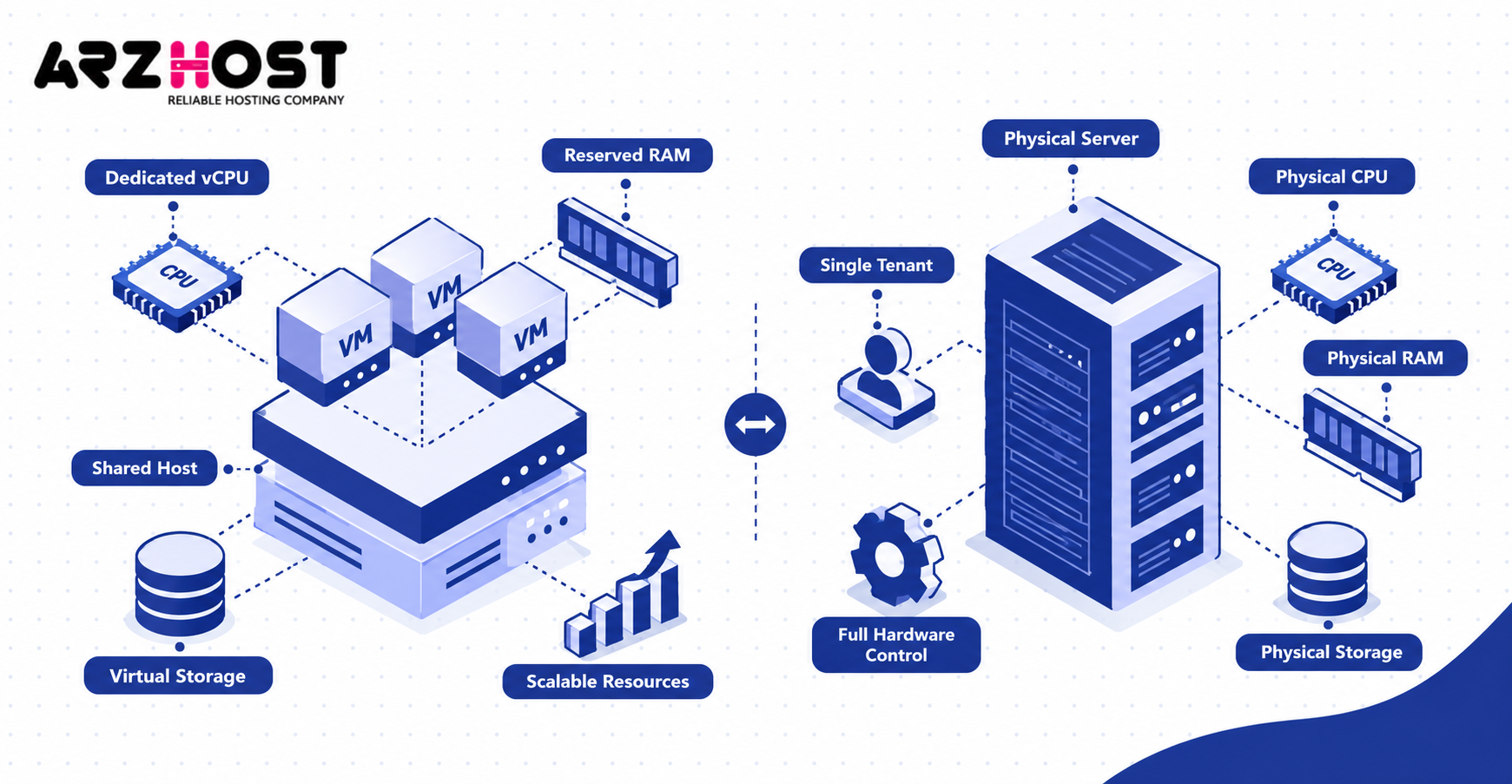
For example, a provider may allocate 8 dedicated vCPUs instead of heavily shared CPU scheduling. Another provider may pin virtual CPUs to specific physical processor cores. Both approaches can improve consistency without creating physical single tenancy.
The distinction is simple. Dedicated CPU VPS means reserved virtual compute capacity, while a dedicated server means an exclusive physical machine. The exact implementation should always be verified in the provider’s technical specifications.
Terms like VDS, virtual dedicated server, and dedicated VPS can create additional confusion. Providers do not always use these labels consistently. A VDS often describes virtual hosting with stronger resource guarantees or dedicated CPU allocation.
A VDS can still run on shared physical hardware. The product name alone does not prove physical server ownership. Check for terms like single tenant, bare metal, exclusive physical server, or shared host.
When Is a VPS Enough for Your Website or Application?
A VPS is enough when its allocated resources consistently meet the application’s workload requirements. Many websites and applications do not require an entire physical server. Proper monitoring can show whether existing virtual resources remain sufficient.
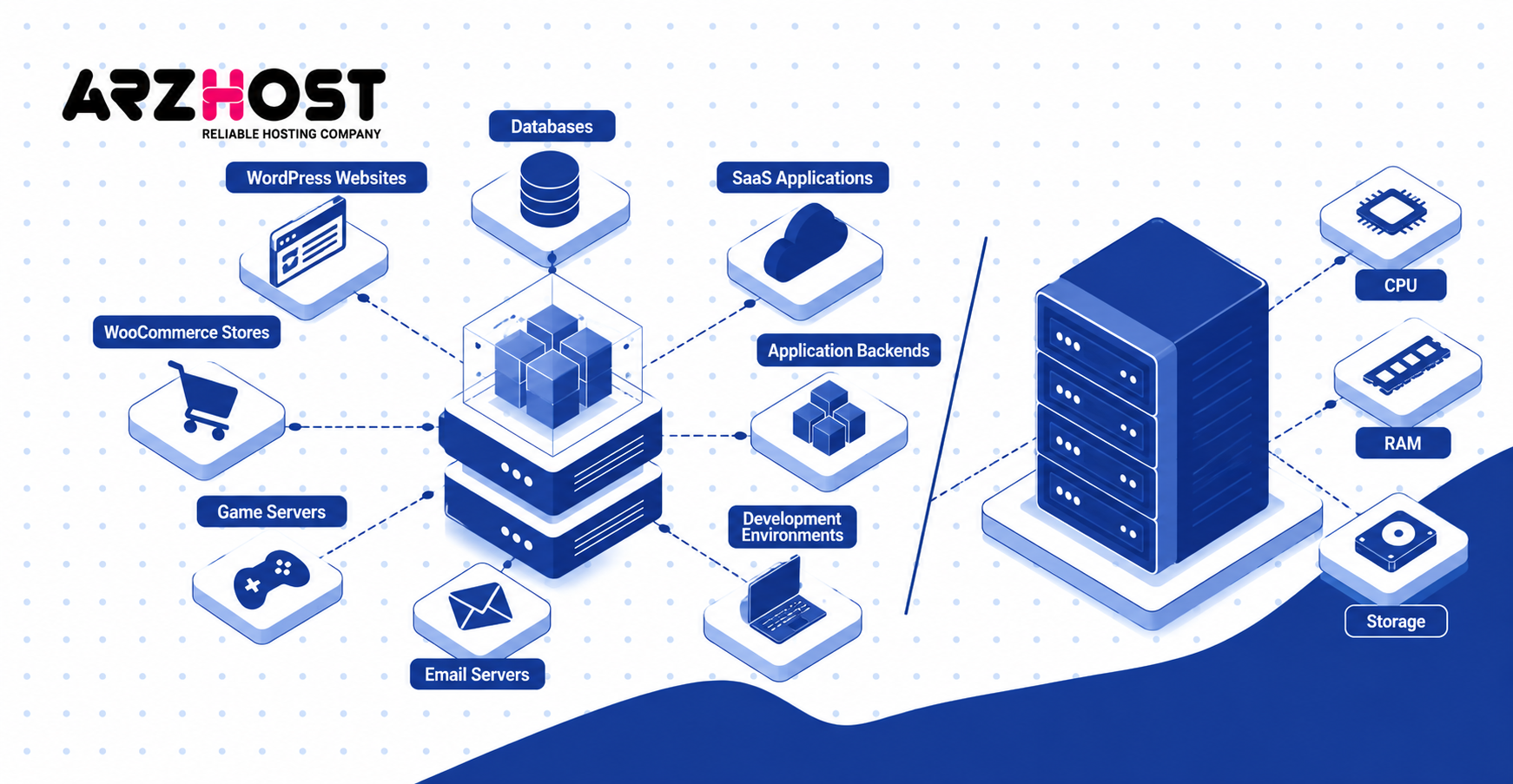
Common VPS workloads include:
- WordPress websites
- WooCommerce stores
- SaaS applications
- Application backends
- Databases
- Development environments
- Email servers
- Reseller hosting
- Small and medium game servers
A VPS remains suitable when CPU capacity handles normal and peak workloads. Available RAM should also remain sufficient during traffic spikes. Frequent CPU throttling or memory exhaustion can indicate resource limits.
Storage performance also matters for databases and dynamic applications. Storage IOPS and latency should remain within acceptable application requirements. Network throughput must also support expected visitors, API traffic, and file transfers.
Hardware-level customization should not be necessary for a typical VPS workload. Virtual isolation must also satisfy security and compliance requirements. If both conditions are met, moving to dedicated hardware may provide little practical benefit.
When Should You Move From a VPS to a Dedicated Server?
Move to a dedicated server when measurable VPS limits consistently restrict performance, isolation, or hardware requirements. A temporary traffic spike alone does not justify migration. Persistent infrastructure limits provide stronger evidence.
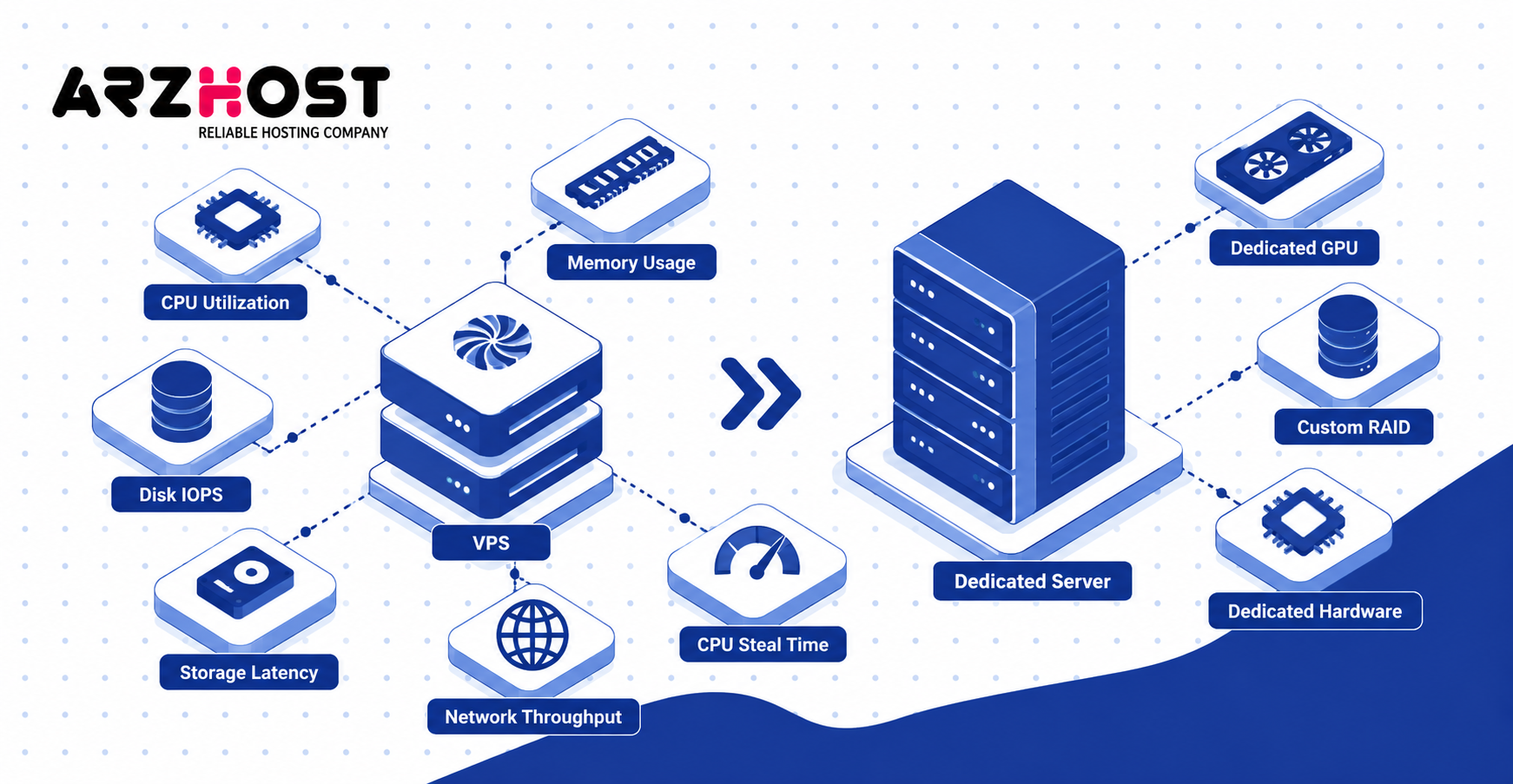
Sustained CPU saturation is one important migration signal. Repeated memory exhaustion, high storage latency, or network limits can indicate similar problems. These metrics should be monitored over normal and peak workload periods.
Large databases, rendering systems, streaming platforms, and busy game servers can create sustained infrastructure demand. These workloads may require more predictable access to processors, memory, storage, or network capacity. Dedicated hardware can remove some virtualization and tenancy constraints.
Dedicated hosting also becomes relevant when specific physical configurations are required. Examples include custom RAID, dedicated GPUs, direct attached storage, or specialized processors. Physical single tenancy may also be required by particular organizational policies.
Before migrating, monitor CPU utilization, memory usage, disk IOPS, storage latency, and network throughput. VPS users should also check CPU steal time where that metric is available. Move because measured requirements exceed the VPS, not simply because the website has grown.
Conclusion
In conclusion, a VPS cannot become a true physical dedicated server because it remains virtualized infrastructure. It can still provide dedicated resources, administrative control, strong isolation, and high performance. These capabilities allow a VPS to handle many workloads traditionally associated with dedicated hosting.
A VPS is suitable when its CPU, RAM, storage, and network capacity meet the workload. Dedicated hosting becomes relevant when sustained performance, physical isolation, or hardware control becomes necessary. The decision should be based on measurable infrastructure requirements rather than hosting labels.
Monitor CPU usage, memory consumption, storage IOPS, latency, and network demand before upgrading. Also check resource contention indicators like CPU steal time where available. If the VPS consistently reaches its limits, move to dedicated hardware sized for the actual workload.
FAQs About VPS and Dedicated Servers
Can a VPS Replace a Dedicated Server?
Yes, a VPS can replace a dedicated server when its allocated resources meet the workload requirements. It can provide root access, private memory, reserved CPU capacity, and independent software configuration. However, the underlying infrastructure remains virtual rather than physically dedicated.
The practical decision depends on resource consumption and infrastructure requirements. A VPS can handle many websites, applications, and databases without dedicated hardware. Physical hosting becomes necessary when virtualization introduces meaningful limitations.
Is a VPS Faster Than a Dedicated Server?
A VPS can be faster than a lower-spec dedicated server. Server type alone does not determine processing speed or application response time. Hardware generation and configuration often matter more.
CPU architecture, clock speed, RAM, NVMe storage, networking, and software optimization affect performance. Resource contention can also influence virtual-server speed. Compare actual specifications and benchmarks instead of relying only on hosting categories.
Does a VPS Have Dedicated Resources?
A VPS can have guaranteed resources such as RAM, storage, and reserved CPU capacity. The exact guarantees depend on the hosting provider and virtualization architecture. Some resources may remain shared at the physical-host level.
Reserved virtual capacity does not equal dedicated physical hardware. A VPS can still share processors, storage controllers, or network interfaces with other virtual machines. Always check the provider’s resource-allocation policy.
Can Other VPS Users Affect My Server Performance?
Yes, other virtual machines can sometimes affect VPS performance when underlying resources are shared. CPU contention, storage congestion, and network saturation are possible examples. Good virtualization platforms attempt to control these effects through resource limits.
CPU steal time can help identify processor contention on some virtualized systems. Storage latency and network throughput can reveal other shared-resource bottlenecks. Persistent problems should be compared against the hosting provider’s stated resource guarantees.
What Is the Difference Between VPS and VDS?
VPS and VDS both describe virtual server environments, but VDS has no universal hosting definition. Some providers use VDS for plans with stronger resource guarantees. Others use it mainly as a marketing term.
A VDS may offer dedicated vCPUs, guaranteed RAM, or stricter resource isolation. It can still operate on shared physical infrastructure. Check the technical specifications instead of assuming VDS means bare metal.