

A VPS gives you more control and flexibility than standard shared hosting. It provides isolated server resources within a larger physical server. You can use those resources for websites, applications, automation, storage, development, and private services.
VPS hosting is useful for developers, agencies, website owners, businesses, and self hosting users. You control software, operating systems, databases, security settings, and background processes. That makes a VPS useful when shared hosting becomes restrictive.
This guide explains what can be done with a VPS in 2026. It covers 12 practical VPS uses, including hosting, Docker, automation, databases, monitoring, and AI applications. You will also learn resource requirements, limitations, costs, security risks, and hosting alternatives.
What Is a VPS and What Can You Do With It?
A VPS is a virtual server with isolated computing resources, its own operating system, and administrative access. Virtualization divides one physical server into separate virtual environments. Google Cloud describes VPS hosting as combining characteristics of shared and dedicated hosting.
You can install software like Nginx, Docker, MySQL, Node.js, and WireGuard. You can also host services like WordPress, APIs, databases, backups, and private cloud storage. Available CPU, RAM, storage, bandwidth, and provider rules determine what works reliably.
Here are the 12 main VPS uses covered in this guide:
| # | VPS use | Examples |
| 1 | Website hosting | WordPress, WooCommerce, client sites |
| 2 | Application hosting | Node.js, Python, PHP, APIs |
| 3 | Containers | Docker, Docker Compose |
| 4 | Development | Staging, Git, CI/CD |
| 5 | Self-hosting | Nextcloud, Immich, Vaultwarden |
| 6 | Automation | n8n, cron jobs, bots |
| 7 | Databases | MySQL, PostgreSQL, Redis |
| 8 | Networking | VPN, proxy, reverse proxy |
| 9 | Storage | Private cloud, offsite backups |
| 10 | Monitoring | Uptime Kuma, Grafana, Prometheus |
| 11 | Games and communication | Minecraft, Jellyfin, email, VoIP |
| 12 | AI workloads | AI APIs, agents, lightweight inference |
1. Host Websites and Online Stores
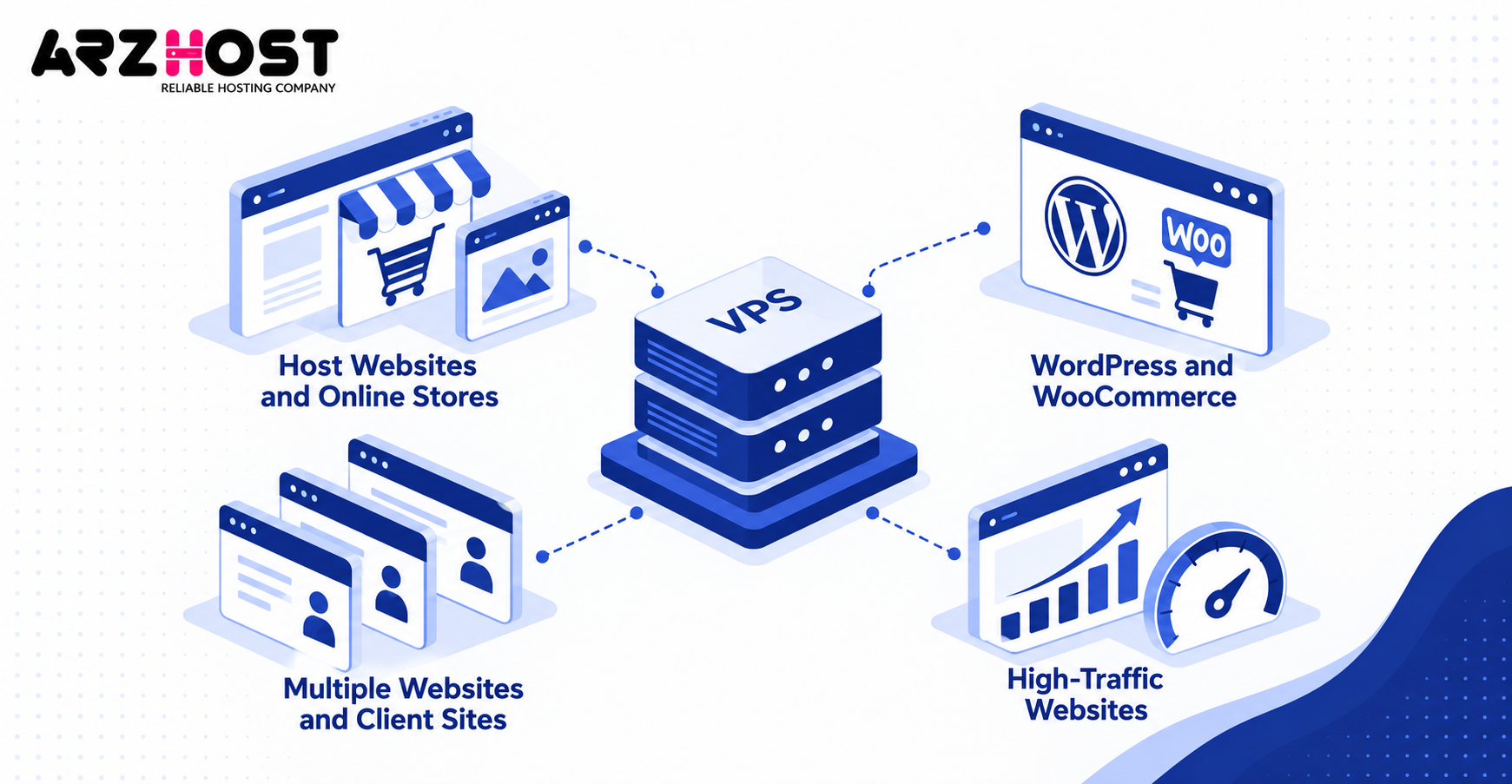
A VPS can host websites like WordPress blogs, WooCommerce stores, agency sites, and custom web projects. You control the web server, PHP version, database, caching, and security configuration. This flexibility becomes useful when shared hosting limits performance or customization.
WordPress remains especially relevant for VPS hosting. W3Techs reports that WordPress powers 40.2% of all websites as of September 2026. Its CMS market share is approximately 58.7%.
WordPress and WooCommerce
A VPS can run WordPress and WooCommerce with dedicated allocations of CPU, RAM, and storage. You can use web servers like Nginx, Apache, or LiteSpeed. Caching options include Redis, OPcache, full page caching, and CDN integration.
WooCommerce generally creates more server activity than a simple WordPress blog. Product searches, checkout requests, logged in sessions, and database queries increase resource usage. A 4 GB VPS is often a safer starting point for a modest store.
Multiple Websites and Client Sites
One VPS can host multiple websites like business sites, blogs, stores, and client projects. Virtual hosts, containers, or separate hosting accounts can isolate each installation. Panels like cPanel, Plesk, and DirectAdmin simplify account management.
There is no universal maximum website count for a VPS. Ten low traffic brochure sites may consume less capacity than one busy WooCommerce store. Traffic, plugins, database activity, caching, and PHP workers determine the practical limit.
High-Traffic Websites
A properly configured VPS can handle websites that exceed typical shared hosting resource limits. You can increase CPU cores, RAM, storage, and PHP workers as traffic increases. Caching and CDNs can reduce requests reaching the origin server.
High traffic alone does not determine required server size. A cached static page consumes fewer resources than a personalized ecommerce request. Monitor CPU, memory, disk latency, and request times before upgrading.
2. Host Web Applications, APIs, and SaaS
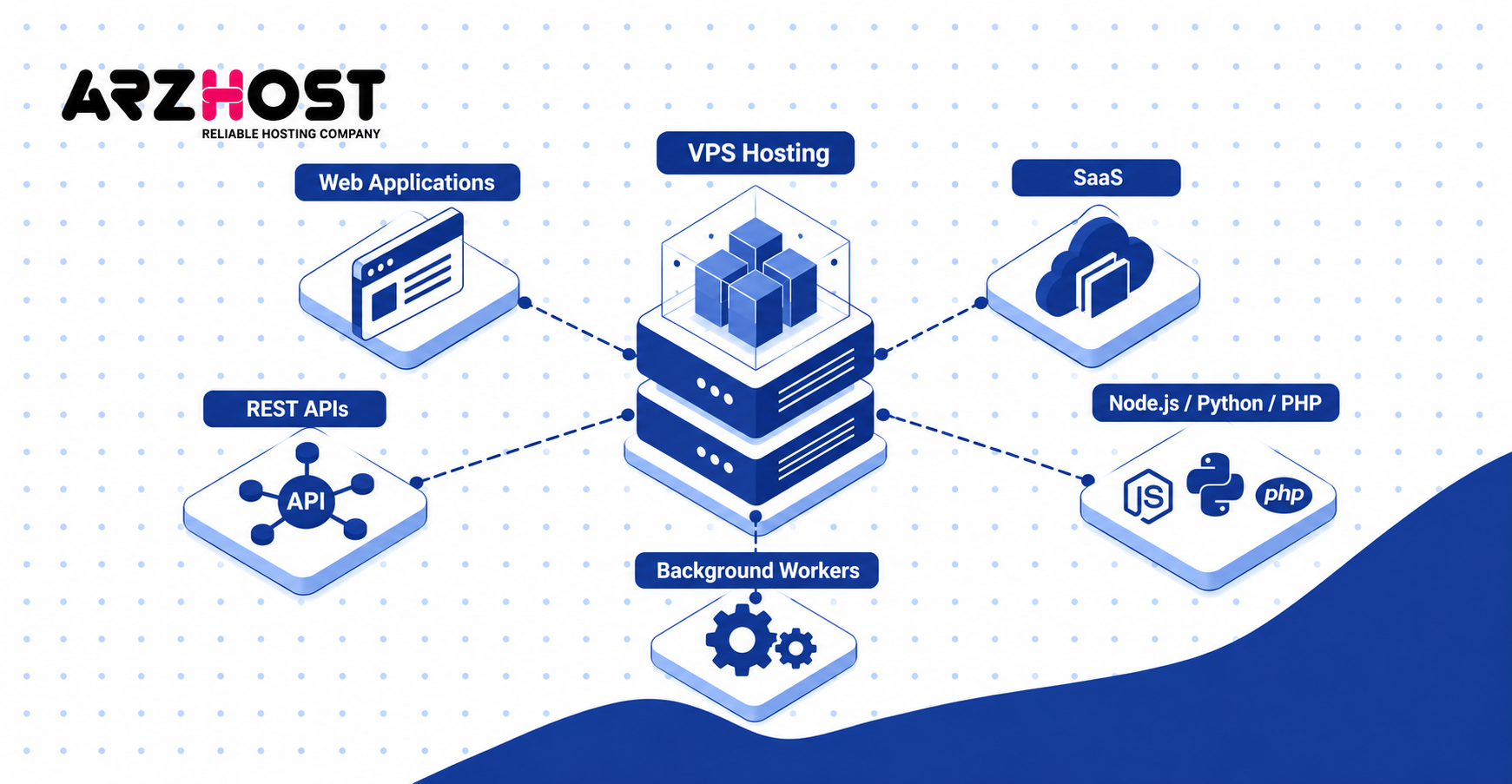
A VPS can host custom applications, REST APIs, SaaS products, dashboards, and backend services. You can install required runtimes, libraries, databases, queues, and process managers. These options are usually unavailable on basic shared hosting.
A VPS can also provide persistent processes that remain active between web requests. Examples include queue workers, WebSocket servers, scheduled jobs, and event consumers. These capabilities suit applications requiring more than standard PHP hosting.
Node.js, Python, and PHP Applications
A VPS can run applications built with Node.js, Python, PHP, and other supported server languages. Node.js examples include Express APIs, NestJS backends, and real time services. Python examples include Django, Flask, and FastAPI applications.
PHP applications include Laravel, Symfony, WordPress, and custom systems. A reverse proxy like Nginx can route separate domains to each application. Process managers like PM2 or systemd can keep long running services active.
REST APIs and Backend Services
A VPS can expose APIs for websites, mobile applications, internal systems, and third party integrations. HTTPS protects data exchanged between clients and your API. Authentication can use API keys, OAuth, JWT, or session based methods.
You can also control request limits, firewall rules, and application logs. Redis can provide rate limiting, caching, or temporary session storage. PostgreSQL or MySQL can store persistent application data.
SaaS Applications and Background Workers
A VPS can host complete SaaS stacks containing frontend, backend, database, cache, and worker components. One server might run Nginx, Node.js, PostgreSQL, Redis, and background workers. Smaller SaaS products can start with everything on one machine.
Background workers can process emails, exports, reports, images, and scheduled tasks. Growing workloads can move databases or workers onto separate servers later. This approach allows gradual scaling without redesigning everything initially.
3. Run Docker and Containerized Applications
A VPS can run Docker containers for applications like websites, databases, dashboards, and automation services. Containers package software with its runtime and dependencies. This creates more consistent deployments across development and production.
Docker Compose is designed for multi container applications. Docker states that Compose manages services, networks, and volumes through one YAML configuration. The same approach supports development, staging, testing, CI, and production environments.
Docker and Docker Compose
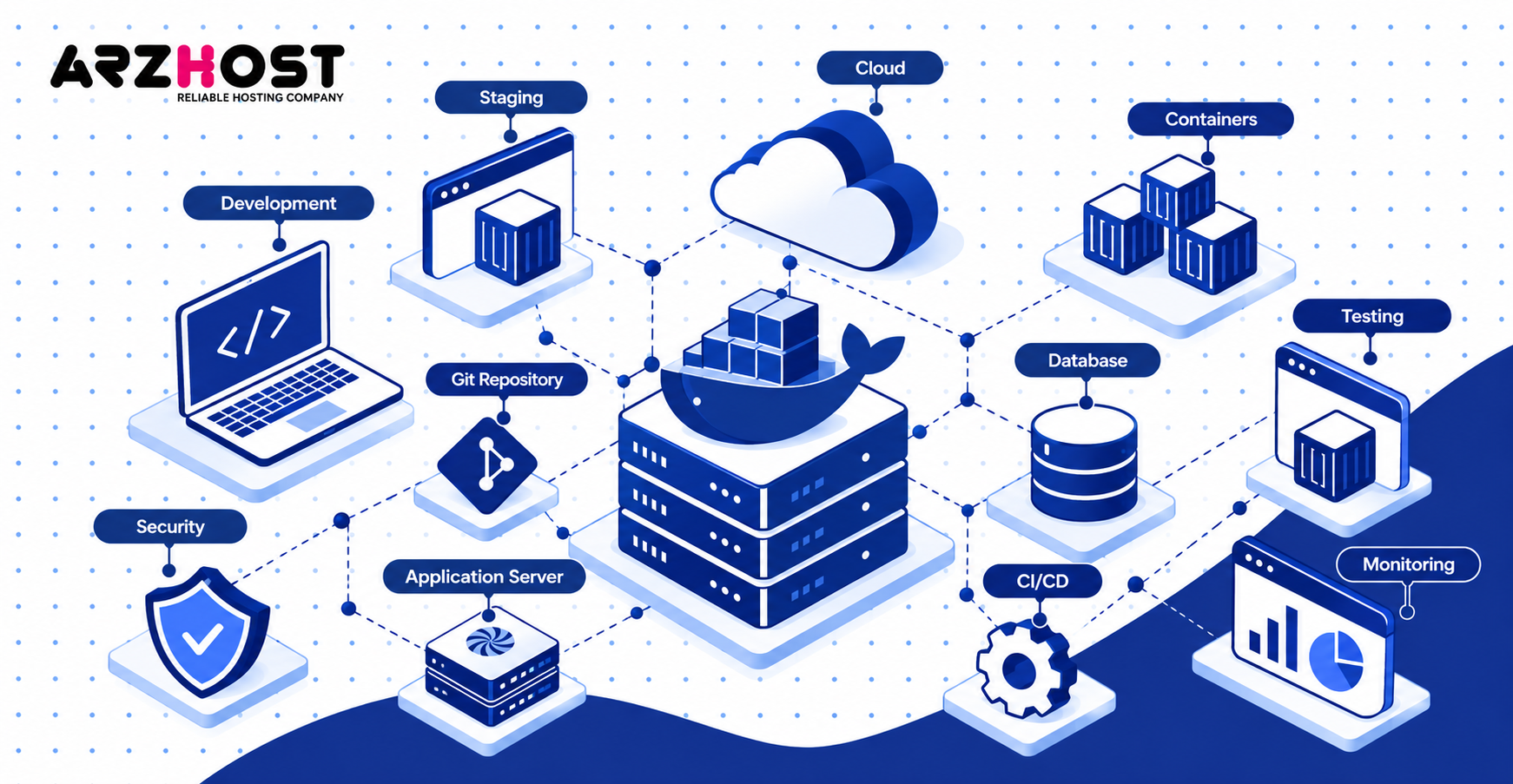
Docker runs containers, while Docker Compose defines and manages related containers as one application stack. One stack could contain WordPress, MariaDB, Redis, and Nginx. Another could contain n8n, PostgreSQL, and a reverse proxy.
Compose also simplifies starting, stopping, rebuilding, and viewing container logs. Docker officially supports Compose deployments on single production hosts. Production configurations can also define restart policies and separate environment settings.
Running Multiple Applications on One VPS
A VPS can run multiple isolated applications using separate Docker containers and networks. For example, one VPS could host Gitea, Vaultwarden, n8n, and Uptime Kuma. Caddy, Traefik, or Nginx can route domains to each container.
Container isolation does not create additional physical resources. Every container still shares the VPS CPU, RAM, storage, and network capacity. Set memory and CPU limits when one service could affect others.
4. Create Development, Testing, and Staging Environments
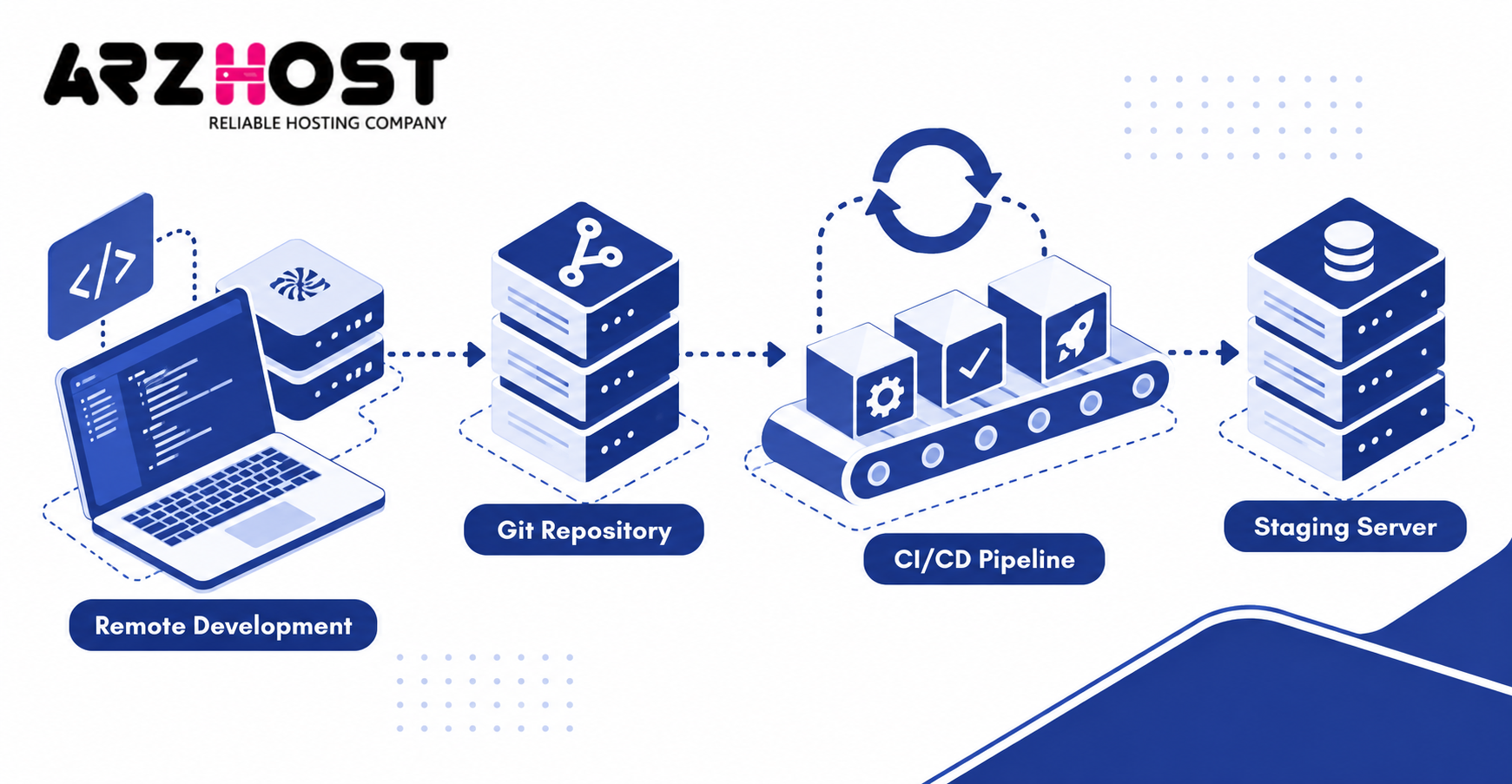
A VPS can provide remote environments for development, testing, staging, and software deployment. Developers can reproduce server conditions without changing production infrastructure. Teams can also access one consistent environment from different locations.
A staging VPS can mirror operating systems, databases, runtimes, and web servers used in production. This makes configuration problems easier to detect before release. Snapshots can provide recovery points before major testing.
Remote Development and Staging Servers
A VPS can act as a remote development machine or staging server for websites and applications. Developers can test PHP versions, database migrations, server changes, and dependency updates. Designers and QA testers can access the same deployment.
A staging environment should remain separate from production data where possible. Public staging systems should also require authentication or IP restrictions. Search engines should not index temporary test environments.
Git and Private Code Repositories
A VPS can host private Git services using Gitea, Forgejo, GitLab, or similar software. These platforms provide repositories, users, permissions, issues, and code review workflows. Gitea and Forgejo generally suit smaller VPS installations better than full GitLab deployments.
Repositories should be included in an offsite backup strategy. Database records and application configuration also require backups. Losing the VPS should not mean losing your source code history.
CI/CD and Automated Deployments
A VPS can run CI/CD tools like GitHub Actions runners, GitLab Runner, and Jenkins. Pipelines can test code, build containers, and deploy successful releases. This reduces manual deployment steps and improves repeatability.
Build workloads can consume large CPU and memory allocations. Heavy CI jobs should not compete with production traffic on a small server. Separate build runners become useful as application size increases.
5. Self Host Applications and Productivity Tools
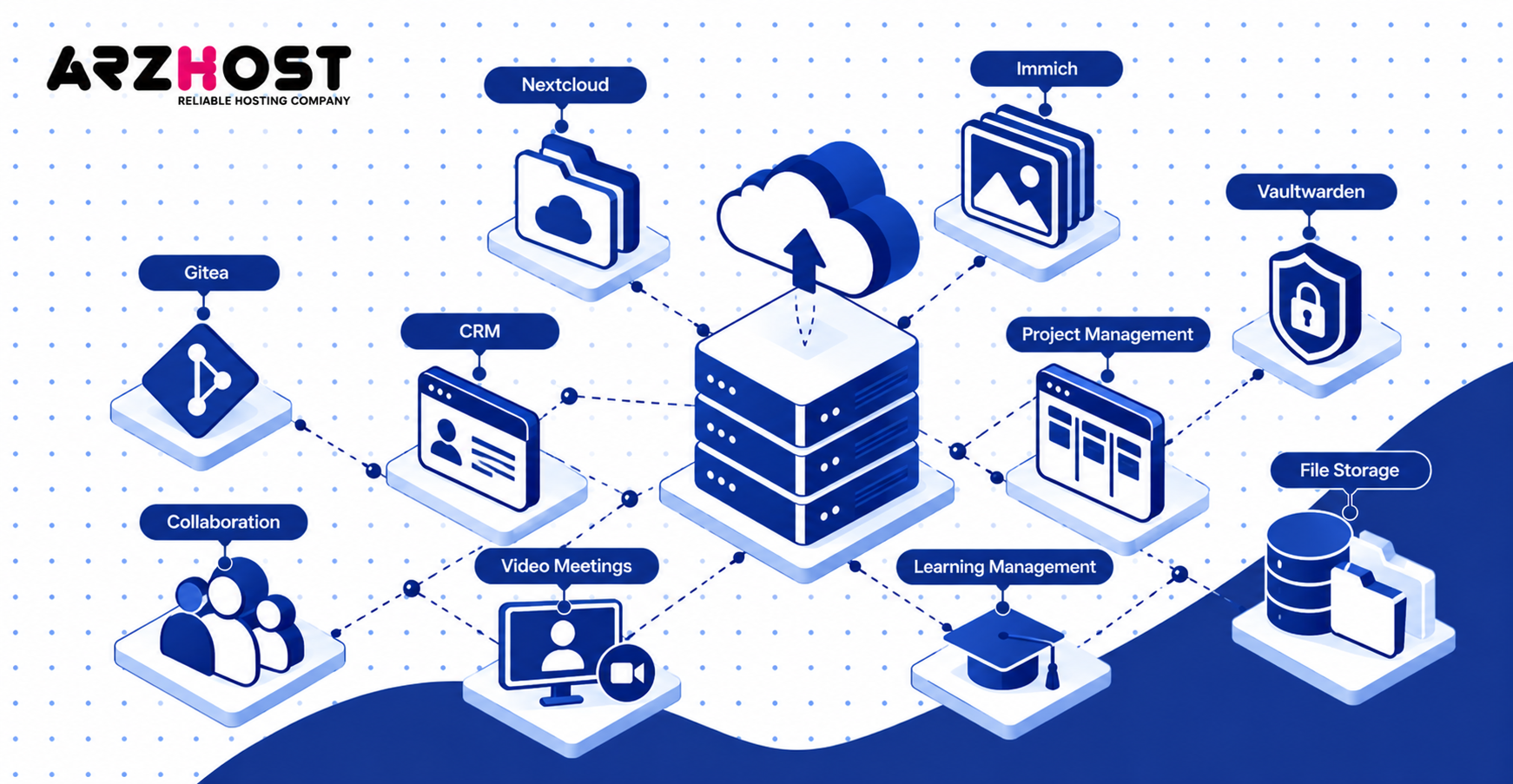
A VPS can host private alternatives to cloud applications for files, passwords, photos, development, and collaboration. Self hosting gives you direct control over configuration and stored data. You also become responsible for updates, security, backups, and availability.
Useful self hosted applications include Nextcloud, Immich, Vaultwarden, Gitea, Matrix, and project management platforms. Some applications need very little memory, while others require substantial storage. Check official system requirements before choosing a VPS size.
Nextcloud, Immich, and Vaultwarden
Nextcloud, Immich, and Vaultwarden can turn a VPS into a private productivity and storage platform. Nextcloud supports file synchronization, calendars, contacts, and collaborative features. Immich focuses on self hosted photo and video management.
Vaultwarden provides a lightweight server compatible with Bitwarden clients. It normally requires fewer resources than media heavy applications like Immich. Storage applications should use reliable backups outside the same VPS.
Gitea and Private Git Hosting
Gitea can turn a VPS into a private Git hosting platform for developers and small teams. It supports repositories, issues, pull requests, organizations, and access controls. It can also integrate with deployment workflows and CI tools.
Private Git hosting reduces dependence on public repository platforms. However, server ownership also means responsibility for backups and authentication security. Use SSH keys, HTTPS, and restricted administrative access.
CRM, Project Management, and Collaboration Software
A VPS can host business tools like EspoCRM, SuiteCRM, OpenProject, Plane, and Mattermost. These applications can manage customers, projects, tickets, documents, and team communication. InMotion also highlights CRM, project management, collaborative editing, and private communication as VPS use cases.
Other examples include Jitsi for video meetings and Moodle for learning management. These workloads vary greatly in CPU, memory, and storage requirements. Video conferencing usually requires more bandwidth than standard business applications.
6. Run Automation, Bots, and Background Scripts
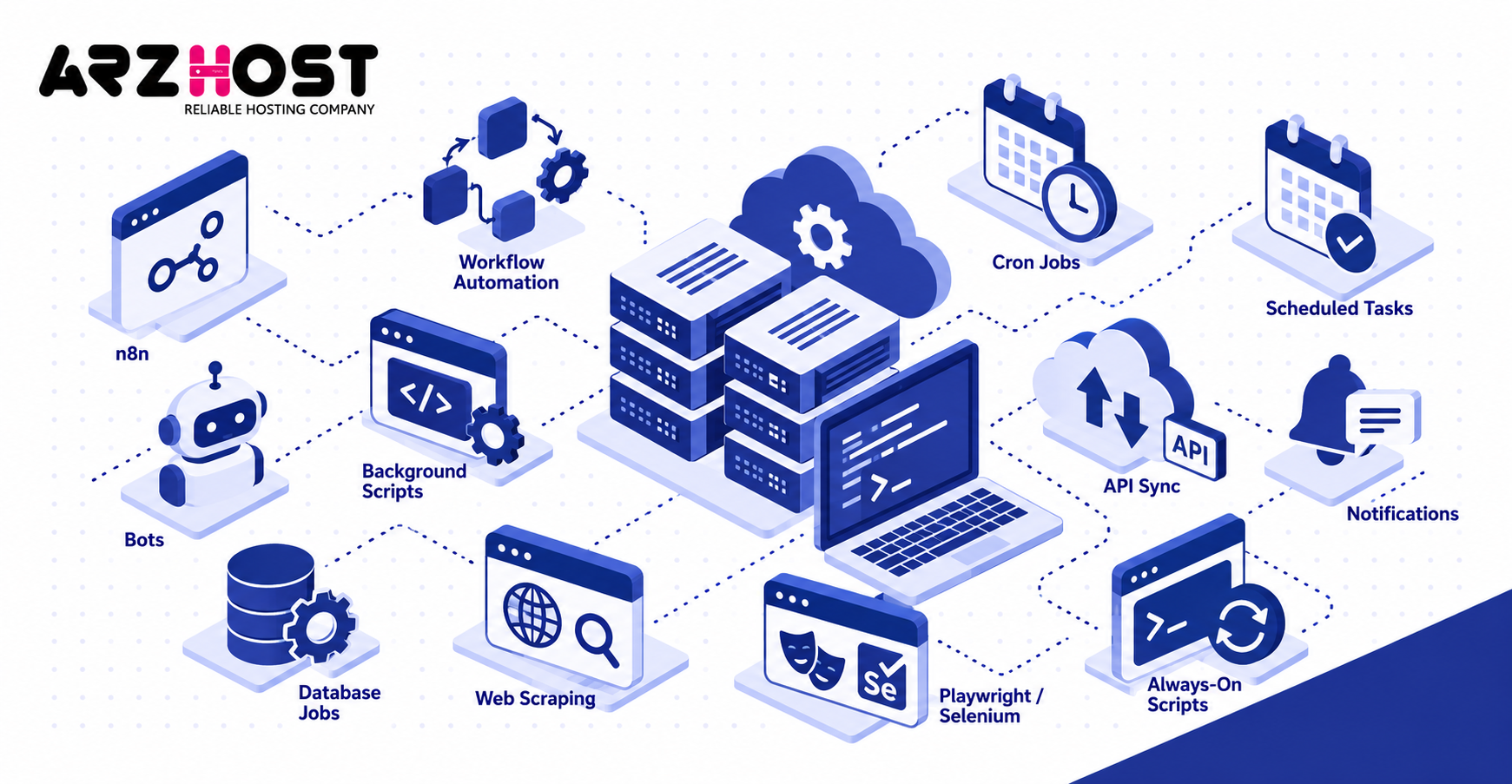
A VPS can run automation jobs, bots, scheduled tasks, and scripts continuously. Your desktop computer does not need to remain powered on. This makes a VPS useful for processes requiring 24 hour availability.
Common examples include lead processing, API synchronization, notification bots, database jobs, and authorized web scraping. Trading terminals and similar applications are another niche example. Resource requirements depend on execution frequency and processing complexity.
n8n and Workflow Automation
n8n can run on a VPS to automate workflows between applications, APIs, databases, and webhooks. Its documentation supports both cloud and self hosted deployment options. n8n also combines workflow automation with AI functionality.
A workflow could capture a form submission and update a CRM. Another could process files, call an AI API, and send a notification. High execution volumes may require queue mode, additional workers, or more memory.
Cron Jobs and Scheduled Tasks
Cron can execute commands automatically at defined times on Linux VPS servers. Common jobs include backups, cache cleanup, database exports, and report generation. Schedules can run every five minutes, hourly, daily, or weekly.
Systemd timers provide another scheduling method on modern Linux systems. Windows VPS servers can use Windows Task Scheduler instead. Logs should record failures for important scheduled processes.
Web Scraping and Always On Scripts
A VPS can run authorized data collection and persistent scripts without depending on a local computer. Examples include public data collection, feed processing, inventory monitoring, and internal synchronization. Browser automation can use Playwright or Selenium when JavaScript rendering is required.
Headless browsers consume more RAM than basic HTTP requests. Large scraping workloads can also use significant bandwidth and CPU. Always follow site access rules, rate limits, and applicable terms.
7. Host Databases and Caching Services
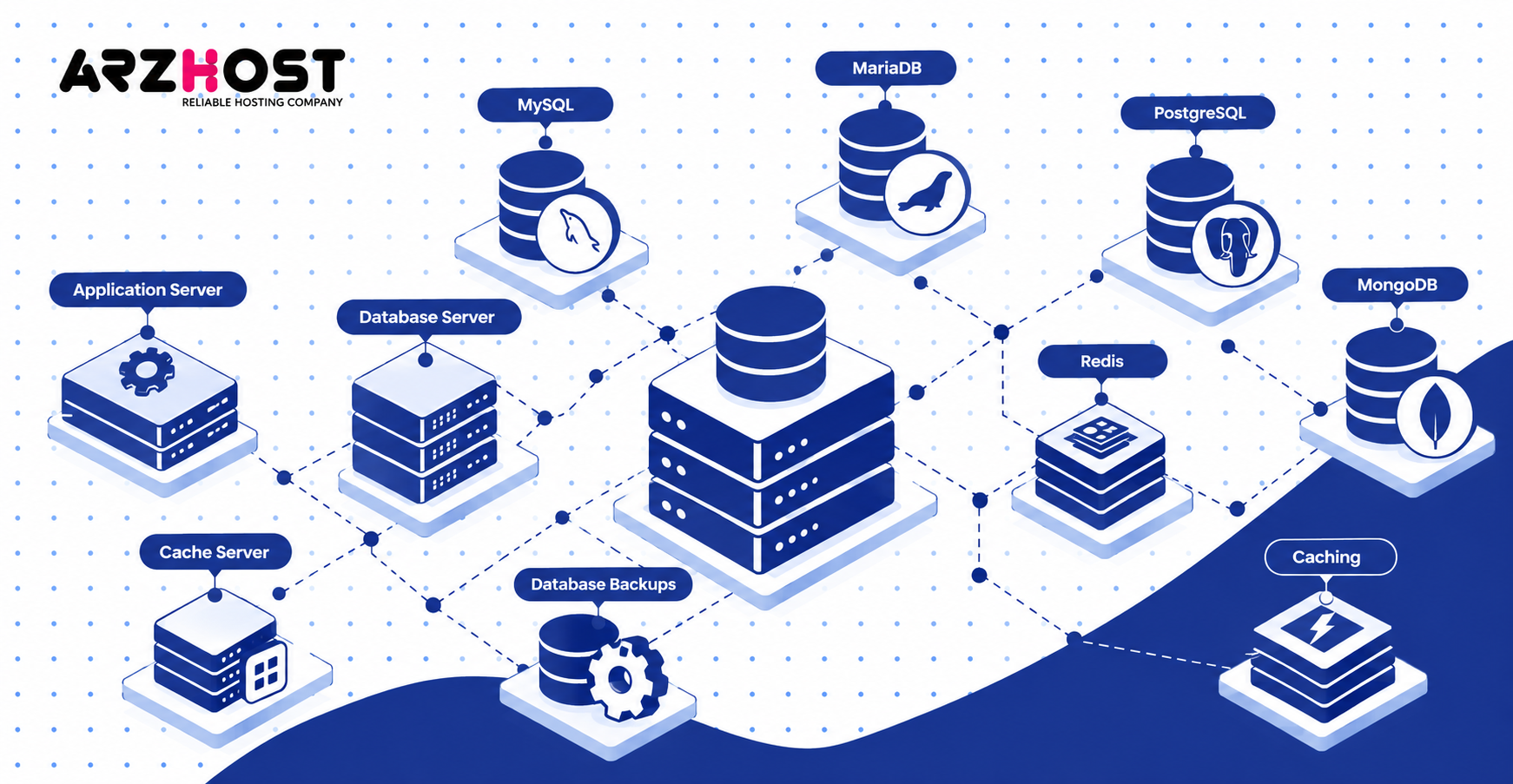
A VPS can host databases and caching systems for websites, applications, APIs, and internal tools. You control versions, memory limits, storage paths, authentication, and network access. Database performance depends heavily on memory and storage latency.
Popular database engines include MySQL, MariaDB, PostgreSQL, and MongoDB. Redis can provide caching, sessions, queues, and temporary data. Each service should receive only the network access it actually requires.
MySQL, MariaDB, PostgreSQL, and MongoDB
A VPS can run database engines like MySQL, MariaDB, PostgreSQL, and MongoDB. MySQL and MariaDB commonly support WordPress, WooCommerce, and PHP applications. PostgreSQL is common in SaaS applications, APIs, and modern backend systems.
MongoDB stores document oriented data for applications designed around that model. Database memory usage usually increases with active datasets and connection counts. Keep tested database backups outside the production server.
Redis and Application Caching
Redis can keep frequently accessed data in memory and reduce repeated application or database work. Common uses include object caching, sessions, queues, and rate limiting. WordPress installations can also use Redis for persistent object caching.
Redis consumes RAM rather than relying primarily on disk storage. Set memory policies before the cache grows uncontrollably. A cache should not force critical database processes out of memory.
Database on the Same VPS vs a Separate VPS
A database can share one VPS with your application or run on a dedicated VPS. One server deployments are simpler and avoid network latency between application and database. They also cost less during early project stages.
A separate database server provides stronger resource isolation. It becomes useful when traffic, security, availability, or database load increases. Private networking should connect servers when the provider supports it.
8. Use a VPS as a VPN, Proxy, or Reverse Proxy
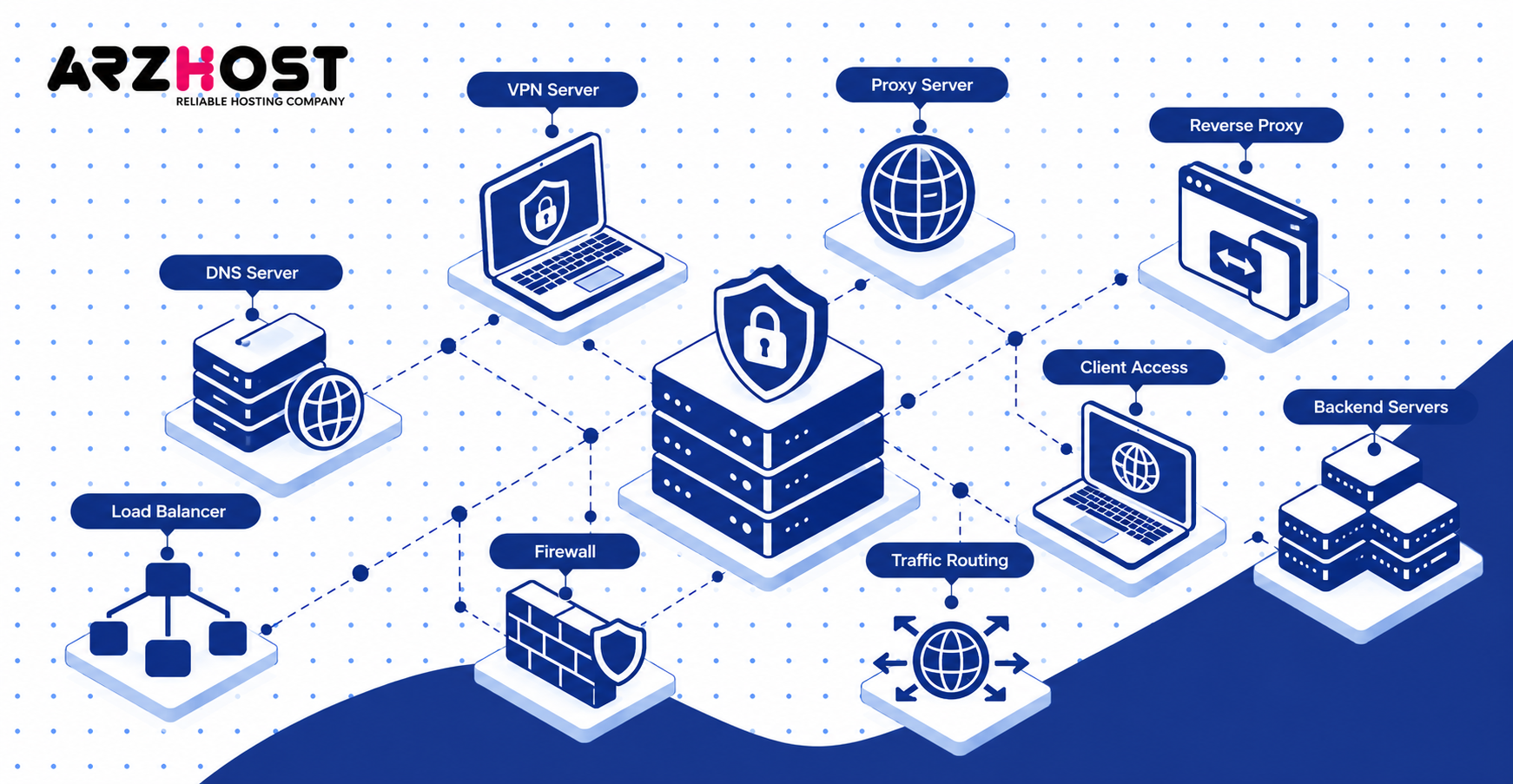
A VPS can provide networking services like VPN access, proxy routing, reverse proxying, DNS, and load balancing. These services use the VPS public network connection and IP address. They are common uses for small infrastructure servers.
A VPS is not the same thing as a VPN. The VPS is the server environment, while the VPN is software running on that environment. WireGuard and OpenVPN are common examples.
VPN Servers
A VPS can host a private VPN using software like WireGuard or OpenVPN. The VPN creates an encrypted tunnel between your device and the server. It can also provide secure access to private infrastructure.
Server location affects latency and the exit IP address. A distant data center can make interactive traffic slower. Choose a location near expected users when latency matters.
Proxy and Reverse Proxy Servers
A VPS can operate as either a forward proxy or a reverse proxy. A forward proxy sends client traffic toward external destinations. A reverse proxy receives public requests and forwards them toward backend applications.
Common reverse proxies include Nginx, Caddy, Traefik, and HAProxy. One proxy can route separate domains toward several applications. It can also terminate HTTPS before forwarding requests internally.
DNS and Load Balancing
A VPS can host DNS services or distribute traffic across multiple backend servers. DNS software includes BIND, PowerDNS, and Unbound. Load balancers include HAProxy, Nginx, and Traefik.
Production DNS should not depend on one single server. Two independent DNS servers provide better resilience than one VPS. Load balancing also becomes useful only when multiple backend systems exist.
9. Use a VPS for File Storage and Backups
A VPS can provide private file storage and remote backups when storage capacity meets your needs. It can centralize files for users, devices, websites, and application servers. Storage heavy workloads may need attached block storage or object storage.
A VPS should not be your only copy of important data. Hardware failure, account problems, or accidental deletion can still cause data loss. Maintain another independent backup location.
Private Cloud Storage
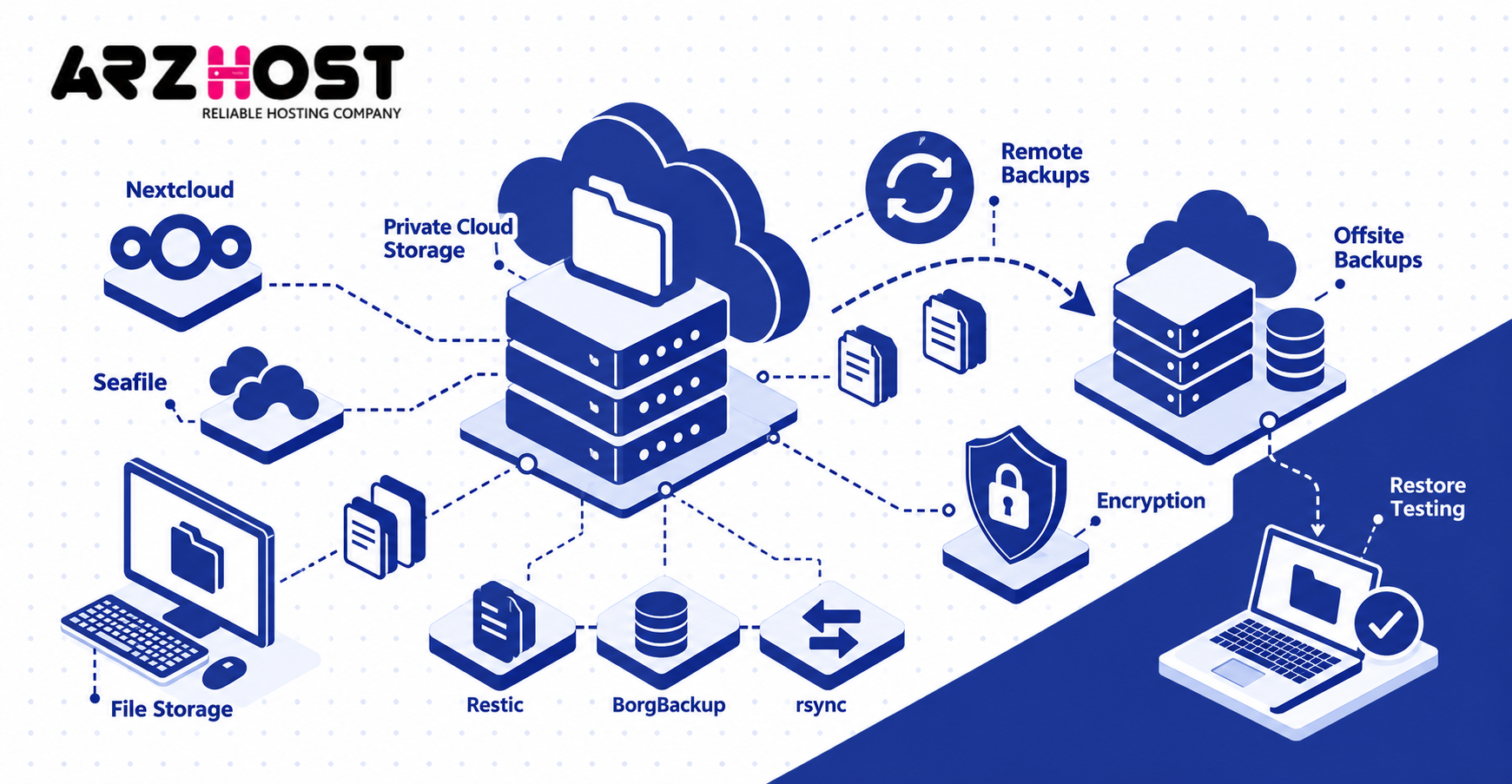
A VPS can provide private cloud storage using Nextcloud, Seafile, or similar software. Users can synchronize files between computers, phones, and other authorized devices. Permissions can control access to shared folders.
Storage usually becomes the first constraint for this use case. Photos, videos, and archives can consume hundreds of gigabytes quickly. External storage may cost less than repeatedly upgrading compute resources.
Remote and Offsite Backups
A separate VPS can store offsite backups for websites, databases, application data, and configuration files. Tools like Restic, BorgBackup, and rsync can automate transfers. Encryption protects backups stored outside the production environment.
Do not keep every backup only on the server being protected. A complete VPS failure could destroy both production data and local copies. Test restoration procedures before an actual outage occurs.
10. Run Monitoring and Logging Tools
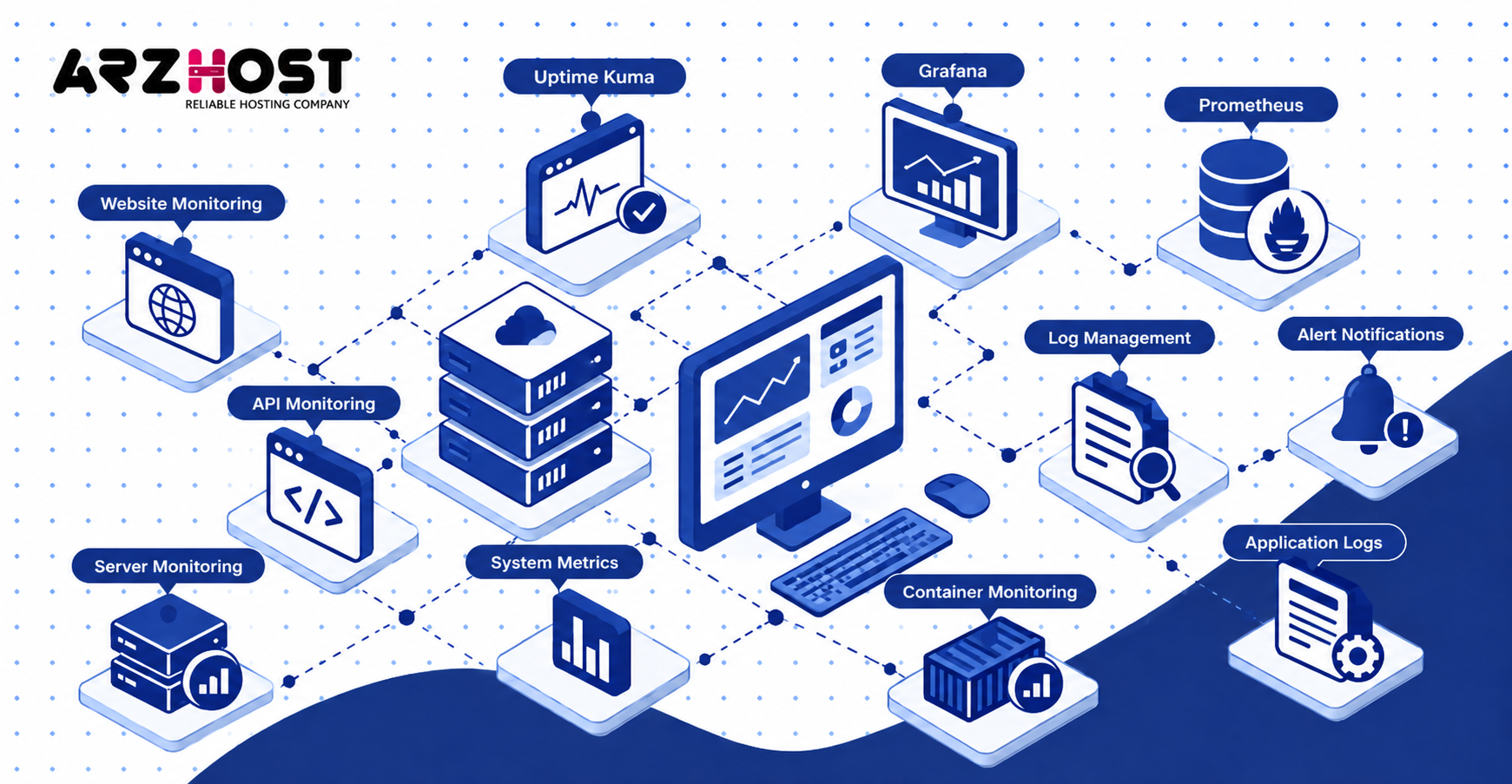
A VPS can monitor websites, APIs, servers, containers, certificates, and network services. Running monitoring separately helps preserve visibility when a production server fails. This is useful for agencies and multi server environments.
Monitoring data can include uptime, response time, CPU load, memory usage, and disk capacity. Logs provide deeper detail about failures and security events. Combining both gives better operational visibility.
Uptime Kuma
Uptime Kuma can monitor websites, APIs, ports, and other network endpoints from a VPS. It provides a simple dashboard for service availability and response checks. Notifications can alert you when an endpoint stops responding.
Place monitoring on a different VPS from critical production systems. Otherwise, one server failure can remove both the service and its monitor. A small independent VPS is often sufficient for lightweight monitoring.
Grafana and Prometheus
Prometheus collects metrics, while Grafana displays metrics through dashboards and visualizations. Examples include CPU usage, memory consumption, disk space, and application response time. Node Exporter can expose operating-system metrics to Prometheus.
Long retention periods increase storage requirements. High cardinality metrics can also increase memory usage. Monitor the monitoring stack itself as its dataset grows.
Server and Application Logs
A VPS can centralize logs from web servers, applications, containers, and security systems. Examples include Nginx access logs, application errors, SSH events, and Docker output. Tools like Loki or Elasticsearch can make logs searchable.
Logs can consume disk space quickly without retention limits. Configure rotation and expiration policies from the beginning. Avoid storing sensitive credentials or tokens inside application logs.
11. Host Game, Media, Email, and Communication Servers
A VPS can host game servers, media platforms, email systems, and communication applications. These workloads benefit from continuous availability and public network access. Their hardware requirements differ significantly.
Game servers may be CPU sensitive, while media servers can be storage-intensive. Video transcoding may also require GPU support. Email hosting adds reputation and deliverability requirements beyond basic server setup.
Game Servers
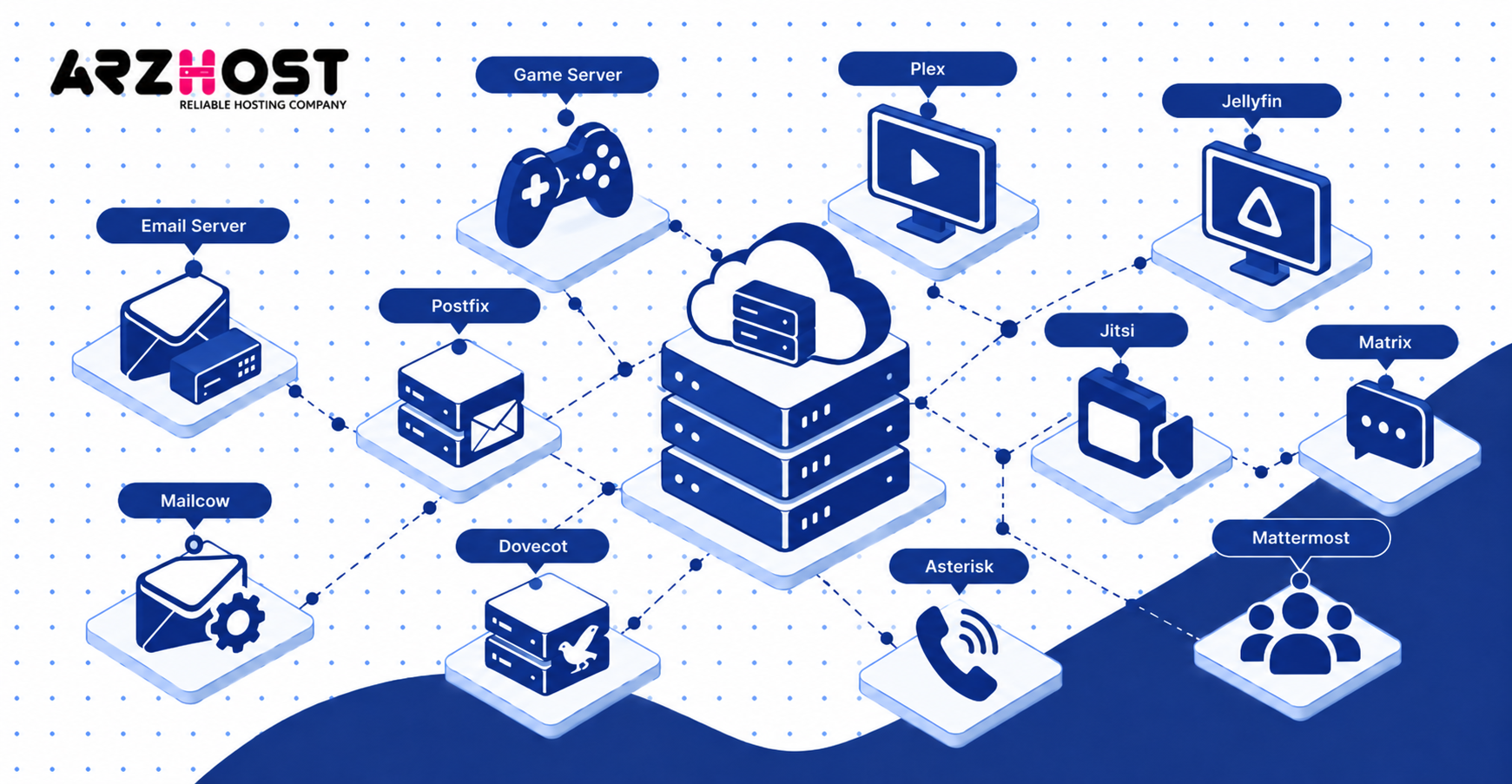
A VPS can host supported multiplayer games like Minecraft, Valheim, and Terraria. Performance depends on CPU speed, player count, available memory, and network latency. Some games require high single thread CPU performance.
Choose a server location near participating players. Lower geographic distance usually reduces network latency. Check the game’s server requirements before selecting a plan.
Plex and Jellyfin Media Servers
A VPS can run media applications like Plex and Jellyfin for remote library access. Direct playback generally requires fewer resources than real-time transcoding. Transcoding converts media when the client cannot play the original format.
Large media collections also require substantial storage. GPU acceleration can reduce CPU load when supported. Check provider policies before using large amounts of bandwidth for streaming.
Email Servers and Email Hosting
A VPS can host email services using software stacks like Postfix, Dovecot, Mailcow, or Mail in a Box. You gain control over mailboxes, spam filtering, storage, and server configuration. However, email administration involves more than installing mail software.
Deliverability depends on DNS and IP reputation. Important records include SPF, DKIM, DMARC, and reverse DNS where supported. Some VPS providers also restrict outbound SMTP or require additional approval.
VoIP, Video Conferencing, and Private Communication
A VPS can host communication platforms like Asterisk, Jitsi, Matrix, Mattermost, and Rocket.Chat. Asterisk provides VoIP functionality, while Jitsi supports video conferencing. Matrix and Mattermost can provide private team communication.
Real time audio and video need stable bandwidth and low latency. Larger conferences can require substantial CPU and network resources. Small chat platforms usually need fewer resources than video systems.
12. Run AI Applications and AI Agents
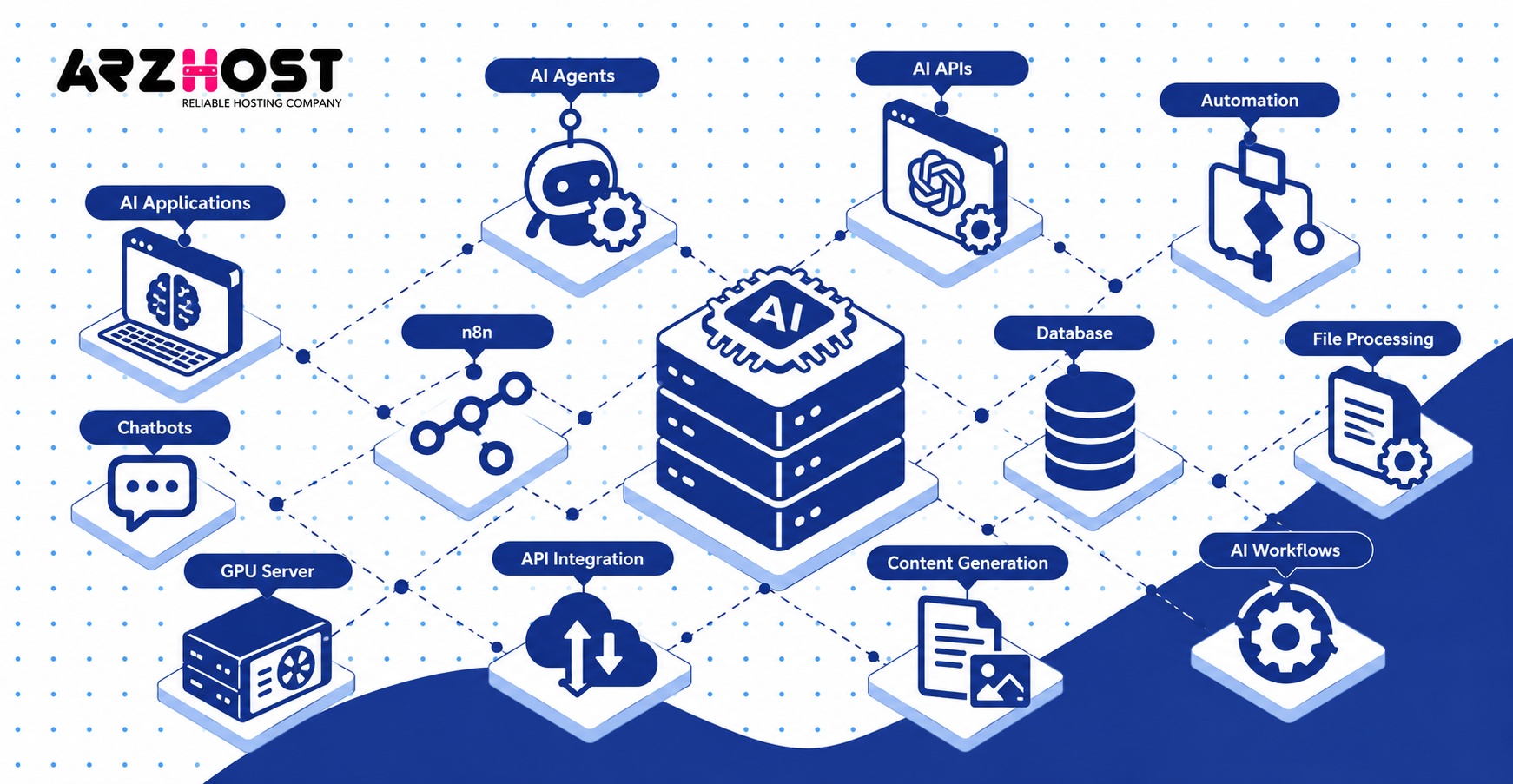
A VPS can host AI applications, agents, automation systems, and API based AI services. The server can handle application logic while external AI providers perform model inference. This avoids keeping large models on the VPS.
Examples include chatbots, document processors, support assistants, and automated content pipelines. The VPS can manage authentication, databases, queues, webhooks, and scheduled jobs. n8n can also combine AI functionality with workflow automation.
AI APIs and Automation
A VPS can host applications that call AI APIs from providers or private inference endpoints. It can receive user requests, retrieve data, and send prompts to the model. Results can then be stored, transformed, or returned through an API.
This architecture often needs modest server resources. The expensive computation happens outside your VPS. Your server mainly handles orchestration, storage, and application traffic.
CPU vs GPU VPS for AI Workloads
CPU VPS plans suit lightweight AI orchestration, while GPU servers suit compute-heavy model inference. CPU workloads include API calls, lightweight embeddings, data preprocessing, and agent workflows. GPU workloads include image generation and larger local language models.
GPU servers usually cost substantially more than basic VPS plans. VRAM becomes a major constraint for local model inference. Required capacity changes with model size, quantization, context length, and concurrency.
When a VPS Is Not Suitable for Local LLMs
A small VPS is unsuitable when a local model requires more memory than the server provides. A 2 GB or 4 GB plan cannot run most modern general-purpose models effectively. Even small quantized models need memory beyond their stored weight size.
Use external APIs when local inference provides no clear advantage. Choose GPU infrastructure when inference speed or model privacy requires local execution. Do not select an ordinary VPS only because the application includes AI.
What Can You Run on a 1 GB, 2 GB, or 4 GB VPS?
VPS capacity depends on memory, CPU, storage performance, software configuration, and traffic. RAM size alone cannot predict exact application capacity. These ranges provide practical starting points rather than guaranteed limits.
Always monitor the workload after deployment. Real traffic can reveal bottlenecks that estimates miss. Upgrade resources when sustained usage approaches unsafe levels.
1 GB VPS
A 1 GB VPS suits lightweight services like static sites, VPN servers, proxies, and basic monitoring. It can also run one small application with careful memory management. Large hosting panels can consume too much of the available memory.
A swap file can reduce immediate out-of-memory crashes. However, swap uses storage and is much slower than RAM. It should not replace adequate memory for active workloads.
2 GB VPS
A 2 GB VPS can handle small WordPress sites, lightweight APIs, automation, and modest Docker stacks. One example is Nginx, PHP, MariaDB, and a low-traffic WordPress installation. Lightweight services like Vaultwarden or Uptime Kuma also fit this range.
Traffic and database activity can change requirements quickly. A poorly optimized application may exhaust 2 GB with little traffic. Track memory usage before adding more services.
4 GB VPS
A 4 GB VPS provides more room for WooCommerce, Docker stacks, databases, and multiple lightweight applications. It can support larger PHP worker pools and database caches. Moderate development environments also become more practical.
Four gigabytes does not guarantee support for unlimited websites. One resource-heavy ecommerce store can consume more capacity than several static sites. CPU quality and storage I/O remain equally important.
8 GB and Larger VPS Plans
An 8 GB or larger VPS suits heavier ecommerce, larger databases, development platforms, and multi-container environments. Plans with 16 GB or 32 GB support larger workloads when CPU capacity scales accordingly. High availability may still require multiple servers instead of one larger machine.
Vertical scaling has practical limits. Splitting databases, workers, storage, or application servers can provide better isolation. Architecture matters more as a project grows.
What Limits What You Can Do With a VPS?
CPU, RAM, storage, bandwidth, latency, software compatibility, and provider rules limit VPS workloads. Root access does not remove physical resource limits. Every application competes for some combination of these resources.
The correct constraint depends on the workload. Databases often care about memory and storage latency. Games and VoIP can be more sensitive to CPU performance and network latency.
CPU, RAM, Storage, and Disk I/O
CPU handles processing, while RAM stores actively used application and database data. Storage capacity determines how much persistent data the VPS can hold. Disk I/O determines how quickly that data can be read or written.
High CPU usage can increase request times. Low available memory can trigger swapping or process termination. Slow storage can bottleneck databases even when CPU usage remains low.
Bandwidth and Network Latency
Bandwidth controls data transfer capacity, while latency measures communication delay between network locations. Backups, file downloads, and video streaming can consume large transfer volumes. Games, VoIP, and remote databases are more sensitive to latency.
A nearby data center can reduce delay for your primary audience. Included bandwidth also varies by provider and plan. Check both transfer limits and port speed before deployment.
Operating System and Software Requirements
Your operating system determines which applications and server components run natively. Linux distributions include Ubuntu, Debian, AlmaLinux, and Rocky Linux. Windows Server supports IIS, PowerShell, Remote Desktop, and Windows-specific software.
Application documentation should determine your operating system choice. Do not choose Windows only for a graphical desktop. Do not choose Linux when required software only supports Windows.
Hosting Provider Restrictions
VPS providers can restrict workloads through acceptable-use policies, blocked ports, and resource rules. Common restrictions can involve SMTP, cryptocurrency mining, public proxies, or sustained CPU usage. Policies differ between providers.
Read the acceptable-use policy before purchasing. Also verify whether nested virtualization or custom kernels are supported. Some specialized projects depend on features unavailable from every VPS platform.
Common VPS Mistakes and Security Risks
Common VPS mistakes include weak authentication, missing updates, poor backups, and excessive resource usage. An unmanaged server places most security responsibility on the administrator. A compromised VPS can expose websites, databases, credentials, and customer information.
Security should start during initial deployment. Do not wait until the server becomes public. Reduce unnecessary services and exposed ports immediately.
Weak SSH and Root Security
SSH access should use strong authentication and tightly controlled administrative privileges. SSH keys reduce dependence on reusable passwords. Root login can also be restricted when your management approach allows it.
Tools like Fail2ban can block repeated authentication failures. Firewalls should limit SSH access where practical. Never expose private keys through repositories or public files.
Missing Updates and Firewalls
Unpatched applications and unnecessary network ports increase the attack surface of a VPS. Update operating systems, web servers, databases, and installed applications regularly. Security updates should receive priority.
Firewalls like UFW, nftables, and firewalld can restrict inbound traffic. Only expose services requiring public access. Databases usually should not accept unrestricted internet connections.
Poor Backup Practices
A backup stored only on the production VPS does not protect against total server loss. Keep at least one independent copy outside the machine. Encrypt sensitive backups before sending them to remote storage.
Snapshots are useful, but snapshots are not a complete backup strategy. Provider-level account failure can affect snapshots stored in the same platform. Test full restores periodically.
Running Too Many Services on One VPS
Too many services can exhaust CPU, RAM, storage capacity, or disk I/O. One small VPS should not automatically host every service you operate. GitLab, Elasticsearch, databases, and ecommerce applications can consume significant resources.
Docker does not remove this constraint. Containers still share the host’s available hardware. Use resource limits and monitoring before adding another workload.
Managed vs Unmanaged VPS
A managed VPS includes provider administration, while an unmanaged VPS leaves server management mainly to you. Managed services can include updates, security, monitoring, backups, or control-panel assistance. Exact responsibilities vary between providers.
Unmanaged VPS hosting gives you greater control over the environment. You handle software installation, updates, firewall rules, troubleshooting, and server hardening. It generally costs less than equivalent managed infrastructure.
Choose based on operational responsibility rather than technical capability alone. A managed VPS can still provide substantial control. An unmanaged VPS becomes costly if administration time outweighs hosting savings.
Linux VPS vs Windows VPS
A Linux VPS runs a Linux distribution, while a Windows VPS runs Microsoft Windows Server. Linux options include Ubuntu, Debian, AlmaLinux, and Rocky Linux. Windows options usually provide administrator access through Remote Desktop.
Linux commonly hosts WordPress, Docker, Nginx, Apache, Node.js, Python, and PHP. Windows commonly hosts IIS, .NET workloads, PowerShell automation, and Windows-specific business applications. Both can host databases and general web applications.
Windows VPS pricing can be higher because licensing may be included. Linux servers generally provide more low-cost distribution choices. Choose based on workload compatibility, not familiarity alone.
VPS vs Shared Hosting, Cloud Hosting, and Dedicated Servers
A VPS provides more isolation and control than shared hosting without requiring an entire physical server. It occupies a practical middle ground for many workloads. However, cloud platforms and dedicated servers can suit different scaling requirements.
The terms VPS and cloud server sometimes overlap in provider marketing. Infrastructure architecture matters more than the product label. Compare resources, redundancy, billing, management, and scaling options.
VPS vs Shared Hosting
Shared hosting provides a preconfigured environment, while a VPS provides much greater server-level control. Shared hosting suits simple websites that need minimal administration. VPS hosting supports custom runtimes, services, background processes, and networking configuration.
A VPS also requires more management unless the plan includes administration. Shared hosting normally hides operating-system maintenance from customers. Choose VPS hosting when control or resource isolation becomes necessary.
VPS vs Cloud Hosting
Cloud hosting usually emphasizes flexible infrastructure, while traditional VPS hosting may rely on one physical host. Some modern VPS products already run on clustered cloud platforms. Therefore, these categories can overlap considerably.
Cloud platforms may provide managed databases, object storage, load balancers, and autoscaling. A standard VPS may provide only compute, storage, and networking. Compare actual features instead of assuming one label guarantees specific architecture.
VPS vs Dedicated Server
A VPS virtualizes part of a physical machine, while a dedicated server provides the complete physical machine. Dedicated servers offer access to all installed CPU, memory, and storage resources. They can suit sustained high-load workloads.
VPS plans are normally easier to resize. They also start at much lower price points. Dedicated hardware becomes useful when virtualization overhead or shared physical infrastructure becomes undesirable.
How Much Does a VPS Cost and Is It Worth It?
A VPS can cost from a few dollars monthly to hundreds of dollars for larger or managed configurations. Current DigitalOcean basic virtual machines start at $4 per month. Its listed 4 GB plan costs $24 monthly, while its 16 GB plan costs $96.
Pricing depends on RAM, CPU type, storage, bandwidth, region, operating system, and management level. Hetzner’s September 2026 pricing also shows plans ranging from single-digit monthly prices upward. Dedicated CPU configurations cost substantially more than entry-level shared-vCPU instances.
A VPS is worth considering when you need server control, isolated resources, persistent processes, or custom software. It may also consolidate services like hosting, monitoring, automation, and development into one server. Shared hosting remains simpler when you only need a basic website.
Conclusion
A VPS can do far more than host a standard website. It can run applications, Docker containers, databases, automation, backups, monitoring, VPNs, communication platforms, and AI services. The main limitation is the resources and management effort each workload requires.
Start by matching the VPS to one clear workload. Monitor CPU, RAM, storage, disk I/O, and bandwidth before adding more services. Split demanding components across separate servers when one VPS becomes a bottleneck.
For most projects, the useful question is not whether a VPS can run something. The better question is whether your chosen VPS can run it reliably and securely. Resource sizing, software requirements, provider rules, and operational skills determine that answer.
Frequently Asked Questions
What Is a VPS Used For?
A VPS is used for hosting websites, applications, databases, automation, storage, and network services. Common examples include WordPress, Docker, MySQL, n8n, WireGuard, and Uptime Kuma. Developers also use VPS servers for staging, CI/CD, and private Git hosting.
Can I Host Multiple Websites on One VPS?
Yes, one VPS can host multiple websites if sufficient resources are available. Nginx virtual hosts, Apache virtual hosts, Docker containers, or hosting panels can separate websites. Traffic and application complexity determine the practical site count.
Can I Install Any Software on a VPS?
You can install most software compatible with the VPS operating system and provider policies. Root or administrator access usually gives broad configuration control. Hardware requirements and provider restrictions can still prevent specific applications.
Can I Run Docker on a VPS?
Yes, most standard Linux VPS plans can run Docker when kernel features and virtualization support are available. Docker Compose can manage multi-container applications from one configuration. Docker officially supports single-host Compose deployments for production environments.
Can I Host a Database on a VPS?
Yes, a VPS can host databases like MySQL, MariaDB, PostgreSQL, MongoDB, and Redis. Memory and storage performance strongly affect database capacity. Restrict public network access and maintain independent backups.
Can I Use a VPS as a VPN?
Yes, a VPS can host VPN software like WireGuard or OpenVPN. Your devices connect securely to the VPS through an encrypted tunnel. Server location influences latency and the public IP address used by your traffic.
Do I Need Linux Knowledge to Use a VPS?
Basic Linux knowledge is useful when managing an unmanaged Linux VPS. Important skills include SSH, package management, permissions, logs, firewalls, and service management. Managed VPS plans and control panels reduce the required administration.
Is VPS Hosting Free?
Production VPS hosting is generally a paid service because it consumes compute, storage, bandwidth, and IP resources. Some providers offer trials, credits, or limited free virtual machines. Free options usually impose stricter resource or usage limits.
Is AWS a VPS?
AWS is a cloud platform, not a single VPS service. Amazon EC2 provides virtual machines that can perform many VPS-style workloads. AWS also offers databases, storage, networking, serverless computing, and managed services.
How Much RAM Do I Need for a VPS?
A lightweight server may start with 1 GB, while WordPress and Docker workloads commonly benefit from 2 GB or more. WooCommerce, larger databases, and multi-container applications may require 4 GB, 8 GB, or more. Measure actual memory usage rather than relying only on generic recommendations.
Can I Upgrade a VPS Later?
Most VPS providers allow CPU, RAM, or storage upgrades, although exact methods vary. Some upgrades require a reboot or migration. Storage reductions are often more difficult than storage increases.
How Do I Know If My VPS Is Overloaded?
A VPS is overloaded when resource pressure causes slow responses, swapping, errors, or terminated processes. Monitor CPU usage, available RAM, disk latency, free storage, and network traffic. Tools like Prometheus, Grafana, Uptime Kuma, and provider dashboards can expose these problems.