


The best VPS hosting providers offer reliable virtual servers, suitable resources, transparent pricing, and dependable support. Companies such as ARZHost, Hostinger, Contabo, DigitalOcean, Vultr, and Hetzner provide different hosting plans for websites and applications. Their services vary in server capacity, management tools, technical support, and monthly costs.
Choosing a VPS provider involves more than finding the lowest advertised price. A cheaper server may lack the memory, performance, or technical assistance your website needs. Understanding each company’s features and limitations helps you make a better hosting decision.
This guide compares six VPS hosting providers in 2026 using their published services and prices. You’ll learn what each company offers, who it suits, and where its limitations lie. We’ll also explain how to compare plans and select a provider for your project.
What Are VPS Hosting Providers?
VPS hosting providers are companies that rent virtual private servers for websites, applications, and other online services. VPS stands for Virtual Private Server, an independent virtual environment created using physical server hardware. Hosting providers supply the infrastructure, network connectivity, and management systems that keep these virtual servers accessible.
Unlike basic shared hosting, VPS hosting usually provides an isolated operating system and allocated computing resources. These resources include virtual CPU capacity, RAM, storage, and network bandwidth. Customers can install compatible software and configure their servers according to the hosting agreement.
The provider maintains the underlying infrastructure, while software management responsibilities depend on the plan. Managed hosting may include operating system updates, monitoring, and selected administration services. Unmanaged hosting generally leaves application installation, server configuration, and security maintenance to the customer.
Quick Comparison of the 6 Best VPS Hosting Providers
The following six providers represent different approaches to VPS and cloud server hosting. Their entry configurations vary considerably, making price only comparisons misleading. Use this table as a starting point before examining each provider in detail.
| VPS Provider | Advertised Starting Price | Entry Plan Resources | Suitable For |
| ARZHost | $9.50/month, HH 1 | 1 CPU core, 2 GB RAM, 10 GB SSD | Customers seeking VPS plans with management options |
| Hostinger | $6.49/month promotional | 1 vCPU, 4 GB RAM, 50 GB NVMe | Users wanting guided server administration |
| Contabo | $4.40/month, US offer | 4 vCPU, 8 GB RAM, 100 GB SSD | RAM- and storage-focused workloads |
| DigitalOcean | $4/month | 1 vCPU, 512 MiB RAM, 10 GiB SSD | Developers and lightweight applications |
| Vultr | $0.005/hour | 1 vCPU, 0.5 GB RAM, 10 GB storage | Flexible cloud deployments |
| Hetzner | €5.49/month, CX23 EU | 2 vCPU, 4 GB RAM, 40 GB NVMe | Technical users seeking configurable cloud servers |
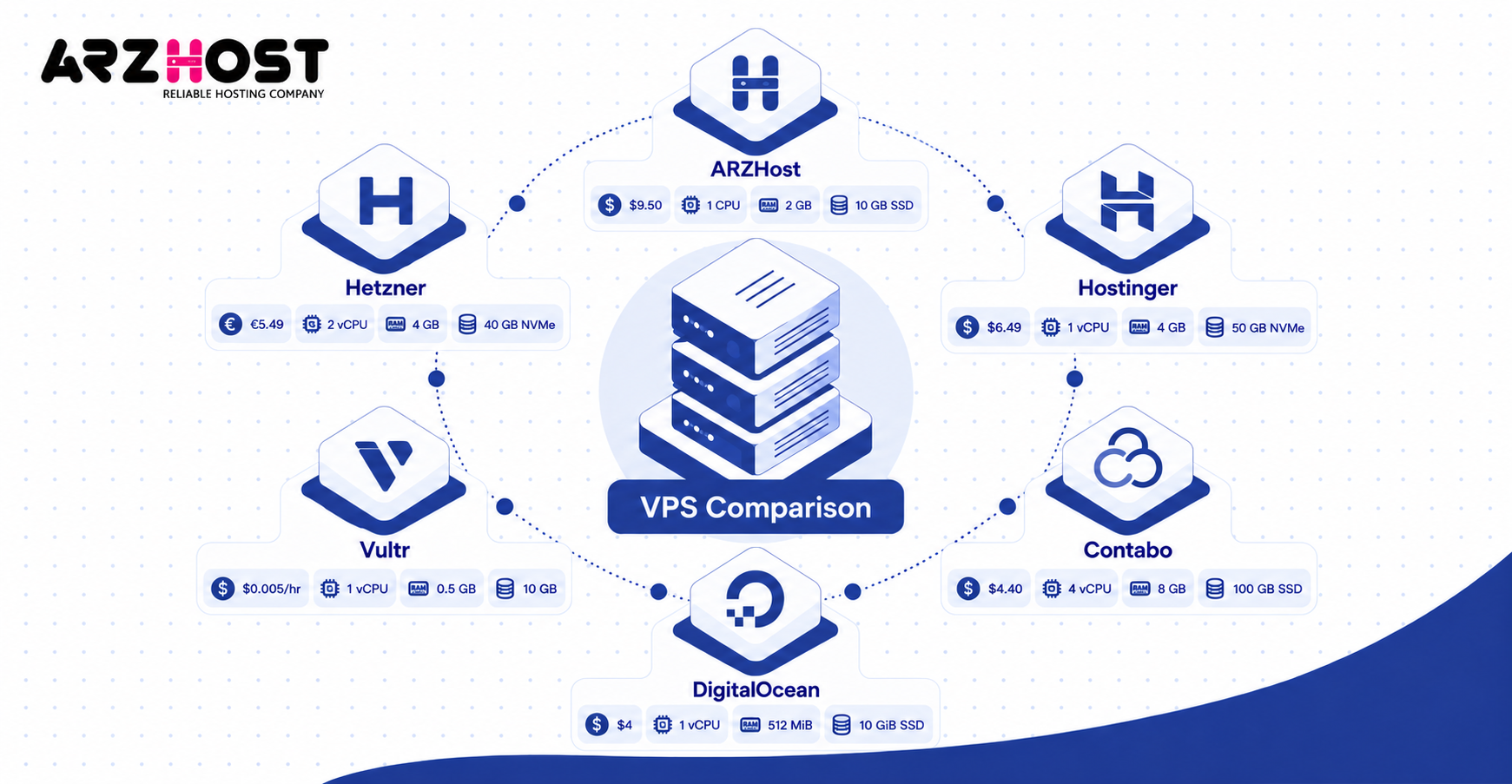
1. ARZHost VPS Hosting With Managed Service Options
ARZHost offers VPS hosting services with multiple server configurations and advertised management assistance. Its hosting plans include allocated CPU capacity, RAM, storage, and network connectivity. The company also advertises KVM virtualization, root access, DDoS protection, and server monitoring.
ARZHost VPS Plans and Starting Prices
ARZHost advertises its HH 1 VPS package from $9.50 per month. This configuration includes one AMD EPYC Milan CPU core, 2 GB RAM, and 10 GB SSD storage. The company’s separately listed Starter VPS begins at $12.50 monthly with 20 GB SSD storage.
| ARZHost Plan | Starting Monthly Price | RAM | Storage |
| HH 1 | $9.50 | 2 GB | 10 GB SSD |
| Starter VPS | $12.50 | 2 GB | 20 GB SSD |
| Value VPS | $16 advertised | 2 GB | 40 GB NVMe |
| Essential VPS | $34 | 4 GB | 80 GB NVMe |
| Comfort VPS | $54 | 8 GB | 160 GB NVMe |
ARZHost Features and Customer Support
ARZHost advertises a 99.9% uptime service-level agreement, or SLA, for its VPS packages. Its feature table also lists 24/7 monitoring, KVM virtualization, and an IPv4 address. Linux operating systems and optional administration tools are listed across the product range.
The company also promotes managed VPS hosting for customers requiring technical assistance. Control panels such as cPanel and Plesk may be available as optional services. Customers should confirm whether software updates, application troubleshooting, and automatic backups are included.
ARZHost Advantages and Limitations
An advantage of ARZHost is its selection of VPS configurations with different resource allocations. Its plans provide choices for smaller websites and applications requiring additional capacity. Published monitoring and management options may also interest customers looking for administration assistance.
However, its official page contains inconsistencies between the pricing cards and detailed feature table. The presence of managed hosting does not establish precisely which technical tasks are included. Customers should request written confirmation of pricing, support scope, and backup services.
Who Should Choose ARZHost?
ARZHost may suit website owners and small businesses wanting VPS hosting with optional management services. Its packages provide different CPU, memory, and storage combinations for varying requirements. Customers prioritizing straightforward technical assistance should verify its support agreement before subscribing.
2. Hostinger — VPS Hosting With AI-Assisted Management
Hostinger offers KVM VPS hosting with NVMe storage, administrative access, and AI assisted management tools. Its hosting platform uses AMD EPYC processors and provides a graphical management interface. Customers can select resource configurations based on their website or application requirements.
Hostinger VPS Plans and Starting Prices
Hostinger’s KVM 1 plan starts at an advertised promotional rate of $6.49 per month. It includes 1 vCPU, 4 GB RAM, 50 GB NVMe storage, and 4 TB bandwidth. Hostinger lists a renewal price of $11.99 monthly under the displayed two year renewal terms.
| Hostinger Plan | Promotional Price | RAM | NVMe Storage |
| KVM 1 | $6.49/month | 4 GB | 50 GB |
| KVM 2 | $8.99/month | 8 GB | 100 GB |
| KVM 4 | $12.99/month | 16 GB | 200 GB |
| KVM 8 | $25.99/month | 32 GB | 400 GB |
Hostinger Features and Customer Support
Hostinger includes an AI web terminal and other assisted server management capabilities. These tools allow customers to perform supported administration tasks through its hosting interface. They can simplify certain operations, although they do not replace full server administration.
Its advertised VPS features include weekly backups, firewall management, and access to server templates. Hostinger also publishes network bandwidth allocations and a 1 Gbps network specification. Customers should verify which security and recovery responsibilities remain theirs.
Hostinger Advantages and Limitations
Hostinger’s main advantage is its combination of VPS control and guided management tools. Its interface may help customers who want to learn server administration without relying entirely on command-line tools. The published KVM configurations also provide clear upgrade choices.
However, the advertised discounted rates are not equivalent to unrestricted monthly billing. Renewal charges can increase the long term cost of ownership. Users must also distinguish AI assisted unmanaged hosting from a fully managed server service.
Who Should Choose Hostinger?
Hostinger may suit website owners and developers who want VPS flexibility with accessible management tools. Its entry configuration provides 4 GB RAM for applications requiring moderate memory capacity. Customers without technical experience should still check their ability to maintain the operating system.
3. Contabo VPS Hosting for RAM and Storage Capacity
Contabo offers VPS hosting plans emphasizing resource capacity and competitive advertised pricing. Its cloud server range includes Core VPS, Performance VPS, and more powerful virtual dedicated server configurations. The product categories serve workloads with different memory, storage, and processing requirements.
Contabo VPS Plans and Starting Prices
Contabo’s US pricing page advertises Cloud VPS 4 from $4.40 per month. This configuration includes 4 vCPU cores, 8 GB RAM, and 100 GB SSD storage. The advertised rate applies to its displayed promotional billing terms.
| Contabo Plan | Advertised US Price | RAM | Storage |
| Cloud VPS 4 | $4.40/month | 8 GB | 100 GB SSD |
| Cloud VPS 6 | $6.00/month | 12 GB | 200 GB SSD or 100 GB NVMe |
| Cloud VPS 8 | $11.20/month | 24 GB | 300 GB SSD or 150 GB NVMe |
| Cloud VPS 12 | $20.00/month | 48 GB | 400 GB SSD or 200 GB NVMe |
Contabo Features and Customer Support
Contabo offers different VPS product categories to accommodate varied resource requirements. Its Performance VPS range uses AMD EPYC processors and NVMe storage configurations. The Core range emphasizes cost efficient allocations for lighter workloads.
The company’s VPS marketing lists firewall protection, DDoS protection, and a 99.9% uptime commitment. Some configurations also include snapshot features, depending on the plan. Additional backup services and storage options may increase the final price.
Contabo Advantages and Limitations
Contabo’s main advantage is its advertised RAM and storage capacity relative to entry pricing. Its Cloud VPS 4 provides 8 GB RAM, which exceeds several other providers’ smallest configurations. This may benefit applications requiring memory capacity more than advanced management tools.
However, more RAM does not guarantee faster website performance. Shared CPU capacity, disk operations, and network quality can influence actual results. Users should also review backup fees, technical support responsibilities, and promotional renewal conditions.
Who Should Choose Contabo?
Contabo may suit developers and businesses running memory heavy or storage-intensive applications. Examples include self-hosted tools, development environments, and database workloads. Its unmanaged service model makes technical administration knowledge particularly valuable.
4. DigitalOcean Cloud VPS Hosting for Developers
DigitalOcean provides cloud virtual machines called Droplets for application hosting and software development. Its platform offers computing resources, deployment tools, technical documentation, and additional cloud infrastructure services. Customers can use Droplets independently or combine them with other DigitalOcean products.
DigitalOcean Droplet Plans and Starting Prices
DigitalOcean’s Basic Droplets start at $4 per month. The entry configuration includes 1 vCPU, 512 MiB RAM, 10 GiB SSD storage, and 500 GiB outbound transfer. This is a lightweight server configuration rather than a high capacity production plan.
| Basic Droplet | Monthly Price | CPU | Storage |
| 512 MiB RAM | $4 | 1 vCPU | 10 GiB SSD |
| 1 GiB RAM | $6 | 1 vCPU | 25 GiB SSD |
| 2 GiB RAM | $12 | 1 vCPU | 50 GiB SSD |
| 4 GiB RAM | $24 | 2 vCPU | 80 GiB SSD |
DigitalOcean introduced per second Droplet billing in January 2026, subject to its minimum charge. Standard bundled plans also include monthly spending caps for the selected configuration. Additional storage, backups, and related services may be charged separately.
DigitalOcean Features and Customer Support
DigitalOcean provides APIs, command line tools, and detailed server administration documentation. Its platform also supports operating system images and application deployment workflows. These capabilities help developers provision and maintain infrastructure programmatically.
Additional cloud products include block storage, managed databases, networking, and application deployment services. These products can complement a Droplet but may involve separate charges. Users should distinguish the basic Droplet price from the cost of a complete application environment.
DigitalOcean Advantages and Limitations
DigitalOcean’s main advantage is its developer oriented ecosystem and documented infrastructure tools. Its pricing model can be useful for short lived development environments and predictable cloud deployments. Customers can also choose larger or specialized computing configurations.
However, its $4 entry plan includes only 512 MiB RAM. Applications requiring more memory may need substantially higher-priced configurations. Operating system administration generally remains the customer’s responsibility unless a separate managed service is purchased.
Who Should Choose DigitalOcean?
DigitalOcean may suit developers, software teams, and businesses running custom cloud applications. Its management interfaces and documentation support infrastructure automation and repeatable deployments. Beginners without server administration experience should consider their support and maintenance requirements first.
5. Vultr Flexible Cloud VPS Deployment
Vultr offers cloud virtual machines with configurable resources and geographic deployment options. Its product categories include Cloud Compute and higher performance computing services. Customers can deploy servers for applications, development, testing, and online services.
Vultr VPS Plans and Starting Prices
Vultr advertises entry-level Cloud Compute from $0.005 per hour. Its starting configuration includes 1 vCPU, 0.5 GB RAM, and 10 GB storage. Billing depends on the selected instance and published service terms.
Vultr provides different computing tiers for customers with varying resource requirements. Its shared CPU products may suit lighter workloads, while higher performance categories target more demanding applications. Customers should compare the current configuration catalog before calculating monthly expenses.
Vultr Features and Customer Support
Vultr allows customers to provision instances through its cloud management environment. Deployment options include operating system images, marketplace applications, backups, and snapshots. The platform also supports server scaling and selected network security features.
Its services offer technical flexibility for customers managing cloud infrastructure. However, available features can differ between instance categories and data center locations. Backup, protection, and specialized performance options may also affect pricing.
Vultr Advantages and Limitations
Vultr’s main advantage is its range of cloud deployment options and instance configurations. Customers can choose infrastructure based on application demands and suitable server locations. Hourly pricing may also be useful for temporary environments.
However, the smallest advertised configuration has limited RAM and storage. Some workloads will require larger instances with higher costs. Customers should verify technical support scope, billing conditions, and regional availability.
Who Should Choose Vultr?
Vultr may suit developers and businesses needing flexible cloud infrastructure across different regions. It can support custom applications, testing environments, and managed-by-customer servers. Users should be comfortable maintaining their operating systems or arranging administration separately.
6. Hetzner Cloud VPS Hosting for Technical Users
Hetzner offers cloud servers with shared vCPU and dedicated vCPU configurations. Its infrastructure includes different processor architectures, storage options, and geographic locations. These options support development projects, business applications, and self managed cloud services.
Hetzner VPS Plans and Starting Prices
Hetzner’s published European CX23 price is €5.49 per month, excluding VAT and public IPv4. The configuration includes 2 vCPUs, 4 GB RAM, and 40 GB NVMe storage. Hetzner’s website currently marks this configuration unavailable, so customers must check actual ordering options.
Its ARM based CAX11 configuration is listed at €5.99 monthly in European regions. The CAX11 offers 2 vCPUs, 4 GB RAM, and 40 GB NVMe storage. ARM compatibility should be confirmed before installing software designed for x86 processors.
Hetzner’s pricing differs by server family and geographical location. Dedicated vCPU configurations can cost considerably more than entry-level shared vCPU servers. Public IP services and additional infrastructure options may increase the final bill.
Hetzner Features and Customer Support
Hetzner offers cloud infrastructure tools for server deployment and administration. Available features include cloud firewalls, networking, snapshots, and additional storage products. Its platform also supports automated infrastructure management.
Customers can choose configurations according to CPU, RAM, and storage requirements. However, not every product is available in every region. The available processor architecture can also affect software compatibility.
Hetzner Advantages and Limitations
Hetzner’s main advantage is its selection of configurable cloud resources and processor options. This can benefit technically experienced customers who understand their application’s infrastructure requirements. Its published pricing also separates different server categories and geographic regions.
However, availability restrictions can prevent customers from ordering a particular advertised instance. Public IPv4 charges and regional pricing differences require careful comparison. Customers also need the technical knowledge to maintain self-managed systems.
Who Should Choose Hetzner?
Hetzner may suit developers, technical teams, and businesses comfortable administering cloud servers. Its different computing categories can accommodate varied application requirements. Verify availability, processor compatibility, and final pricing before selecting a plan.
Which VPS Hosting Provider Is Best for Different Needs?
The right VPS provider depends on budget, technical experience, workload requirements, and management preferences. Each of the six companies offers a different combination of resources and services. A useful recommendation should therefore match an actual requirement rather than promise one universal winner.
| Requirement | Provider Worth Evaluating | Main Reason |
| Managed service options | ARZHost | Advertises managed VPS assistance |
| Guided VPS administration | Hostinger | AI assisted tools and dashboard |
| Higher RAM at an advertised entry price | Contabo | 8 GB RAM in its entry offer |
| Developer documentation | DigitalOcean | APIs, tutorials, and cloud tools |
| Flexible geographic deployment | Vultr | Cloud deployment options |
| Self managed cloud configurations | Hetzner | Shared and dedicated CPU choices |
These suggestions reflect published product characteristics rather than independent performance testing. Customers should still compare the exact server configuration and service agreement. A provider suitable for one project may be inappropriate for another.
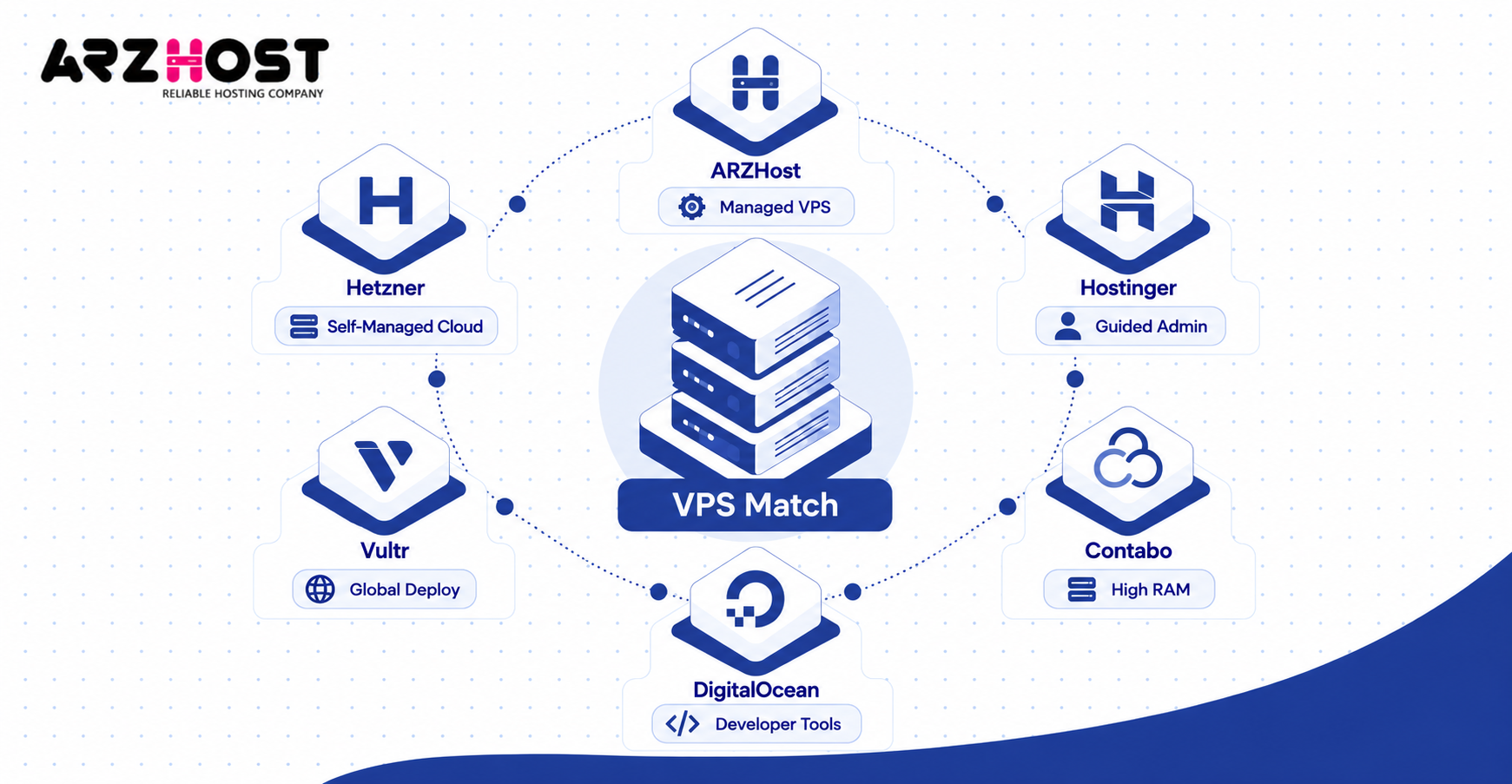
For example, a developer testing lightweight software may prefer DigitalOcean’s small entry Droplet. A self hosted application needing more RAM might make Contabo worth evaluating. A customer seeking managed assistance should investigate ARZHost’s exact management coverage before purchasing.
How to Choose the Best VPS Hosting Provider
Choose a VPS hosting provider by matching its infrastructure, support, and total cost with your website’s requirements. The right decision depends on more than the number of CPU cores or advertised RAM. A structured comparison helps prevent unnecessary expenses and technical problems.
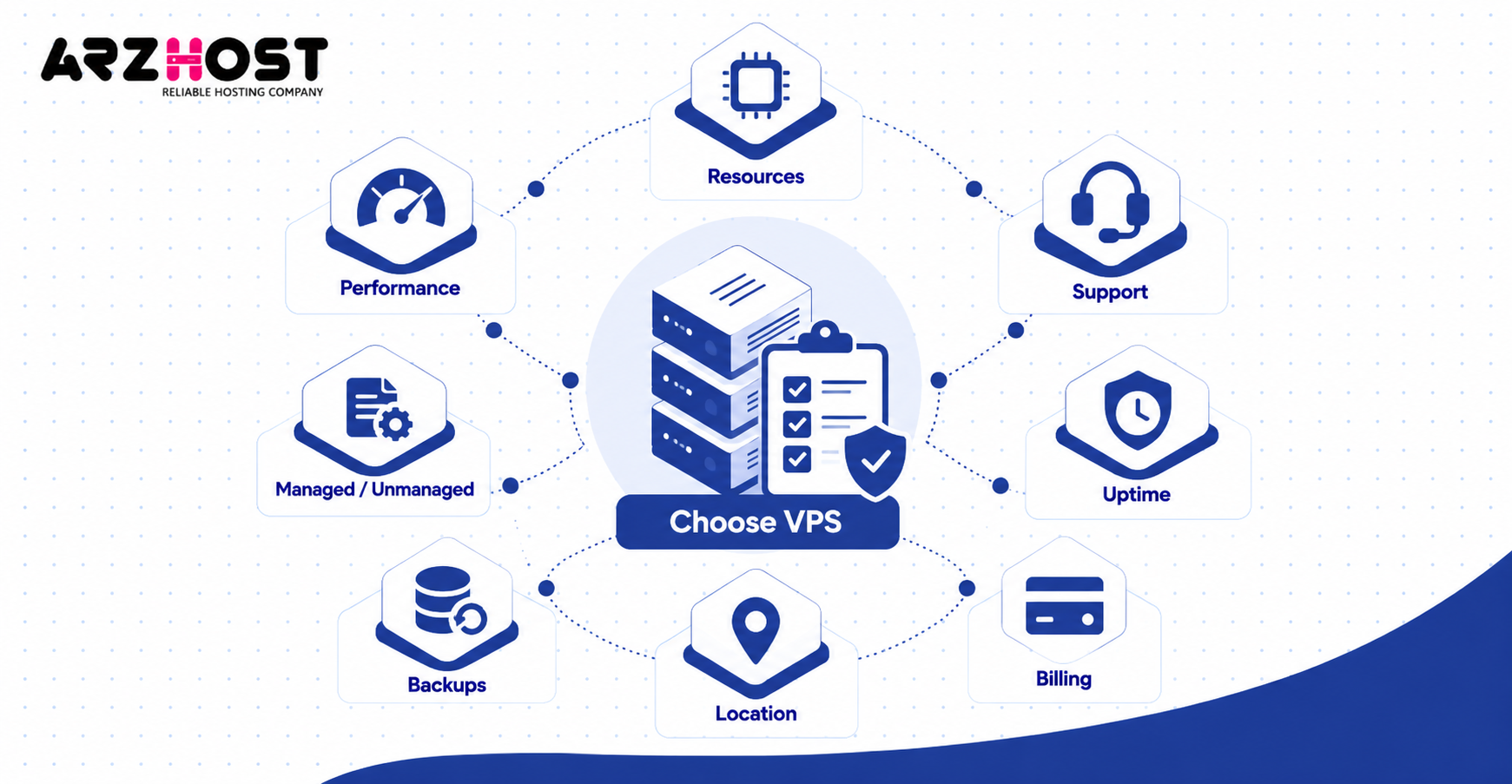
Compare Equivalent Server Resources
Start by estimating your application’s CPU, RAM, storage, and data transfer requirements. For example, a simple development server may need less memory than a busy online store. Compare plans with similar specifications rather than ranking every provider by its cheapest package.
Pay attention to shared and dedicated CPU capacity when evaluating performance. A larger vCPU number does not automatically guarantee faster processing. Storage performance and network quality also influence application responsiveness.
Check Support and Management Responsibilities
Managed hosting may reduce the technical work required to maintain a VPS. However, managed service agreements differ in their coverage of backups, updates, and application support. Customers should request precise information before signing up.
Unmanaged hosting can offer flexibility for experienced administrators. However, the customer usually handles software configuration, updates, and troubleshooting. This responsibility should be included when evaluating the real cost of a plan.
Evaluate Uptime and Backup Policies
Review the uptime service level agreement and any compensation rules for qualifying outages. A published 99.9% uptime commitment permits approximately 43 minutes of downtime over 30 days. Actual reliability must be assessed separately from the advertised guarantee.
Check whether backups are automatic and whether restoration can be performed easily. A snapshot is not always equivalent to an independent disaster recovery backup. Customers should understand retention periods, storage locations, and extra charges.
Check Server Location and Billing Terms
Choose a data center offering suitable network performance for your intended audience. Geographic distance alone does not establish actual network latency. Check introductory discounts, renewal rates, taxes, and additional service charges. A low monthly price may require a long upfront commitment. Comparing the total expected cost provides a more reliable basis for purchasing.
Common Mistakes When Comparing VPS Hosting Providers
The most common mistakes involve comparing prices without checking resources, support, or service conditions. A low advertised price may cover only a small server or a promotional subscription. Unexpected costs can arise when essential features require separate payment.
Another mistake is assuming that every VPS includes complete technical management. Providers such as DigitalOcean and Vultr offer infrastructure that customers generally configure themselves. Managed assistance should be verified rather than inferred from an accessible control panel.
Customers sometimes overlook backups, uptime agreements, and regional network performance. These factors influence what happens during service interruptions or data loss. Reviewing them before purchase reduces the likelihood of selecting an unsuitable provider.
Frequently Asked Questions
What Is the Best VPS Hosting Provider in 2026?
There is no single best VPS hosting provider for every website or application. ARZHost, Hostinger, Contabo, DigitalOcean, Vultr, and Hetzner serve different technical and budget requirements. The most suitable choice depends on resources, administration needs, server location, and total cost.
Which VPS Hosting Provider Has the Lowest Starting Price?
Advertised entry prices vary by currency, plan configuration, contract, and promotional conditions. Vultr lists an hourly Cloud Compute entry rate, while DigitalOcean offers a $4 monthly Droplet. These plans have less RAM than several alternatives, so compare the specifications before choosing.
Is ARZHost a VPS Hosting Provider?
Yes, ARZHost sells VPS hosting packages with different computing resources and management options. Its published products include the HH series and other VPS configurations. The company also advertises monitoring, server access, and selected security services.
Which VPS Hosting Provider Is Suitable for Beginners?
Beginners should look for clear administration tools and support appropriate to their technical experience. Hostinger provides AI assisted management tools, while ARZHost advertises managed VPS options. Check whether either service includes the specific technical work you need.
Are VPS Hosting Providers Safe?
VPS hosting can be secure when both the infrastructure and virtual server are properly maintained. Providers may offer isolation, firewall controls, and DDoS protection. Customers may still be responsible for software updates, passwords, backups, and access management.
Can I Change My VPS Hosting Provider?
Yes, you can migrate a website or application between compatible VPS hosting providers. Migration usually involves moving files, databases, configuration settings, and related domain records. Maintaining backups and testing the destination server can reduce disruption.
Final Verdict: Which VPS Hosting Provider Should You Choose?
The six providers offer different strengths, and the best choice depends on your specific hosting requirements. ARZHost offers VPS packages with management options, while Hostinger emphasizes assisted administration. Contabo focuses on resource capacity, and DigitalOcean, Vultr, and Hetzner offer developer oriented cloud infrastructure.
Before choosing, compare equivalent configurations, ongoing costs, backup services, and support responsibilities. Verify current pricing and availability directly with the provider, especially when promotional offers are involved. A suitable hosting company should meet your requirements without unnecessary expenses or unsupported performance promises.