

A VPS hostname is the name used to identify your virtual private server. Every VPS operating system has a hostname, but you may not need to create one manually. Many hosting providers assign a default hostname during server provisioning.
A hostname can be a simple name, such as server1, or an FQDN(Fully Qualified Domain Name ), such as server1.example.com. The correct choice depends on services like websites, hosting panels, and email servers. Public services usually need more careful DNS configuration than private testing servers.
This guide explains do I need a hostname for VPS and what hostname you should use. You will learn about domains, FQDNs, IP addresses, DNS, reverse DNS, and PTR records. You will also see how to change a hostname and avoid common configuration mistakes.
1. Do You Need a Hostname for a VPS?
Yes, every VPS needs a hostname because the operating system uses it to identify the server. However, you do not always need to configure a custom hostname yourself. Providers may initially assign names such as vps12345, server1, or another temporary value.
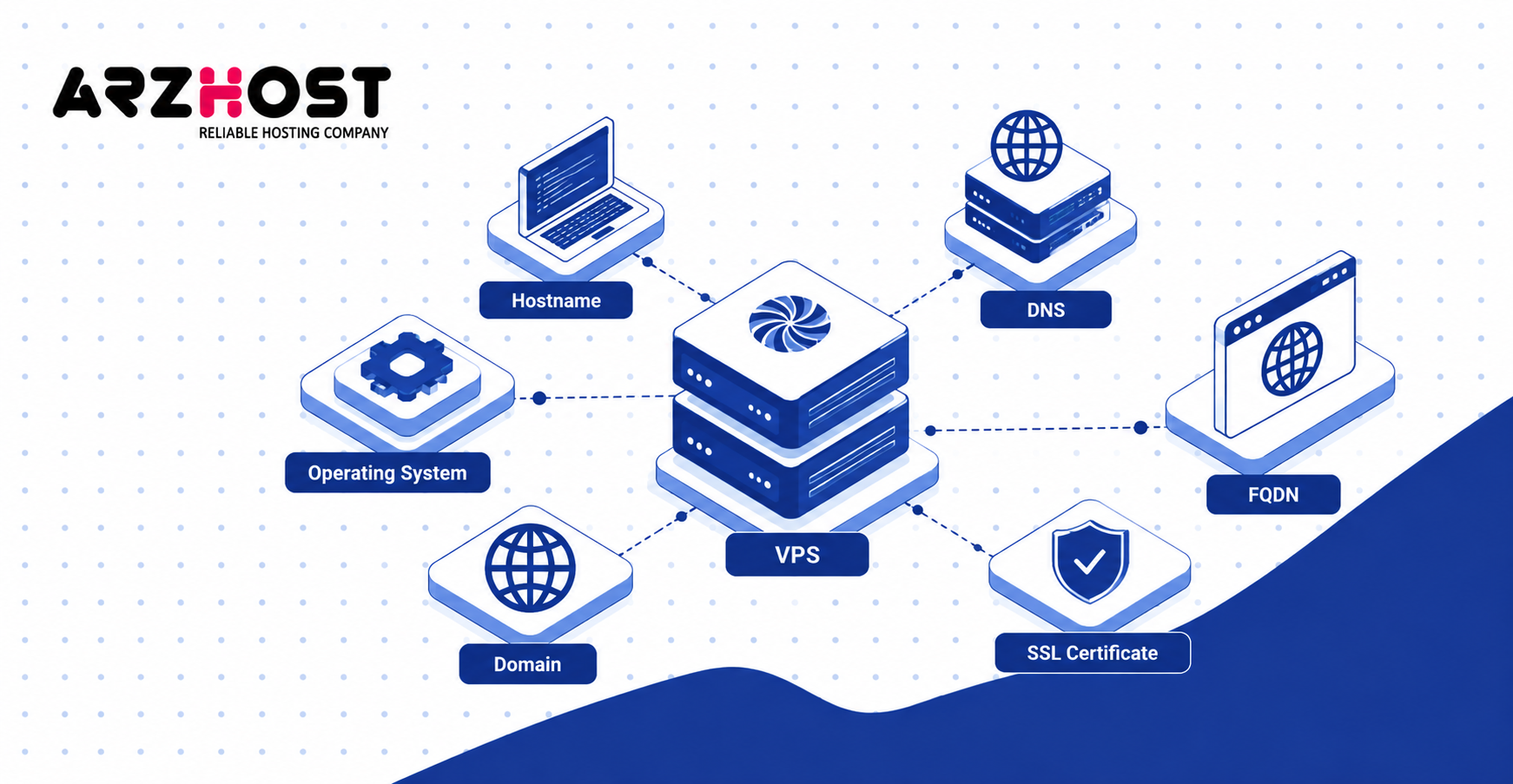
A hostname helps distinguish servers such as web01, db01, and mail01. It is used by the operating system, network services, and server applications. A hostname does not automatically mean you must purchase a domain.
For testing environments, development servers, or private applications, a short hostname can be sufficient. Production systems often use an FQDN such as server1.example.com. This becomes more important when DNS, control panels, certificates, or email services depend on the server name.
Internet hostname standards also define naming limits. RFC 1123 requires host software to support hostnames containing labels up to 63 characters. It also recommends support for complete hostnames up to 255 characters.
2. What Hostname Should You Use for a VPS?
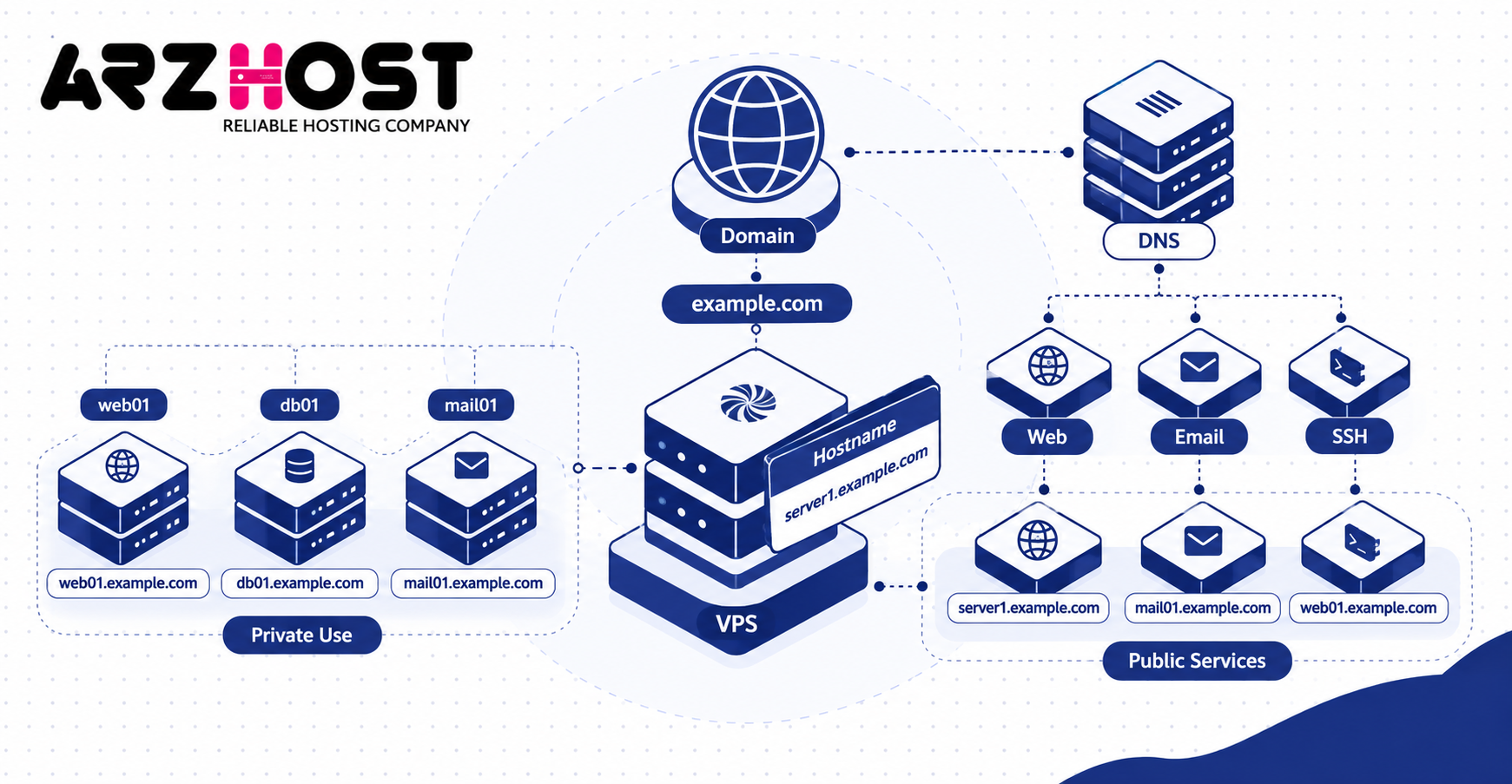
Use a unique hostname that clearly identifies the VPS and its purpose. Structured names make multiple servers easier to distinguish and manage. Examples include web01.example.com, db01.example.com, and mail01.example.com.
Avoid vague production names such as server, test, or localhost. Use letters, numbers, hyphens, and dots where appropriate. Avoid spaces, underscores, and unnecessary special characters in public DNS hostnames.
If You Own a Domain
Use a subdomain of a domain you control when the VPS will run public services. For example, server1.example.com can identify the VPS while example.com hosts your website. You do not need to register another domain specifically for the server.
The hostname does not need to display a website. It can identify services such as SSH, control panels, or email. You can create DNS records that point the hostname toward the VPS IP address.
If You Do Not Own a Domain
You can still operate a basic VPS without owning a domain name. A short hostname such as server1 or dev01 can work for private or development use. Your provider may also assign a temporary hostname automatically.
A registered domain becomes more useful when running public services. Examples include hosting panels, email servers, and TLS protected administrative interfaces. You can later change the hostname to an FQDN without changing the VPS IP address.
3. VPS Hostname vs Domain Name, FQDN, and IP Address
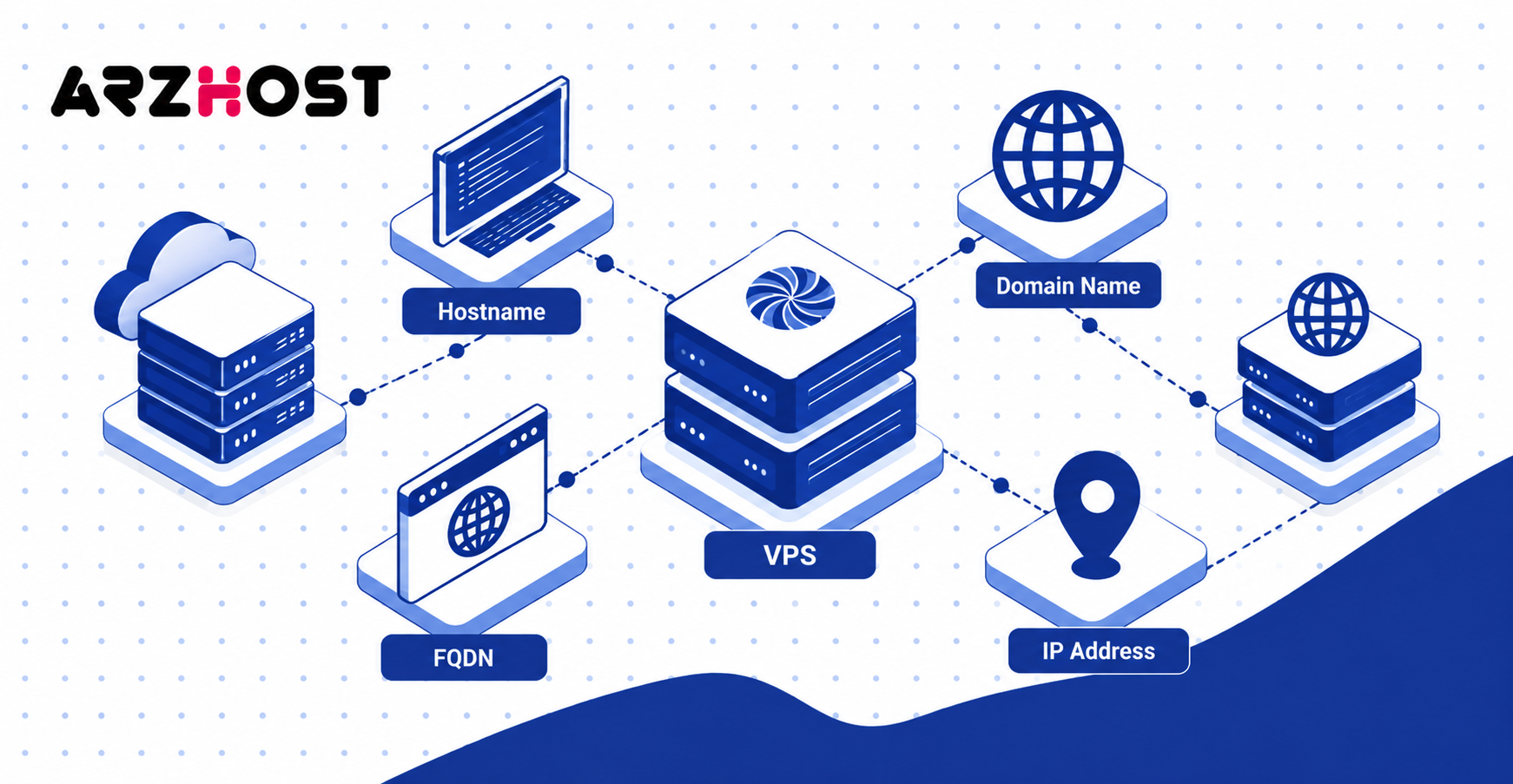
A hostname, domain name, FQDN, and IP address serve different purposes. The hostname identifies the machine, while the IP address identifies its network location. DNS connects readable names with network addresses.
For example, server1 can be the hostname and example.com can be the domain. The complete name server1.example.com is an FQDN. An IPv4 address such as 203.0.113.10 can represent the same VPS at the network level.
Hostname vs Domain Name
A hostname identifies a specific machine, while a domain represents a DNS namespace. server1 can identify one VPS, while example.com represents the domain. Combining them produces server1.example.com.
One domain can support multiple servers such as web01.example.com, db01.example.com, and mail01.example.com. Each VPS can have its own hostname under the same domain. Separate domain registrations are not required for every server.
Hostname vs FQDN
A hostname can be short, while an FQDN gives the server’s complete DNS name. server1 is a short hostname, while server1.example.com is an FQDN. The FQDN identifies both the server and its DNS domain.
Short hostnames can work inside local or private environments. FQDNs are more suitable for public services such as control panels and mail servers. They also allow the hostname to resolve through public DNS.
Hostname vs IP Address
A hostname is a readable name, while an IP address identifies the server’s network endpoint. For example, web01.example.com may resolve to 203.0.113.10. DNS performs this name to address lookup.
Changing the hostname does not normally change the VPS IP address. Changing the IP also does not automatically update the hostname or DNS records. These settings must be managed separately.
4. Does Your VPS Hostname Need DNS?
Your VPS hostname needs public DNS when external systems must resolve it to the server address. A private development VPS can operate without public hostname resolution. Public websites, control panels, and mail services commonly require working DNS.
Changing the Linux hostname to server1.example.com does not create DNS records automatically. You must create the required records through your DNS provider. Those records should point to the correct VPS addresses.
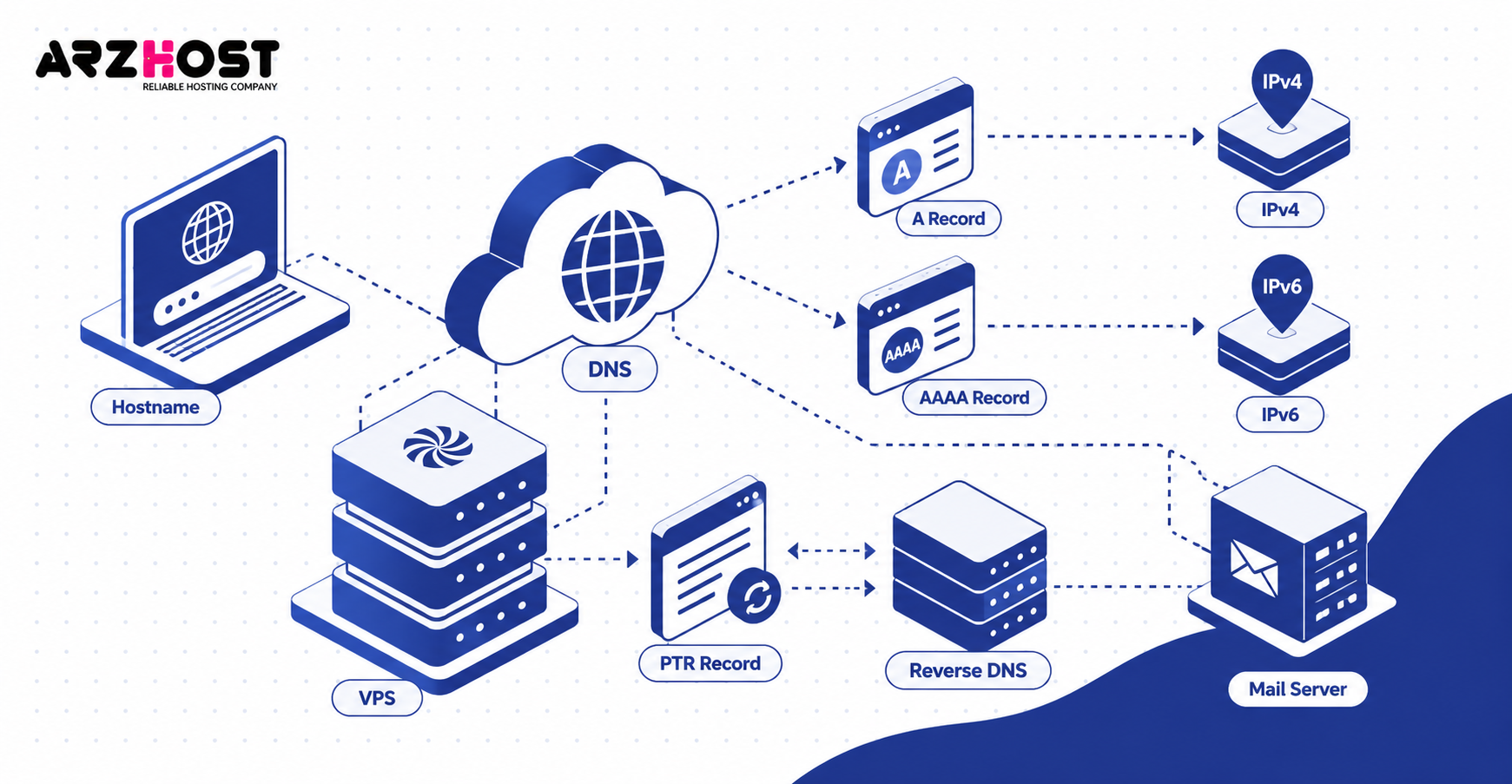
A and AAAA Records
An A record connects a hostname to an IPv4 address, while an AAAA record connects it to IPv6. For example, an A record can map web01.example.com to 203.0.113.10. An AAAA record performs the equivalent lookup for an IPv6 address.
These records allow clients such as browsers, SSH clients, and control panels to locate the server. A VPS using only IPv4 may need only an A record. Servers using both address families can publish A and AAAA records.
Reverse DNS and PTR Records
A PTR record maps an IP address back to a hostname through reverse DNS. This process works in the opposite direction from A and AAAA records. Reverse DNS is particularly important for servers that send email.
For example, mail.example.com can resolve to the VPS IP through an A record. The PTR record for that IP can return mail.example.com. Matching forward and reverse DNS provides a consistent server identity.
5. When Is a Proper FQDN Required?
A proper FQDN is needed when software expects a complete and resolvable server identity. Examples include hosting control panels, mail systems, and hostname based TLS services. A private testing VPS usually has fewer hostname requirements.
A typical production FQDN is server1.example.com. Its DNS should point to the correct server when public resolution is required. Provider or application requirements may add further hostname rules.

cPanel, Plesk, and DirectAdmin
Control panels such as cPanel, Plesk, and DirectAdmin generally expect a properly configured server hostname. A hostname such as server1.example.com is more suitable than localhost or the root website domain. The FQDN should normally resolve to the VPS address.
Changing the operating system hostname alone may not update every control panel setting. Panels can maintain additional configuration related to certificates, mail, and server identity. Use the panel’s hostname change process when one is installed.
Mail Servers and Email Deliverability
Mail servers should use a valid FQDN with consistent forward and reverse DNS. SMTP services can present the hostname during HELO or EHLO communication. Receiving mail systems may compare that identity against DNS information.
A common configuration uses mail.example.com as the server hostname. Its A record points toward the VPS, while its PTR record points back to mail.example.com. Other email records such as MX, SPF, DKIM, and DMARC serve different purposes.
6. How to Check or Change Your VPS Hostname
Linux provides standard commands for checking and changing a VPS hostname. Run hostname to display the current hostname. On systemd based systems, hostnamectl provides additional hostname information.
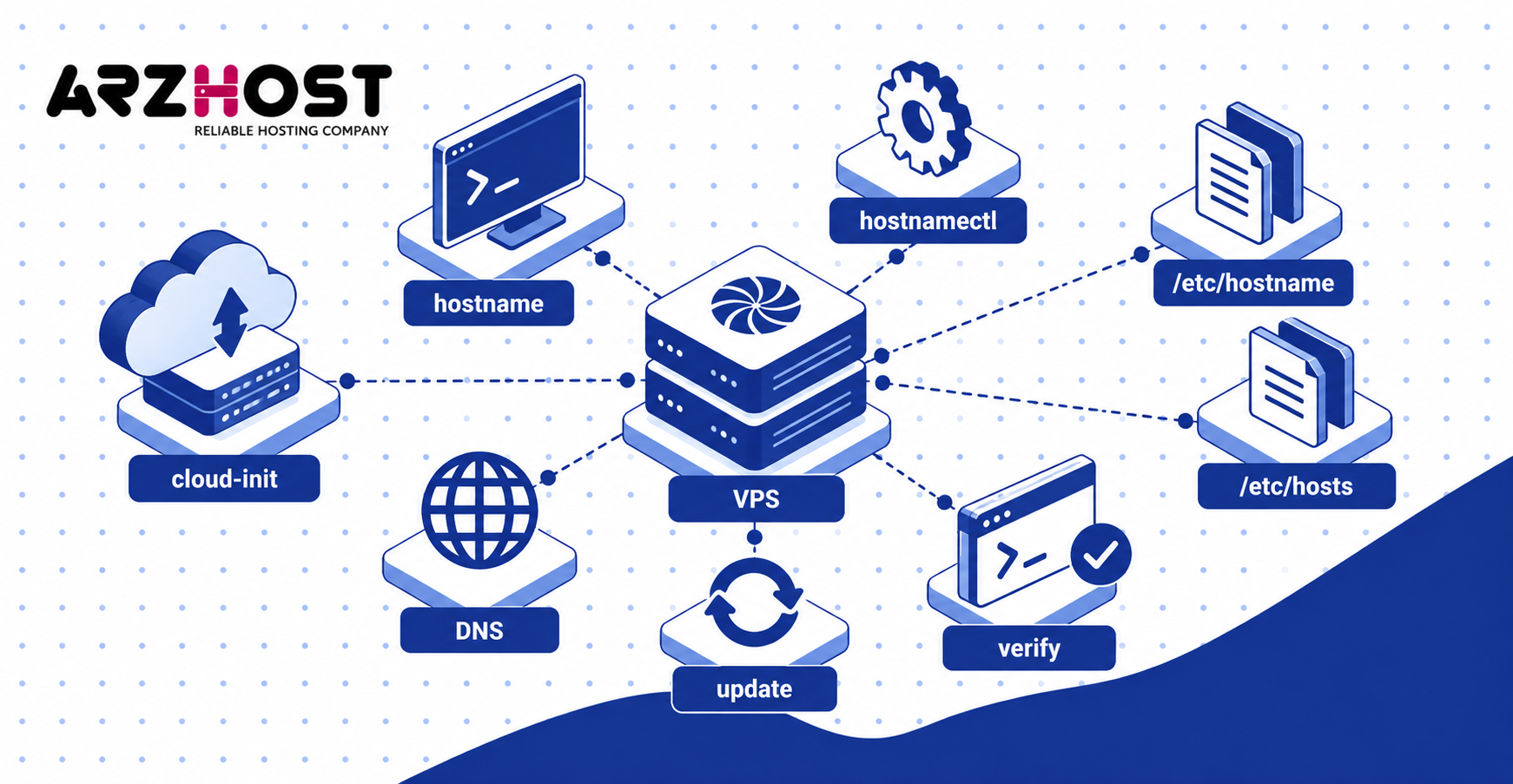
To set a new hostname, use:
sudo hostnamectl set-hostname server1.example.com
Then verify the configuration:
hostname
hostnamectl
Also review /etc/hostname and /etc/hosts when troubleshooting local resolution problems. DNS records must be updated separately when the new hostname needs public resolution. Changing the system hostname does not automatically change DNS, PTR records, or certificates.
Cloud VPS platforms may use tools such as cloud-init during provisioning. These tools can sometimes overwrite manual hostname changes after a reboot. Check the provider’s configuration when the hostname repeatedly resets.
7. Common VPS Hostname Mistakes
Most VPS hostname problems come from invalid names, incorrect DNS, or inconsistent configuration. Avoid spaces, underscores, and unrelated special characters in public hostnames. Use structured values such as web01.example.com instead of my_server.
Do not assume the website domain must also be the server hostname. A website can use example.com while the VPS uses server1.example.com. This keeps the website identity separate from the server identity.
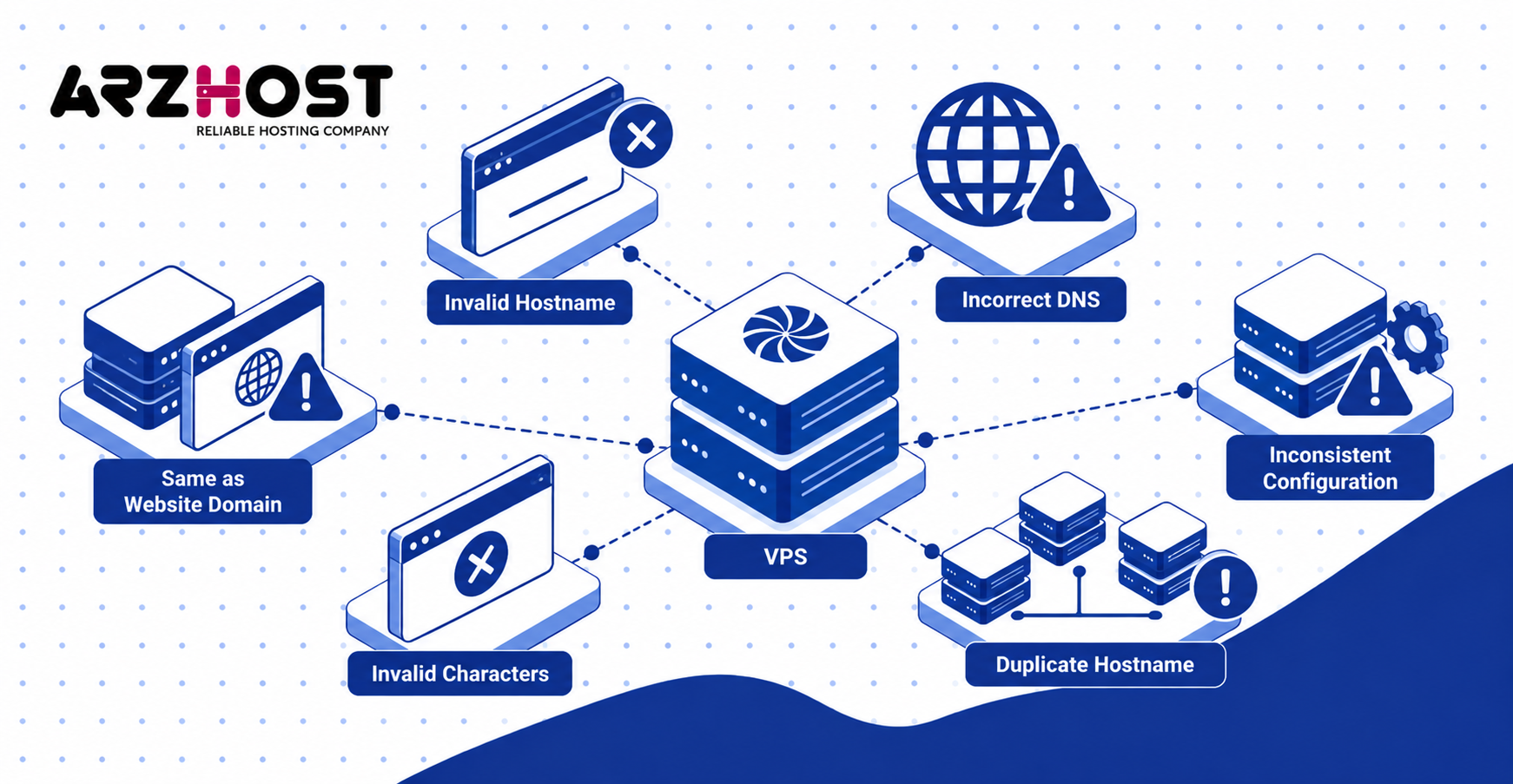
Do not assume changing the hostname updates DNS automatically. Check A, AAAA, and PTR records after changing important server settings. Mail and control panel configurations may also need updating.
Avoid assigning the same hostname to unrelated machines. Servers such as web, database, and mail systems should have distinct names. Examples include web01.example.com, db01.example.com, and mail01.example.com.
Conclusion
In conclusion, every VPS has a hostname, but you do not always need a separate domain or public FQDN. A simple hostname can support private or development use, while production systems usually need more structured configuration.
Use a unique FQDN when running services such as control panels, public applications, or email servers. Configure A, AAAA, and PTR records when DNS resolution or reverse DNS is required. Set the hostname correctly before deploying production services to prevent avoidable DNS, email, and server-management problems.
FAQs About VPS Hostnames
Can I Use a VPS Without a Domain Name?
Yes, you can use a VPS without owning a domain name. A simple hostname such as server1 can work for development, testing, or private services. A domain becomes more important when you need public DNS, control panels, or email hosting.
Can I Use a Subdomain as My VPS Hostname?
Yes, using a subdomain as your VPS hostname is common. Examples include server.example.com, web01.example.com, and mail.example.com. Create the appropriate A or AAAA record when the hostname must resolve publicly.
Can I Change My VPS Hostname Later?
Yes, you can change your VPS hostname after deployment. Update the operating system, DNS, control panel, certificates, and mail configuration when those services depend on it. Changing the hostname does not normally change the VPS IP address.
Does Changing the Hostname Change My VPS IP Address?
No, changing the hostname does not normally change your VPS IP address. A hostname identifies the server by name, while the IP identifies its network location. DNS determines which hostname points toward which address.
Should My VPS Hostname Match Reverse DNS?
Matching forward and reverse DNS is particularly important for mail servers. mail.example.com can resolve to the VPS IP, while the PTR record returns mail.example.com. This creates a consistent DNS identity for the server.
Is a VPS Hostname the Same as a Nameserver?
No, a hostname and nameserver perform different functions. A hostname such as server1.example.com identifies a machine. Nameservers such as ns1.example.com and ns2.example.com answer authoritative DNS queries for domains.
Can I Connect to My VPS Using Its Hostname?
Yes, you can connect through SSH using the hostname when DNS resolves correctly. For example, ssh root@server1.example.com can replace an IP-based SSH command. If the IP works but the hostname fails, check its A or AAAA record.
What Happens If My VPS Hostname Is Wrong?
An incorrect hostname can cause DNS, email, control panel, certificate, or local resolution problems. Linux may also show errors such as unable to resolve host. The exact effect depends on which services use the hostname.
Does a VPS Hostname Improve Server Performance or SEO?
No, a VPS hostname does not directly improve server speed or Google rankings. Performance depends on resources such as CPU, RAM, storage, network capacity, and application configuration. A correct hostname mainly improves server identification and service configuration.