


Great website design combines visual appeal, easy navigation, and a smooth user experience. The top website designs show how creative layouts, readable typography, and useful features work together. These elements help businesses, designers, and website owners create effective online experiences.
From minimalist layouts to interactive experiences, modern websites use different approaches to engage visitors. The right design depends on your audience, brand identity, and website’s purpose. Understanding successful website design examples can help you make better decisions.
This article explores 25 stunning website designs for 2026 across five categories. You’ll discover creative examples, modern design styles, and features worth learning from. We’ll also cover design trends, common mistakes, performance, and practical inspiration resources.
25 Best Website Design Examples for Inspiration
The best website design examples combine attractive visuals, clear information, and useful interactions. Apple, Stripe, Nike, and Framer demonstrate different approaches to presenting products and services. Each example offers practical lessons for creating a more effective website.
This collection includes 25 websites across five categories. The examples were selected for their recognizable design approaches, relevant features, and educational value. They are not ranked by measured speed, accessibility, sales, or conversion performance.
Best Minimalist Website Designs
The best minimalist website designs use simple layouts, limited colors, and clear typography to emphasize important content. Apple, Aesop, Notion, and Muji demonstrate four approaches to visual simplicity. Their design principles are useful for product websites, professional services, and digital platforms.
1. Apple Product Focused Minimalist Design
Apple uses large product photography, generous whitespace, and simple navigation to emphasize its devices. The website presents products such as iPhone, Mac, and iPad through dedicated content sections. Large headlines and focused imagery help distinguish each product.
Apple’s navigation organizes hardware, services, and support into recognizable categories. Product pages use detailed photography, specifications, and clear purchasing options. The layout separates promotional messaging from technical information.
Key design features:
- Product photography: Large images emphasize the appearance and details of individual devices.
- Whitespace: Open areas separate headlines, images, and supporting text.
- Navigation: Familiar product categories simplify browsing.
- Visual hierarchy: Large headlines establish the main message.
- Calls to action: Clear links guide visitors toward product details and purchasing.
Why it works: Apple’s design keeps attention on product information without relying on excessive decoration. Its visual hierarchy helps visitors distinguish primary messages from supporting details. The organized navigation also makes separate product categories easier to explore.
Design takeaway: Give your main product or message a clear visual focus. Use spacing to separate information rather than filling every available area. Keep purchasing and navigation options easy to identify.
2. Aesop Minimalist Design With Natural Colors
Aesop uses muted colors, refined typography, and product photography to create a consistent skincare shopping experience. The website connects its visual presentation with the brand’s understated identity. Product imagery emphasizes packaging, materials, and carefully arranged compositions.

Aesop presents categories such as skincare, fragrance, and body care through structured navigation. Product pages provide descriptions and shopping information alongside relevant photography. The design uses restrained visual elements instead of crowded promotional layouts.
Key design features:
- Color palette: Muted tones and neutral backgrounds support consistent branding.
- Photography: Product focused imagery highlights packaging and materials.
- Typography: Consistent text styling supports readability.
- Product information: Structured content explains product details.
- Brand identity: Visual choices reflect Aesop’s established presentation.
Why it works: Aesop keeps its visual identity consistent across the shopping experience. The product photography supports the brand’s understated appearance. Its structured information helps visitors explore products without unnecessary visual competition.
Design takeaway: Choose colors that fit your brand identity. Keep photography and typography consistent throughout your website. Use a simple layout without removing information shoppers need.
3. Notion Clean and Functional Website Design
Notion combines clean typography, product demonstrations, and structured layouts to explain its workspace software. Its website introduces documents, project management, and connected workspaces through visual examples. Interface previews help visitors understand how the product operates.
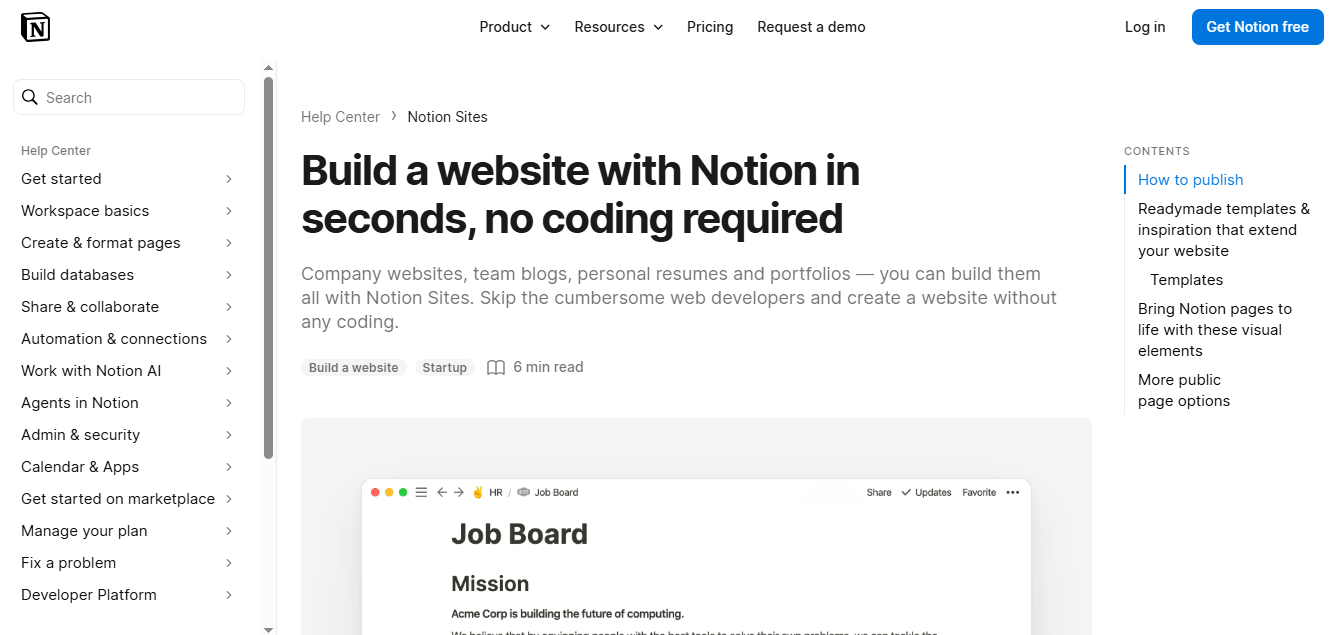
The content focuses on practical activities such as writing documents and organizing projects. Product explanations accompany screenshots and demonstrations rather than relying entirely on technical descriptions. Clear navigation connects visitors with product information, resources, and signup options.
Key design features:
- Typography: Clear headings distinguish product benefits from supporting explanations.
- Interface previews: Screenshots demonstrate actual workspace activities.
- Content organization: Separate sections explain different product capabilities.
- Navigation: Product information and resources remain easy to discover.
- Product messaging: Practical examples explain software functionality.
Why it works: Notion uses its interface to explain what the software does. Visitors can connect product descriptions with recognizable workplace activities. This reduces reliance on abstract marketing language.
Design takeaway: Show users how your product works instead of describing every feature. Use screenshots that support specific explanations. Keep important signup and learning options visible.
4. Muji Simple Product First Website Design
Muji emphasizes functional product presentation, restrained branding, and straightforward shopping experiences. The Japanese retailer is known for simple household goods, clothing, and furniture. Its digital presentation reflects this practical product philosophy.
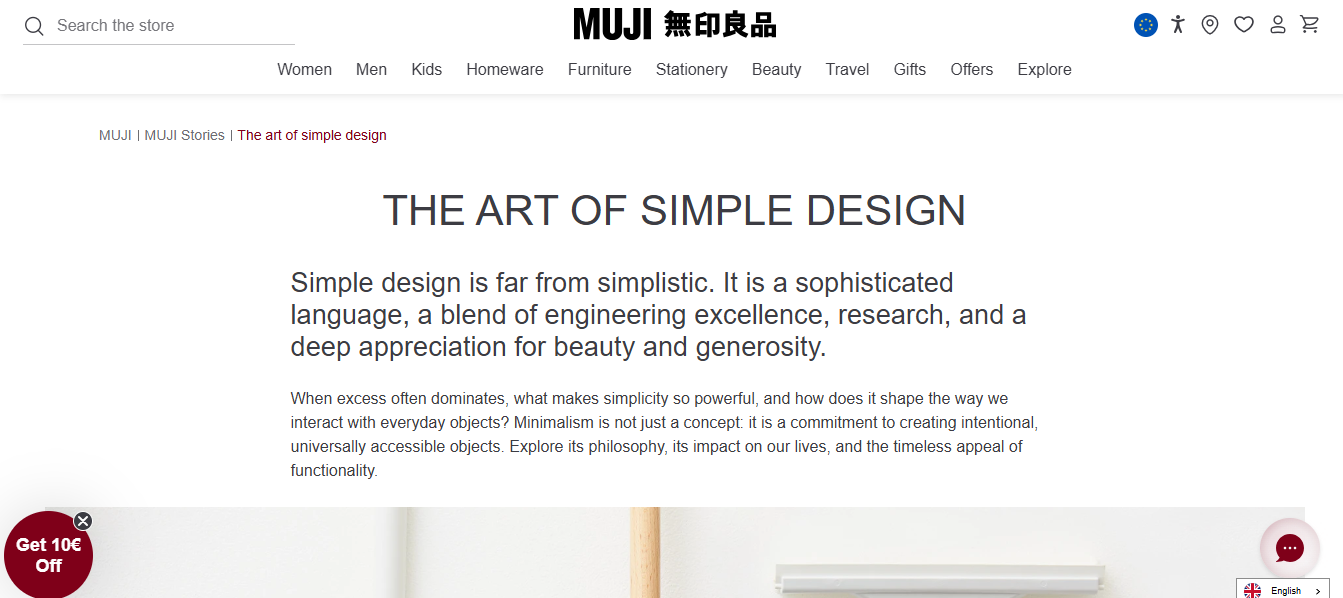
Muji organizes merchandise around recognizable shopping categories and everyday needs. Product photography supports discovery without requiring elaborate visual effects. The exact storefront presentation varies by country and regional website.
Key design features:
- Understated branding: Product information takes priority over decorative elements.
- Practical imagery: Photography presents recognizable everyday products.
- Product categories: Shopping sections organize home goods, clothing, and furniture.
- Simple presentation: Limited decoration supports product discovery.
- Brand consistency: The visual approach reflects Muji’s broader design philosophy.
Why it works: Muji’s digital presentation fits its established product identity. The emphasis on everyday usefulness supports its brand positioning. Category based browsing also gives visitors a practical way to explore merchandise.
Design takeaway: Match your website’s visual approach to your product philosophy. Keep category names familiar and understandable. Avoid decorative features that do not help customers evaluate products.
Best Creative and Interactive Website Designs
The best creative and interactive website designs use animation, storytelling, and user controlled experiences to communicate original ideas. Active Theory, Bruno Simon, Resn, and Locomotive demonstrate different approaches to digital interaction. These examples are particularly relevant to creative agencies and experimental portfolios.
5. Active Theory Immersive Digital Experiences
Active Theory develops interactive digital experiences using animation, advanced graphics, and immersive environments. The creative studio works on web experiences and technology driven visual projects. Its approach often extends beyond conventional page layouts.
Interactive elements can connect user actions with changes in the visual environment. Three dimensional graphics and motion can become part of the storytelling. This approach places experience design at the center of the creative work.
Key design features:
- Immersive environments: Digital spaces create visual depth.
- Interactive storytelling: Visitor actions influence parts of the experience.
- Motion design: Animation supports transitions and visual communication.
- Custom development: Experiences can use specialized web technologies.
- Visual identity: Project specific graphics establish a distinct presentation.
Why it works: Active Theory demonstrates how interaction can contribute to storytelling. Its creative work makes digital technology part of the presentation itself. This approach suits projects where exploration is a central objective.
Design takeaway: Use immersive effects when they strengthen your message. Provide accessible alternatives for complex navigation. Test demanding graphics carefully on mobile devices.
6. Bruno Simon Interactive 3D Portfolio Design
Bruno Simon presents his developer portfolio as an interactive 3D world controlled through a virtual car. Visitors explore the environment by moving the vehicle around different areas. This replaces ordinary portfolio browsing with a game like experience.
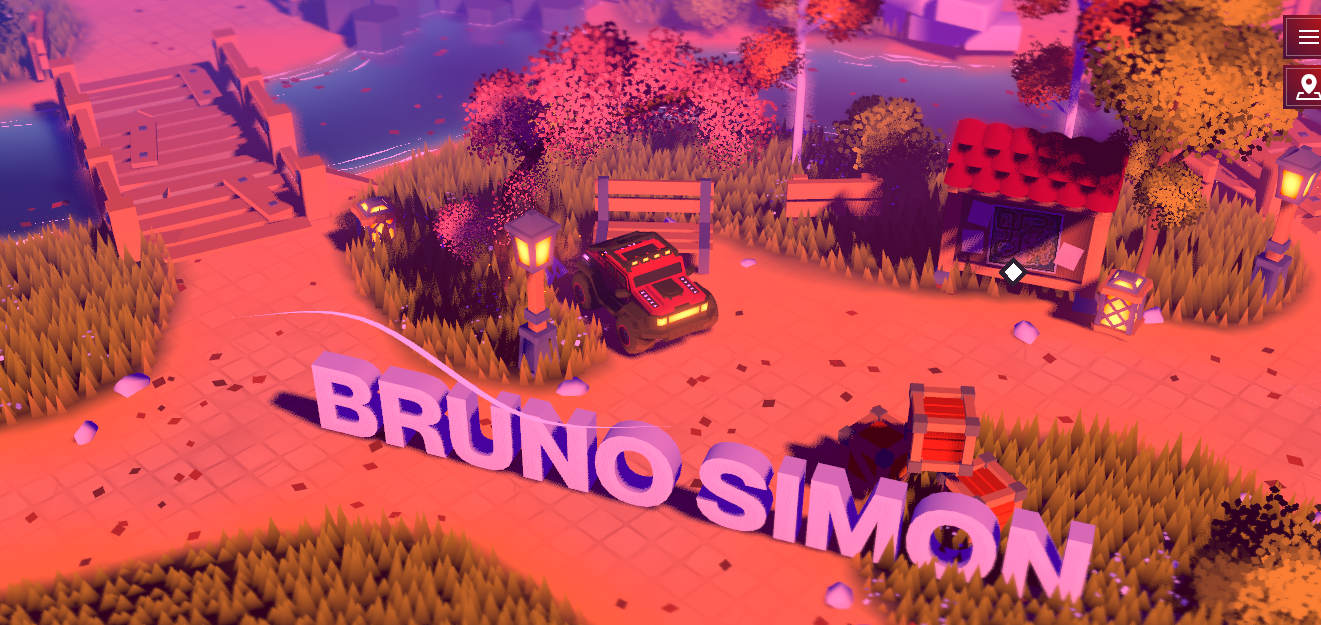
The website demonstrates creative development through direct interaction. Its design provides a distinctive way to explore professional work. However, this approach requires more user effort than conventional navigation.
Key design features:
- 3D environment: A navigable world replaces the standard portfolio grid.
- Vehicle controls: Visitors move through the website using interactive controls.
- Game like exploration: Discovery becomes part of the experience.
- Visual storytelling: The environment reflects creative development skills.
- Interactive feedback: Movement and object interactions respond to user actions.
Why it works: The portfolio directly demonstrates Bruno Simon’s interactive development capabilities. Visitors experience the type of work he creates. The navigation approach also makes the portfolio’s technical character immediately clear.
Design takeaway: Let your portfolio demonstrate your strongest professional skill. Explain unusual controls before visitors need them. Provide a straightforward route to essential project and contact information.
7. Resn Experimental Interactive Website Design
Resn is a creative digital studio associated with experimental web experiences and interactive visual storytelling. Its portfolio presents digital work through distinctive creative approaches. Motion, graphics, and unconventional presentation form part of its studio identity.
The studio’s work demonstrates how creative concepts can influence interaction design. Individual projects may use different visual techniques and technologies. This project specific approach separates experimental design from standardized corporate presentation.
Key design features:
- Experimental visuals: Creative artwork establishes distinctive presentation.
- Interactive experiences: User involvement can become part of the project.
- Motion design: Animation supports transitions and storytelling.
- Portfolio presentation: Creative projects demonstrate studio capabilities.
- Distinctive identity: The presentation reflects an experimental design philosophy.
Why it works: Resn’s visual approach supports its positioning as a creative studio. Its work prioritizes distinctive digital experiences over conventional templates. Visitors can understand the studio’s creative direction through its portfolio.
Design takeaway: Develop a clear creative identity before adding unusual interactions. Use experimental elements to communicate meaningful ideas. Keep essential information accessible outside complex visual experiences.
8. Locomotive Motion Focused Agency Website Design
Locomotive combines expressive typography, motion design, and project focused content to present its digital agency work. The studio works across digital strategy, branding, design, and development. Its website connects creative presentation with professional service information.
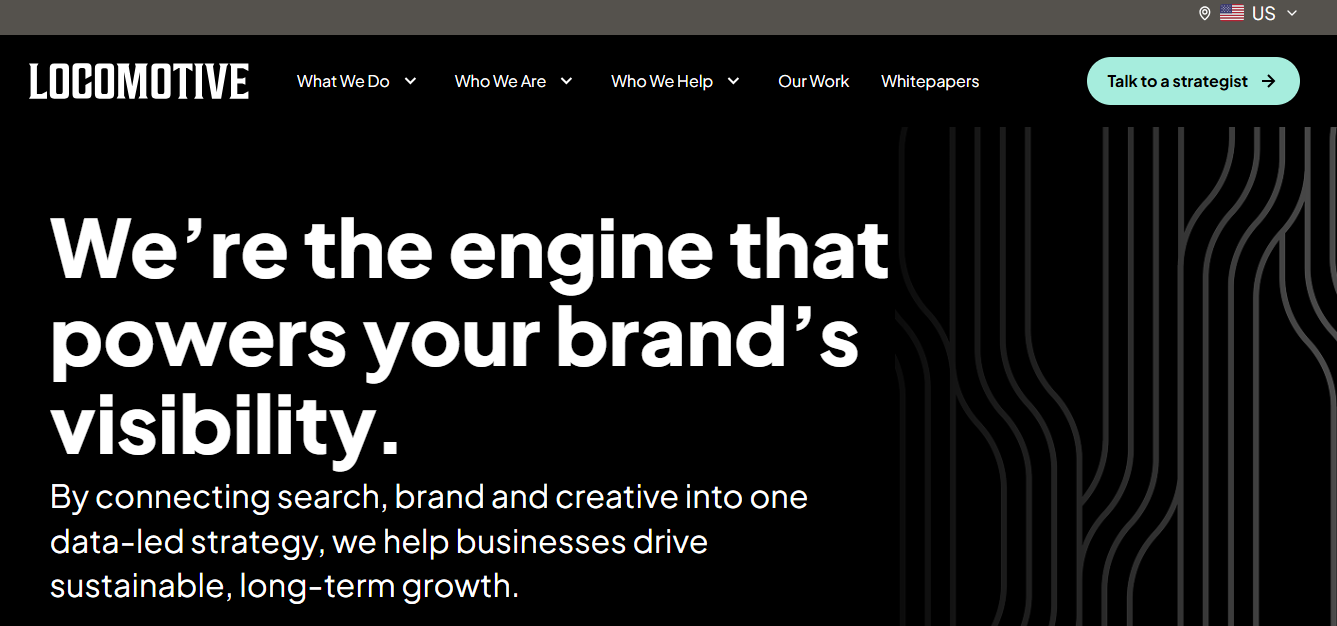
Project showcases allow visitors to explore the agency’s work. Prominent typography and visual transitions support its recognizable presentation. Agency details and contact options provide routes beyond the portfolio.
Key design features:
- Typography: Prominent headlines establish visual hierarchy.
- Motion: Animated elements support the creative presentation.
- Project showcases: Selected work demonstrates professional capabilities.
- Visual organization: Service information and portfolio content serve different purposes.
- Contact access: Clear navigation helps potential clients reach the agency.
Why it works: Locomotive uses visual presentation to communicate its design expertise. The portfolio provides practical evidence of the agency’s work. Service and contact information connect creative interest with professional enquiries.
Design takeaway: Use animation to support meaningful content transitions. Present completed projects as evidence of expertise. Ensure visitors can reach service descriptions without navigating unnecessary effects.
Best Business and Corporate Website Designs
The best business and corporate website designs combine credible branding, clear information, and organized navigation. Stripe, IBM, Salesforce, and Linear illustrate four approaches to business technology presentation. Their websites explain complex services while supporting practical customer decisions.
9. Stripe Modern Financial Technology Website Design
Stripe combines expressive typography, product visuals, and structured content to explain financial technology services. The website presents payment processing, billing, and financial infrastructure. Clear product messaging helps distinguish different business capabilities.
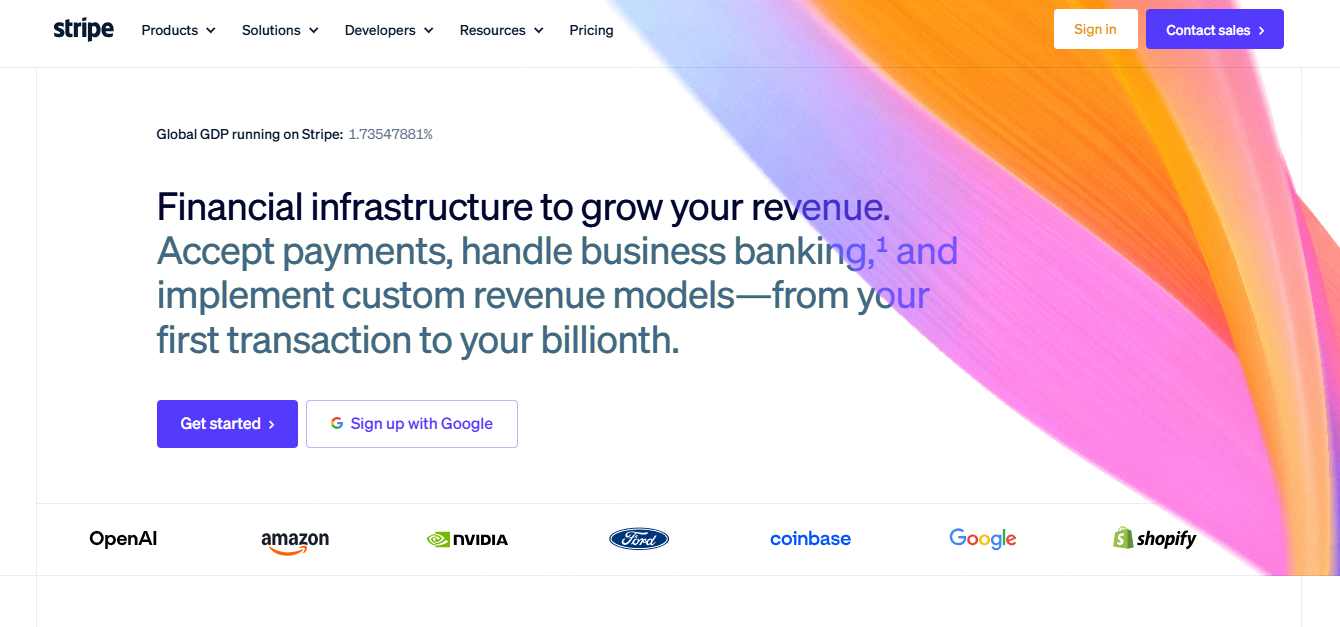
Stripe uses product illustrations and interface examples to explain technical workflows. Its navigation separates products, solutions, and developer resources. Customer stories provide additional context about how organizations use the platform.
Key design features:
- Typography: Large headlines communicate product positioning.
- Product imagery: Interface illustrations explain financial activities.
- Navigation: Product and solution categories support discovery.
- Developer resources: Technical information serves implementation needs.
- Customer evidence: Case studies add context to product claims.
Why it works: Stripe translates technical financial services into understandable business activities. Product illustrations connect abstract capabilities with recognizable workflows. The navigation supports business visitors and technical audiences.
Design takeaway: Explain complex services through concrete examples. Separate general product benefits from technical implementation information. Support business claims with attributable customer evidence.
10. IBM Structured Corporate Website Design
IBM uses structured layouts, consistent typography, and established visual systems to organize enterprise information. Its website covers artificial intelligence, consulting, infrastructure, and technology services. The broad content range requires clear categorization.
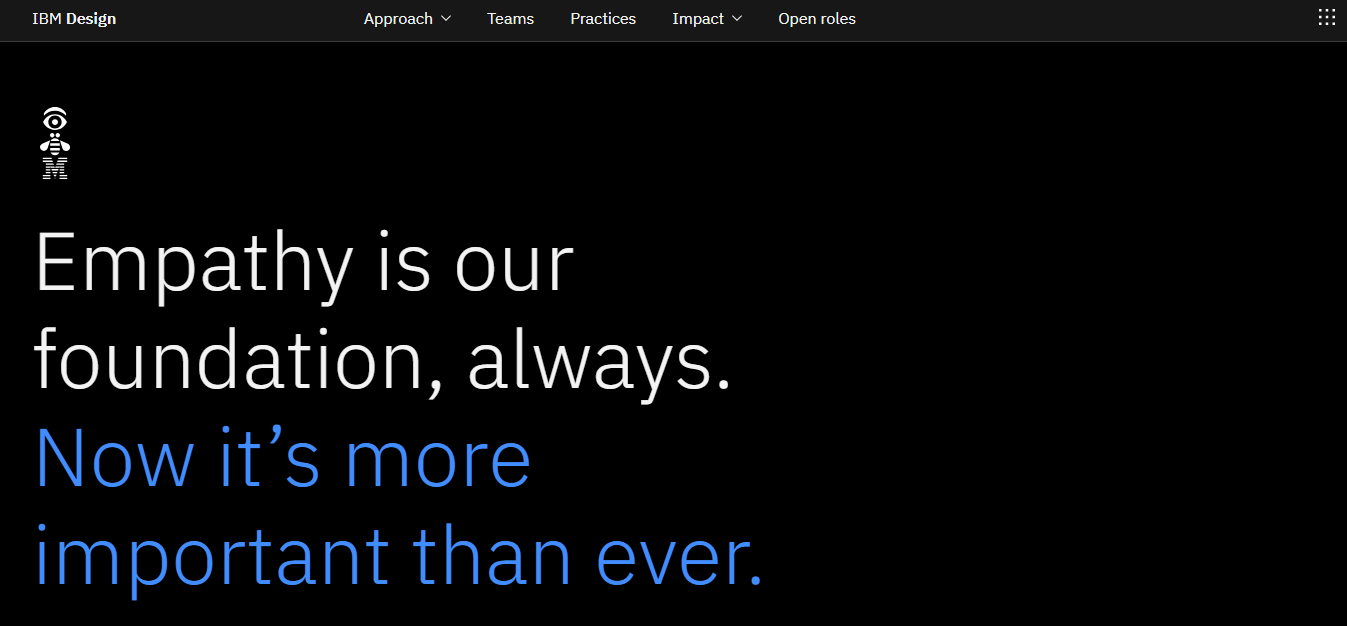
IBM’s design approach connects with its Design Language and Carbon Design System. These frameworks define reusable interface concepts and visual conventions. Consistency helps different digital experiences maintain a recognizable identity.
Key design features:
- Grid layouts: Content follows organized visual structures.
- IBM Plex typography: A consistent type family supports branding.
- Design systems: Shared components encourage interface consistency.
- Content organization: Technology areas receive distinct navigation paths.
- Enterprise resources: Supporting information serves professional buyers.
Why it works: IBM manages substantial content through structured presentation. Its visual conventions support consistency across separate experiences. Clear categorization helps visitors locate relevant enterprise information.
Design takeaway: Create reusable design rules before expanding a large website. Establish consistent spacing, typography, and navigation conventions. Organize content according to user needs rather than internal departments alone.
11. Salesforce Customer Focused Corporate Website Design
Salesforce combines familiar branding, product illustrations, and customer focused messaging to explain business software. Its website introduces customer relationship management, automation, and artificial intelligence. Content addresses business activities such as sales, service, and marketing.
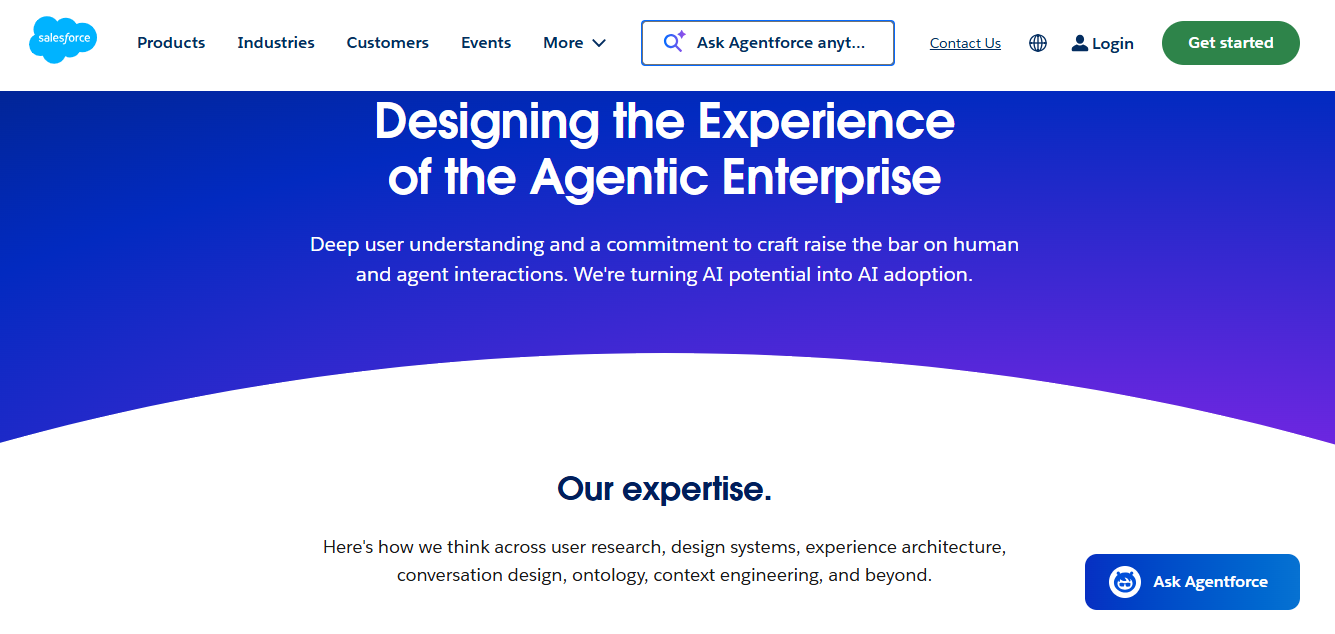
Visitors can explore software offerings through product and industry focused information. Customer stories demonstrate particular uses of the platform. Demonstration and sales options support visitors evaluating the software.
Key design features:
- Brand identity: Recognizable colors and visual elements maintain consistency.
- Audience navigation: Solutions address business roles and industries.
- Product explanations: Visual examples clarify software capabilities.
- Customer stories: Use cases provide context for product benefits.
- Calls to action: Demo and contact options support evaluation.
Why it works: Salesforce organizes a broad product offering around business needs. Customers can explore relevant use cases without understanding every technical component. Product demonstrations support more informed software evaluation.
Design takeaway: Organize complex services around customer goals. Show practical applications before presenting technical detail. Give visitors clear options for further learning or contacting sales.
12. Linear Minimalist Business Software Website Design
Linear uses restrained typography, dark visual presentation, and interface previews to explain its product development platform. The website focuses on planning and coordinating software development work. Product visuals communicate how the software supports professional workflows.
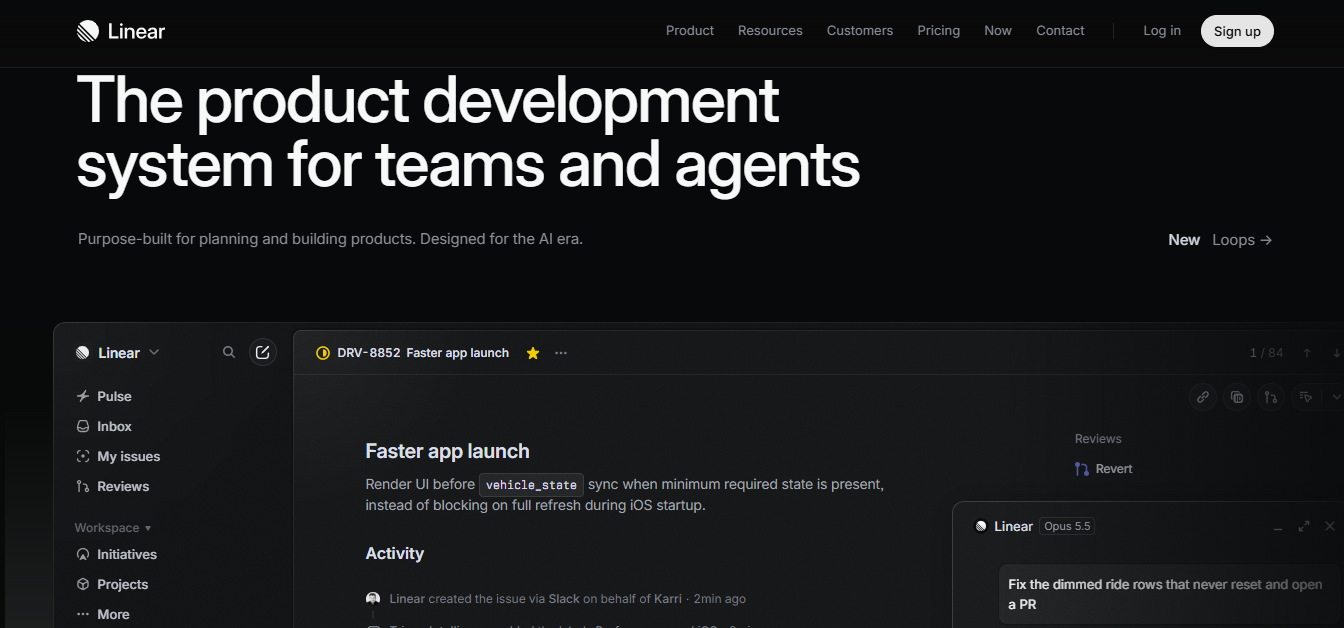
Feature explanations describe activities such as tracking issues and planning projects. Interface imagery helps connect those descriptions with actual software usage. A focused visual style keeps the platform central to the presentation.
Key design features:
- Typography: Concise headlines establish a clear reading order.
- Dark presentation: Controlled contrast emphasizes interface visuals.
- Product previews: Screenshots illustrate software workflows.
- Structured information: Separate sections explain product capabilities.
- Navigation: Product and resource areas support discovery.
Why it works: Linear makes its product interface central to its website. Visitors can connect features with recognizable software development activities. Its restrained presentation reduces competition between decoration and explanation.
Design takeaway: Show your actual software whenever possible. Use short explanations beside meaningful interface examples. Ensure dark backgrounds maintain accessible contrast.
Best E-commerce Website Designs
The best e-commerce website designs combine detailed product information, intuitive browsing, and straightforward purchasing. Nike, Allbirds, Glossier, and Patagonia use different branding approaches within online shopping experiences. Their websites demonstrate how visual identity and product discovery can work together.
Checkout usability is particularly important for online retailers. The Baymard Institute reports 70.22% average documented cart abandonment, calculated from 50 studies. This does not mean poor design causes every abandoned purchase.
13. Nike Bold and Product Focused E-commerce Design
Nike uses bold photography, prominent typography, and category based navigation to showcase athletic products. Its website features footwear, sportswear, and equipment. Product imagery connects merchandise with sports and everyday use.
Shoppers can explore collections by sport, product type, or audience. Product pages provide imagery and information supporting selection. Promotional content directs visitors toward relevant merchandise.
Key design features:
- Large photography: Product and lifestyle imagery create visual focus.
- Category navigation: Shopping paths support product discovery.
- Product filters: Selection controls help narrow merchandise choices.
- Bold typography: Headlines distinguish promotional content.
- Shopping actions: Purchase related links guide the customer journey.
Why it works: Nike combines product discovery with a recognizable visual identity. Athletic imagery provides context for its merchandise. Category navigation helps visitors move from general browsing toward specific products.
Design takeaway: Connect promotional visuals with relevant shopping paths. Use clear filtering for large product catalogs. Keep purchase information accessible after customers reach a product page.
14. Allbirds Clean E-commerce Design With Material Storytelling
Allbirds combines straightforward product presentation with information about footwear materials and comfort. Its website features shoes and apparel through product imagery. Brand content explains material choices and manufacturing approaches.
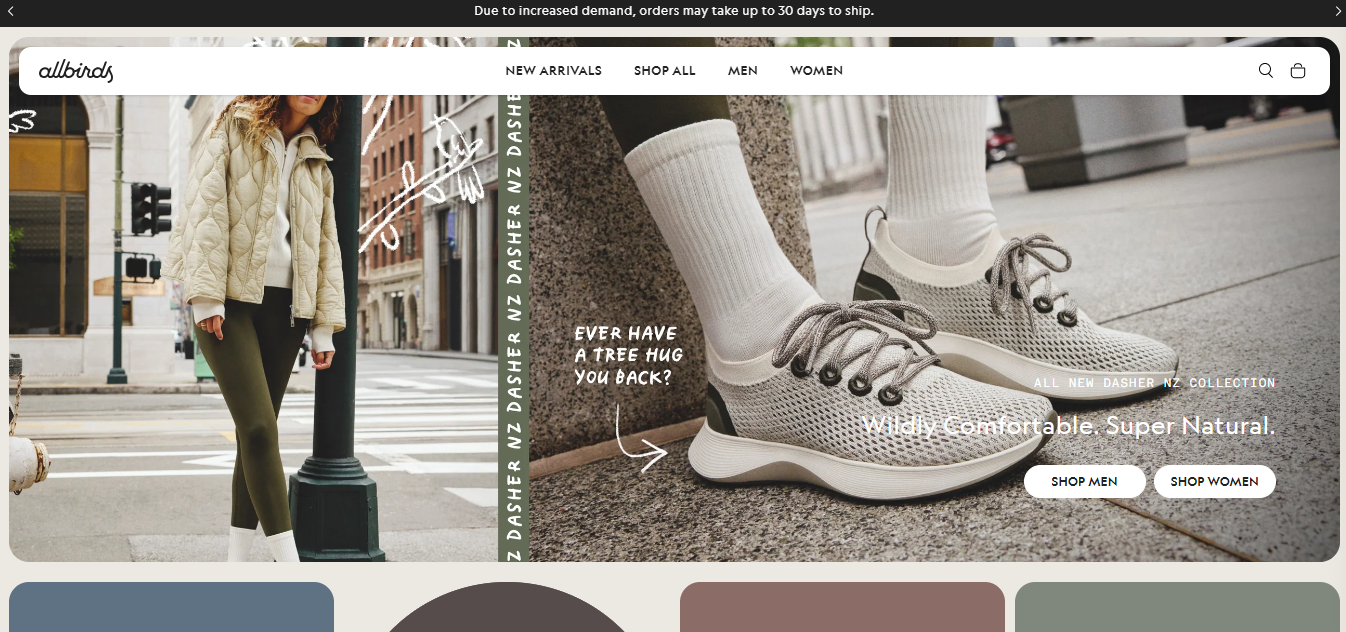
Material information gives shoppers additional context beyond product appearance. Photography highlights design details and everyday use. Shopping navigation separates merchandise into accessible categories.
Key design features:
- Minimalist layout: Product information receives visual priority.
- Material storytelling: Content explains selected manufacturing inputs.
- Product photography: Images highlight texture and appearance.
- Category navigation: Clear shopping sections support discovery.
- Brand consistency: Visual presentation reflects the product positioning.
Why it works: Allbirds connects purchasing decisions with information about product construction. Shoppers can evaluate appearance alongside material descriptions. This approach gives product storytelling a practical purpose.
Design takeaway: Explain the product characteristics that matter to customers. Use photography to support specific material claims. Verify environmental statements before presenting them as established facts.
15. Glossier Beauty E-commerce Design With Clear Branding
Glossier combines recognizable branding, product imagery, and organized shopping categories to present beauty products. Its website covers skincare, makeup, and fragrance. Product focused visuals support discovery and purchasing decisions.

The shopping experience includes product descriptions and category navigation. Curated collections provide additional paths through the catalog. Consistent visual presentation connects individual product pages with the wider brand.
Key design features:
- Brand identity: Recognizable styling supports consistency.
- Product imagery: Photography emphasizes packaging and appearance.
- Shopping categories: Organized navigation simplifies product discovery.
- Product information: Descriptions help shoppers evaluate choices.
- Curated collections: Grouped merchandise supports targeted browsing.
Why it works: Glossier connects its brand presentation with practical shopping functions. Customers can explore product categories without leaving the visual identity behind. Clear product information supports more informed purchasing.
Design takeaway: Keep branding consistent across every product page. Use descriptive categories rather than creative but unclear labels. Make important purchasing information easy to find.
16. Patagonia Purpose Driven E-commerce Website Design
Patagonia combines outdoor product photography, shopping navigation, and environmental storytelling. Its website presents clothing and equipment for outdoor activities. Brand content also explains environmental initiatives and responsible product use.
Shopping categories help visitors browse apparel and gear. Environmental content gives additional context to the company’s identity. Repair and reuse information connects product ownership with longer term use.
Key design features:
- Outdoor photography: Imagery shows merchandise in practical settings.
- Product categories: Navigation organizes apparel and equipment.
- Environmental content: Editorial information explains brand initiatives.
- Repair resources: Supporting guidance addresses product care.
- Brand storytelling: Content connects shopping with company values.
Why it works: Patagonia supports product browsing while communicating a distinct organizational purpose. Outdoor imagery gives visitors relevant product context. Repair information adds value beyond the initial purchase.
Design takeaway: Connect your brand story with useful customer information. Keep shopping actions separate from lengthy editorial content. Make sustainability claims specific and verifiable.
Best Portfolio and Agency Website Designs
The best portfolio and agency website designs present completed work, professional expertise, and clear contact options. Adham Dannaway, Ramotion, Clay, and ToyFight demonstrate four approaches to creative presentation. Their websites help potential clients evaluate professional services.
17. Adham Dannaway Split Screen Personal Portfolio Design
Adham Dannaway uses a recognizable split screen visual concept to communicate design and development expertise. The presentation connects his creative and technical skills. His portfolio provides examples of professional work.
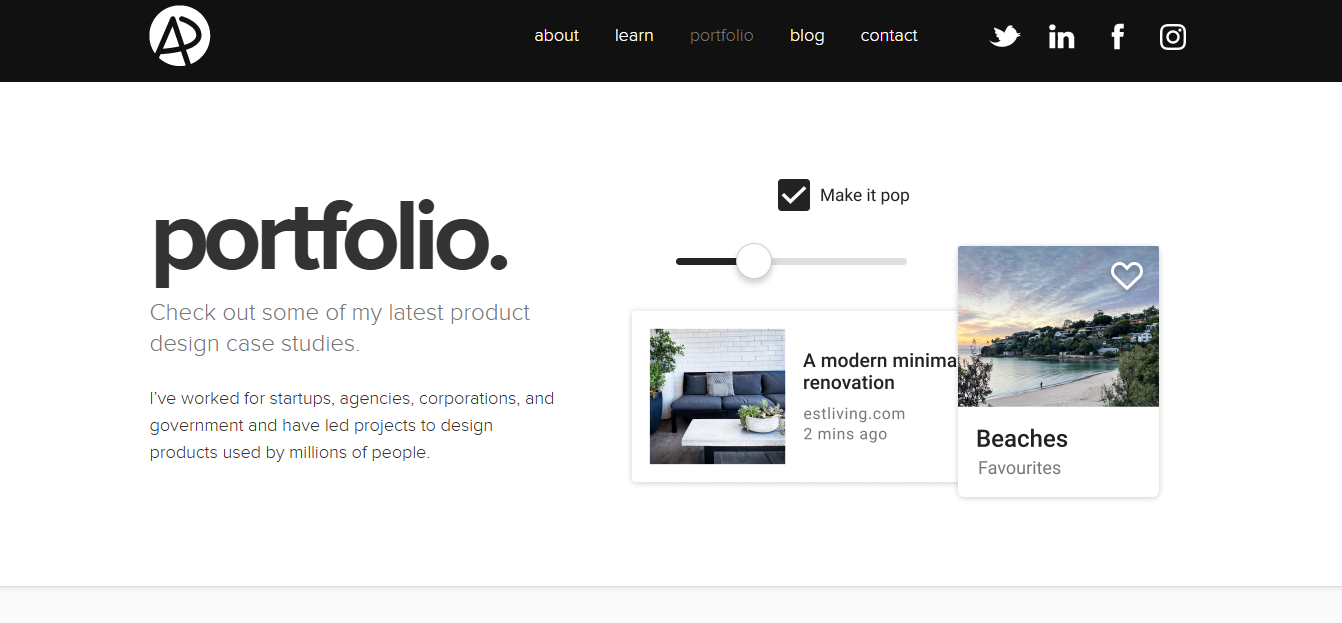
The visual identity establishes the site’s purpose without requiring a lengthy introduction. Project information supports a closer evaluation of his experience. Navigation gives visitors access to professional background and contact information.
Key design features:
- Split screen concept: Two disciplines receive separate visual emphasis.
- Personal branding: Illustration supports professional identity.
- Project portfolio: Completed work demonstrates experience.
- Direct navigation: Visitors can locate background information.
- Skill positioning: The visual concept communicates professional specialization.
Why it works: The design gives a visual explanation of two connected professions. Visitors understand the main professional focus immediately. Supporting portfolio information provides evidence beyond the homepage presentation.
Design takeaway: Make your primary skill clear near the top of your portfolio. Show completed work supporting that claim. Keep contact information visible and easy to reach.
18. Ramotion Professional Agency Portfolio Design
Ramotion uses client projects, structured visuals, and service descriptions to present its design capabilities. The agency specializes in branding and digital product design. Its website highlights professional work through project focused content.
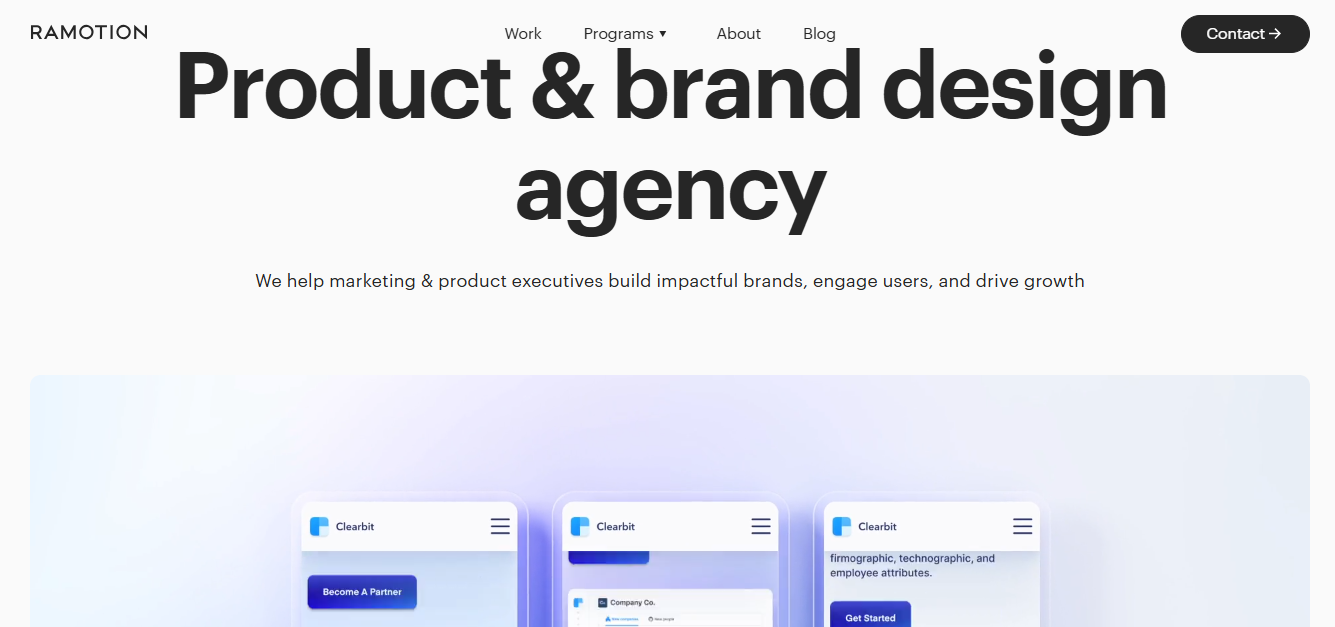
Portfolio examples give visitors a way to assess the agency’s experience. Separate service information explains its areas of specialization. Case studies can connect design decisions with project objectives.
Key design features:
- Client portfolio: Completed projects demonstrate agency experience.
- Service navigation: Branding and digital design receive separate explanations.
- Project imagery: Visual examples show the resulting work.
- Case studies: Supporting information explains project context.
- Professional presentation: Consistent organization supports credibility.
Why it works: Ramotion presents evidence of completed work instead of relying only on promotional claims. Service descriptions help visitors identify relevant expertise. Portfolio imagery makes the agency’s work easier to assess.
Design takeaway: Show what you created and explain the problem behind each project. Include reliable results where supporting evidence exists. Make services and contact information easy to find.
19. Clay Brand Focused Digital Agency Website Design
Clay connects brand strategy, digital design, and project presentation through a coherent agency website. Its work spans visual identity and digital experiences. The website uses selected creative projects to illustrate those capabilities.

Clear service positioning helps explain the agency’s professional focus. Project imagery gives visitors examples of its visual approach. Typography and content structure support the presentation of creative work.
Key design features:
- Visual hierarchy: Typography separates primary and supporting content.
- Project imagery: Selected work demonstrates design capabilities.
- Service information: Branding and digital services receive clear explanations.
- Consistent identity: Visual presentation supports recognizable positioning.
- Portfolio discovery: Visitors can explore relevant creative projects.
Why it works: Clay connects its services through a consistent digital presentation. Visitors can evaluate the relationship between branding and digital design. The portfolio supports those service claims with project examples.
Design takeaway: Present related services as part of a clear overall offering. Use actual projects to demonstrate experience. Keep the service explanation understandable to non designers.
20. ToyFight Playful Creative Agency Website Design
ToyFight uses playful branding, expressive typography, and creative visuals to communicate its studio identity. Its presentation differs from conventional professional service websites. Portfolio content demonstrates the studio’s creative approach.
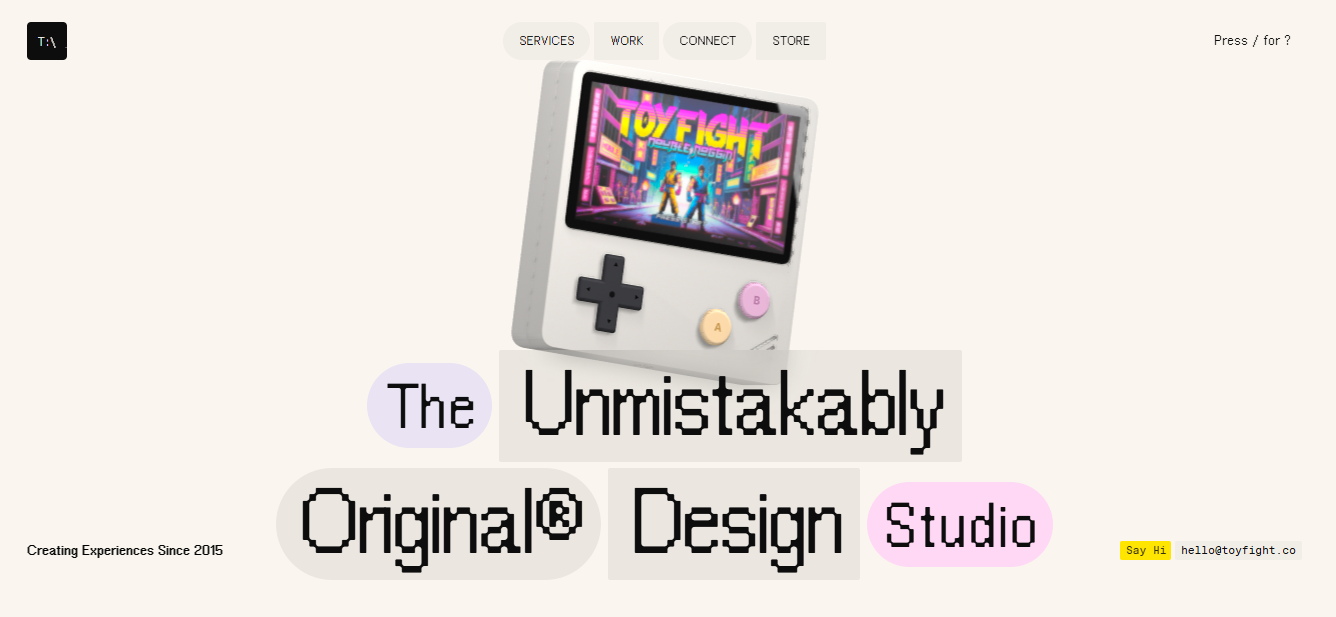
Distinctive visuals communicate personality before visitors examine the work. Project examples provide further evidence of the agency’s capabilities. Contact information gives potential clients a direct next step.
Key design features:
- Playful branding: Distinctive visual elements establish identity.
- Expressive typography: Headlines create strong visual emphasis.
- Project showcases: Creative work supports professional positioning.
- Concise messaging: Service information remains relatively direct.
- Contact access: Visitors can move from exploration to enquiry.
Why it works: ToyFight’s design reflects its creative positioning. The presentation itself demonstrates an unconventional approach to visual communication. Portfolio information connects that creativity with professional work.
Design takeaway: Develop a visual identity suited to your target clients. Use memorable presentation without obscuring essential information. Make your portfolio and enquiry options accessible.
Best SaaS and Technology Website Designs
The best SaaS and technology website designs explain software through practical examples, product previews, and clear signup paths. Framer, Webflow, Vercel, Slack, and Dropbox illustrate five approaches to presenting digital products. Their websites address audiences ranging from beginners to professional developers.
SaaS means Software as a Service. Users access these applications online instead of relying entirely on locally installed software. Many SaaS products use subscriptions, although pricing arrangements differ.
21. Framer Modern Website Builder Design
Framer uses interactive product previews, bold typography, and visual demonstrations to explain website creation. Its platform combines design, publishing, and website management. Its current design tools also include AI assisted capabilities.

The website demonstrates what users can build with its platform. Interface examples connect the design process with practical results. Product information guides visitors toward learning and getting started.
Key design features:
- Product previews: Interface examples demonstrate website creation.
- Bold typography: Headlines communicate major capabilities.
- Interactive elements: Visual demonstrations support product education.
- Structured navigation: Product areas and resources remain discoverable.
- Signup actions: Clear options guide visitors toward using the platform.
Why it works: Framer demonstrates the output of its own website building technology. Visitors can connect product features with visible design results. This gives the website a practical educational function.
Design takeaway: Show what your software can produce. Use interactive demonstrations only when they support understanding. Keep the primary signup path easy to identify.
22. Webflow Visual Web Development Website Design
Webflow combines expressive typography, platform demonstrations, and structured content to present visual website development. Its platform includes design and content management capabilities. The website explains how different audiences can create and manage digital experiences.
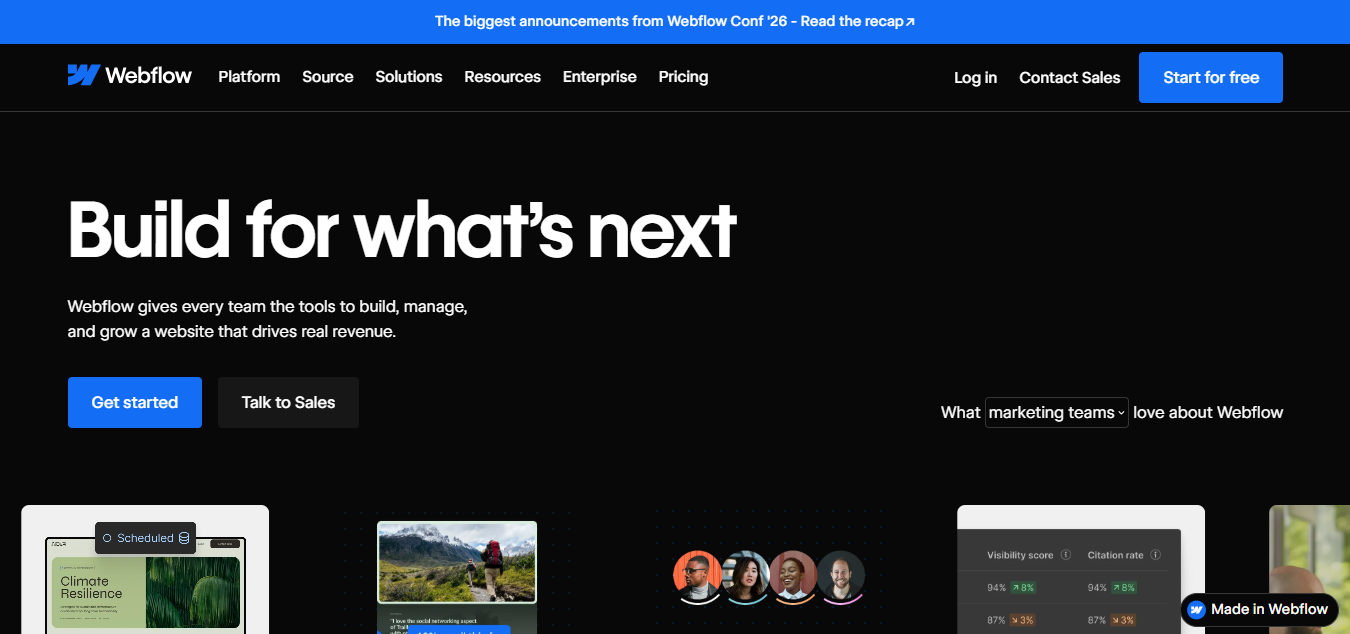
Product demonstrations connect features with practical publishing tasks. Customer examples provide additional context for business applications. Navigation separates platform information, resources, and solutions.
Key design features:
- Expressive typography: Large text communicates primary messages.
- Platform demonstrations: Visuals explain editing and publishing.
- Organized navigation: Product categories support different audience needs.
- Customer examples: Case studies illustrate business applications.
- Resource content: Educational material supports ongoing learning.
Why it works: Webflow explains technical capabilities through recognizable design activities. Visitors can understand the connection between editing and publishing. Supporting resources help people explore the platform more deeply.
Design takeaway: Break complicated workflows into understandable steps. Show product capabilities through visual examples. Organize learning resources separately from primary sales information.
23. Vercel Developer Focused Technology Website Design
Vercel combines structured product messaging, technical resources, and minimalist visual presentation. The platform supports web application deployment and related infrastructure. Its website communicates with developers and technical business audiences.
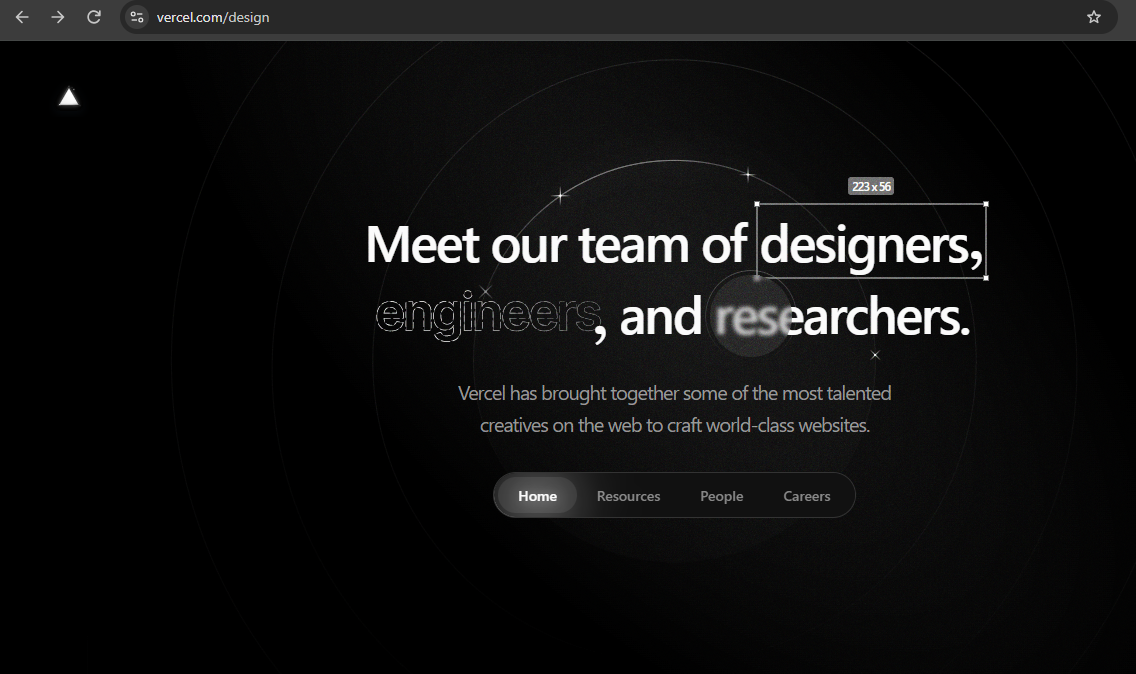
Documentation provides practical implementation information. Product content explains platform capabilities and development workflows. Focused navigation connects visitors with relevant technical resources.
Key design features:
- Minimalist presentation: Visual restraint keeps attention on technical information.
- Developer navigation: Documentation and platform resources remain accessible.
- Product explanations: Content describes deployment and infrastructure.
- Structured typography: Headings distinguish technical information.
- Primary actions: Clear paths support exploring or using the platform.
Why it works: Vercel matches its presentation to a technically knowledgeable audience. Documentation receives meaningful importance alongside product marketing. Its information structure supports practical product exploration.
Design takeaway: Write for the actual knowledge level of your audience. Prioritize documentation when technical implementation matters. Avoid decorative content that interferes with essential workflows.
24. Slack Friendly and User Focused SaaS Website Design
Slack uses recognizable branding, product demonstrations, and workplace examples to explain team communication. Its website covers messaging, collaboration, and connected work. The presentation links software capabilities with recognizable business activities.
Product previews help visitors understand channels and conversations. Customer information provides additional context about workplace use. Navigation offers routes toward product details and getting started.
Key design features:
- Recognizable branding: Consistent visual identity supports familiarity.
- Interface previews: Screenshots demonstrate communication activities.
- Practical messaging: Content focuses on workplace needs.
- Customer examples: Supporting information illustrates software use.
- Signup options: Clear calls to action guide interested visitors.
Why it works: Slack explains its platform through recognizable communication needs. Product previews help visitors understand everyday software use. Customer examples connect platform capabilities with organizational work.
Design takeaway: Explain software through tasks your audience understands. Show recognizable interface elements instead of abstract artwork alone. Keep feature education separate from complicated sales language.
25. Dropbox Simple Cloud Storage Website Design
Dropbox uses straightforward messaging, product visuals, and organized navigation to explain file storage and collaboration. Its website introduces file sharing, document management, and teamwork. Practical examples make the software’s purpose understandable.
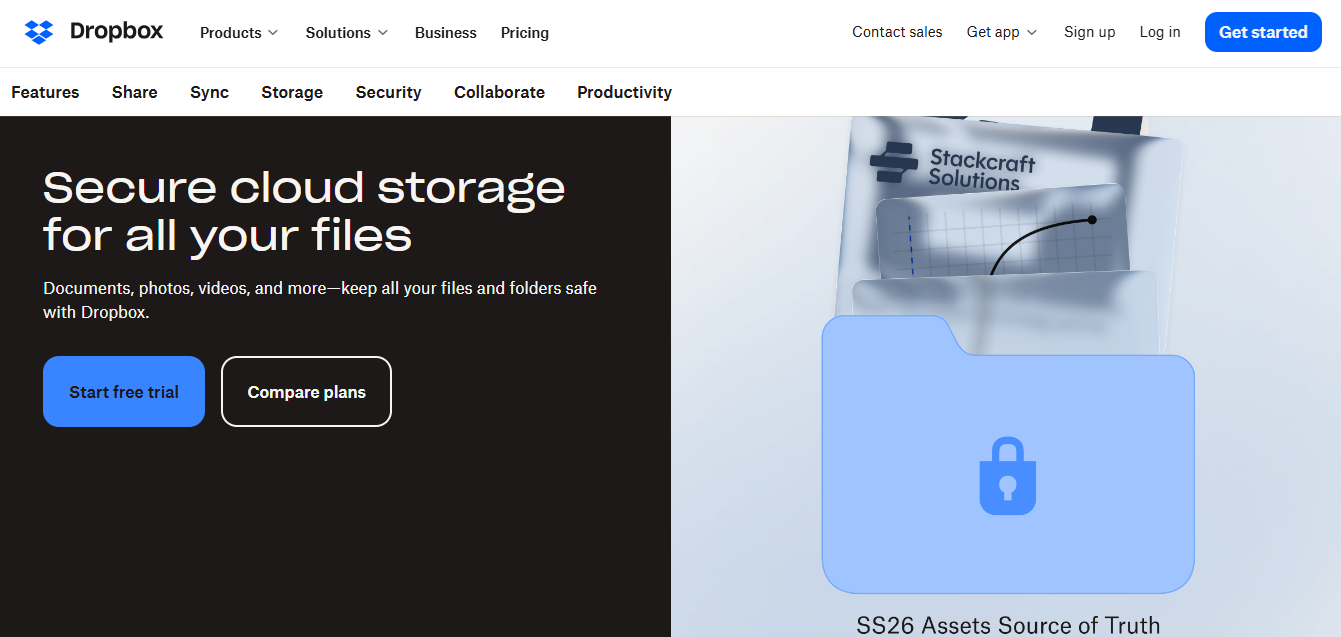
Product information explains how files can be stored and shared. Separate content addresses personal and business use cases. Pricing and account options support visitors considering the service.
Key design features:
- Clear typography: Direct headlines explain product benefits.
- Product visuals: Interface examples show file management.
- Organized navigation: Different offerings have understandable paths.
- Practical use cases: Content connects features with everyday tasks.
- Account actions: Signup and plan information support evaluation.
Why it works: Dropbox communicates familiar activities through clear product explanations. Visitors do not need advanced technical knowledge to understand the main offering. Organized information also supports different customer needs.
Design takeaway: Connect software features with everyday outcomes. Explain important differences between available plans. Make signup and pricing information straightforward to find.
What Makes a Website Design Good?
Good website design combines clear layouts, readable typography, intuitive navigation, and accessible content. These principles help visitors understand information and complete important tasks. A visually attractive page should also work effectively on mobile devices.
1. Clear and Attractive Layouts
A clear layout gives important content enough space to stand out. For example, Apple’s product pages separate headlines, imagery, and technical details. This creates a readable order without overcrowding the screen.
2. Strong Typography and Color Combinations
Typography should make headings recognizable and body text comfortable to read. Use consistent fonts and a controlled color palette, as seen in Stripe and Linear. Color should establish hierarchy without reducing readability.
3. Easy Navigation and Visual Hierarchy
Navigation helps visitors locate information without unnecessary effort. Use familiar labels such as Products, Services, Pricing, and Contact. Support navigation with clear headings, logical spacing, and predictable page structures.
4. Consistent Branding and High Quality Images
Consistent branding helps visitors recognize a website across different pages. Aesop demonstrates this through product imagery, restrained colors, and recognizable presentation. Use relevant photography instead of decorative images that provide no information.
5. Clear Calls to Action
A call to action tells visitors what to do next. Buttons such as “Shop Now,” “Get Started,” and “Book a Demo” communicate specific actions. Give the main action visual priority over secondary options.
6. Accessibility and User Friendly Design
Accessible websites support people with different abilities and interaction needs. The W3C accessibility guidelines specify 4.5:1 minimum contrast for normal text at Level AA. Keyboard navigation, descriptive image text, and readable layouts also support accessibility.
Popular Website Design Styles
Popular website design styles include minimalist, modern, luxury, and interactive approaches. Each style creates a different visual experience and supports different brand objectives. The right approach depends on your audience, content, and website purpose.
Minimalist and Clean Website Design
Minimalist website design removes unnecessary visual decoration and emphasizes essential information. Common elements include generous whitespace, simple fonts, and restrained colors. Apple, Muji, and Notion demonstrate different applications of this approach.
Minimalism suits websites that need clear product information or professional presentation. It can reduce visual distractions and support readable layouts. However, minimalism should never remove necessary navigation or helpful explanations.
Modern and Bold Website Design
Modern and bold website design emphasizes expressive typography, distinctive colors, and clear visual hierarchy. Stripe and Webflow demonstrate how large headlines can establish brand identity. Strong contrast can also separate important information from supporting content.
This approach suits technology brands, creative agencies, and product focused businesses. Visual expression should support the message rather than compete with it. Keep text readable and navigation consistent.
Dark Mode and Luxury Website Design
Dark and luxury website designs often use controlled contrast, refined typography, and carefully selected imagery. Linear demonstrates dark product focused presentation, while Aesop uses restrained premium branding. Both approaches emphasize consistency over unnecessary decoration.
Dark backgrounds can highlight interfaces, photography, and selected content. Luxury presentation often relies on spacing and carefully organized visual elements. Check text contrast before using subtle colors on dark backgrounds.
Interactive and Animated Website Design
Interactive website design uses animation and visitor actions to create responsive digital experiences. Bruno Simon demonstrates game like navigation, while Active Theory explores immersive interaction. These approaches connect digital movement with creative storytelling.
Interactive design works especially well for experimental portfolios and creative presentations. However, unusual navigation increases the importance of instructions and accessibility alternatives. Test performance before introducing demanding graphics or animation.
Top Website Design Trends in 2026
Website design trends in 2026 include expressive typography, interactive storytelling, AI assisted creation, and accessible digital experiences. These directions reflect growing interest in distinctive visual identities and useful technology. Not every trend suits every website.
1. Bold and Expressive Typography
Large headlines establish visual focus and strengthen brand presentation. Websites such as Stripe and Webflow demonstrate prominent typography in technology marketing. Choose readable fonts and maintain a clear text hierarchy.
2. Immersive 3D and Interactive Storytelling
Three dimensional visuals can create environments that visitors explore through interaction. Bruno Simon and Active Theory demonstrate different approaches to immersive experiences. These effects should support storytelling without preventing access to important content.
3. Smooth Scrolling and Purposeful Animation
Scroll based motion can introduce information as visitors move through a page. Microinteractions provide feedback when someone opens a menu or selects a button. Keep motion predictable and support reduced motion preferences.
4. AI Assisted and Personalized Website Experiences
AI assisted tools can help generate layouts, draft content, and support design exploration. Framer offers AI supported website design capabilities within its platform. Human review remains necessary for accuracy, accessibility, and brand consistency.
5. Creative Layouts and Vibrant Colors
Asymmetrical arrangements and expressive colors can distinguish a website visually. Creative studios such as Resn and ToyFight illustrate unconventional visual presentation. Maintain clear reading order even when using experimental layouts.
6. Accessibility and Performance Conscious Design
Modern visual effects must remain compatible with accessible, responsive experiences. Google recommends a Largest Contentful Paint score of 2.5 seconds or less for good loading performance. Test animation, imagery, and interactive elements before publishing.
How to Choose the Right Website Design
Choose a website design based on your audience, business objectives, content, and available resources. A visually impressive design is not automatically suitable for every project. Use the following five steps to narrow your options.
1. Identify Your Website’s Purpose
Decide what visitors should accomplish on your website. An online store needs product discovery, while a portfolio needs project examples. A software website usually needs clear explanations and signup options.
2. Match the Design to Your Audience
Consider who will use the website and what information they expect. Professional buyers may need specifications, case studies, and service details. Portfolio visitors may prioritize completed work and professional background.
3. Choose a Suitable Visual Style
Select colors, typography, and imagery that reflect your brand identity. Minimalism can support clear information, while interactive design can demonstrate creative expertise. Choose the approach that supports your actual content.
4. Balance Appearance With Usability
Check whether visitors can complete important tasks without confusion. Test navigation, forms, product discovery, and contact options. Do not sacrifice accessibility for decorative effects.
5. Consider Cost and Maintenance
Complex animations and custom interfaces may require additional development work. Template based websites can reduce initial design effort for straightforward projects. Include maintenance, hosting, and testing when considering the total budget.
Practical recommendation: Test your preferred design with five representative visitors before launch. Ask each person to complete one important task without guidance. Observe confusion and revise the interface before investing in additional decoration.
Responsive Website Design, UX, and Performance
Responsive design, user experience, and performance help websites function across different devices and connection speeds. A layout should remain readable on phones, tablets, and desktop computers. Visitors should also receive clear feedback when interacting with the page.
Mobile Friendly Design
Responsive layouts adjust to the available screen width. Navigation menus, product grids, and content columns may change across devices. Test actual reading, browsing, and purchasing tasks on mobile screens.
Navigation and User Experience
User experience describes how people interact with a website. Clear menus and predictable controls help visitors complete their intended tasks. Keep important information accessible without unnecessary navigation steps.
Website Speed and Core Web Vitals
Google’s Core Web Vitals measure three important aspects of page experience. They evaluate loading, responsiveness, and visual stability. The following thresholds represent Google’s recommended good performance levels.
| Metric | What it measures | Good threshold |
| Largest Contentful Paint (LCP) | Main content loading | 2.5 seconds or less |
| Interaction to Next Paint (INP) | Interaction responsiveness | 200 milliseconds or less |
| Cumulative Layout Shift (CLS) | Unexpected visual movement | 0.1 or less |
These thresholds are assessed at the 75th percentile of page visits. Use PageSpeed Insights to investigate performance where data is available. Always compare mobile and desktop experiences separately.
Accessibility and Visual Effects
Readable text, keyboard navigation, and meaningful image descriptions support accessible design. Large images and complex animation can also increase loading and processing demands. Optimize media and provide alternatives when visual effects are unnecessary.
Common Website Design Mistakes to Avoid
Common website design mistakes include crowded layouts, unclear navigation, weak contrast, and slow loading visual effects. These problems can make information harder to find or understand. Addressing them improves the website’s basic usability.
1. Overcrowded Pages
Crowded pages force unrelated information to compete for attention. For example, several promotional banners can hide essential product details. Fix this by prioritizing content and separating sections with whitespace.
2. Poor Typography and Contrast
Low contrast text can become difficult to read. Decorative fonts may also reduce clarity in long paragraphs. Choose readable typefaces and check contrast against accessibility requirements.
3. Confusing Navigation
Unclear menu labels can make visitors search unnecessarily. Categories such as Products, Services, and Contact usually communicate purpose directly. Organize navigation around visitor expectations instead of internal company terminology.
4. Excessive Animation
Complex visual effects can delay loading and distract visitors. Large videos and animated backgrounds may also consume substantial device resources. Compress media, limit unnecessary movement, and respect reduced motion settings.
5. Ignoring Mobile Users
Desktop layouts may not work properly on narrow screens. Small buttons, overflowing content, and difficult forms can interrupt important tasks. Test the complete visitor journey on mobile devices.
6. Weak Calls to Action
Generic labels such as “Click Here” do not explain the next step. Multiple competing buttons can also make the primary action unclear. Use descriptive wording and establish one main action per important section.
Best Websites to Find Web Design Inspiration
The best websites for design inspiration include Awwwards, SiteInspire, Dribbble, Behance, and One Page Love. These resources showcase different forms of website design and creative presentation. Use them to explore visual approaches before making design decisions.
1. Awwwards
Awwwards features websites recognized through its design awards and showcases. Visitors can explore work emphasizing creativity, interaction, and visual presentation. It is useful for researching experimental and award winning web design.
2. SiteInspire
SiteInspire offers curated website examples across various design approaches. Visitors can study layouts, typography, and visual styles. It is useful for finding restrained and professionally presented designs.
3. Dribbble
Dribbble showcases interface concepts and creative design work. Its content includes landing pages, dashboards, and visual components. Remember that design mockups do not always represent functioning websites.
4. Behance
Behance features creative portfolios and detailed project presentations. It offers examples of branding, interface design, and digital experiences. Project descriptions can provide useful context behind visual decisions.
5. One Page Love
One Page Love specializes in single page website inspiration and templates. Its collection includes landing pages and portfolio examples. It is useful when planning websites with focused content and simple navigation.
Free Website Design Inspiration and Templates
Free design galleries can provide inspiration without purchasing a premium template. Platforms such as Behance and Dribbble offer publicly viewable examples. Check license terms before using downloadable templates, images, or design assets.
Frequently Asked Questions About Website Design
What are the best website designs in 2026?
The best website designs combine useful content, readable layouts, and appropriate visual presentation. Apple demonstrates product focused minimalism, while Stripe presents complex services through structured visuals. The best choice depends on your website’s audience and purpose.
Which website has the best design in the world?
There is no universally best website design for every audience or purpose. Awwwards recognizes websites for creative and technical achievement. However, design awards do not automatically establish superior accessibility, conversions, or usability.
What makes a website look modern and professional?
Modern professional websites use clear typography, consistent branding, and organized content. High quality imagery and appropriate whitespace support readable layouts. Responsive design and straightforward navigation also contribute to a professional experience.
What is the best website design for a small business?
The best small business website design makes services, contact information, and customer value easy to understand. A service business may prioritize testimonials, pricing information, and enquiry forms. An online retailer instead needs product information and a reliable purchasing experience.
Are minimalist website designs still popular?
Minimalist website design remains relevant because it emphasizes readable content and straightforward interaction. Apple, Muji, and Notion demonstrate different minimalist approaches. However, removing useful information simply to achieve visual simplicity can reduce usability.
Can I create a professional website design for free?
You can begin creating a professional website using free tools or website builder plans. Framer and other platforms offer options for exploring website creation without an immediate paid subscription. Publishing with a custom domain or advanced functionality may require additional payment.
How much does a professional website design cost?
Website design costs depend on page count, customization, functionality, and ongoing support. A simple template based website generally requires less custom work than an interactive application. Request a detailed scope and compare design, development, hosting, and maintenance costs before committing.
Final Thoughts on the Best Website Designs
The best website designs balance visual appeal with usability, accessibility, and clear communication. These 25 examples demonstrate approaches ranging from minimalist product pages to interactive creative portfolios. Their most useful lessons come from understanding why individual design decisions fit particular audiences.
Choose inspiration that matches your website’s purpose instead of copying another brand’s appearance. Prioritize readable content, responsive layouts, and clear navigation before adding advanced effects. A successful website design should help visitors accomplish their goals while expressing your brand identity.