

When a VPS host dies, every virtual server on that machine can stop immediately. Websites, databases, APIs, and remote access may become unavailable. What happens next depends on the hosting architecture.
A VPS host is the physical server running virtual machines through a hypervisor. The VPS itself is only one layer above that hardware. Host failure therefore differs from a normal operating system crash.
This guide explains nine things that matter after a physical host failure. You will learn about data, storage, failover, recovery time, backups, and IP addresses. You will also see what to check before choosing a VPS provider.
1. What Happens Immediately When the Physical Host Fails?
When the physical host fails, its running VPS instances normally stop executing immediately. The virtual CPUs can no longer run instructions. Memory and active connections also disappear with the failed host.
Websites like WordPress sites, ecommerce stores, and SaaS dashboards may stop responding. Services like SSH, RDP, MySQL, and nginx can become unreachable. APIs like payment endpoints and authentication services may also fail.
A control panel reboot usually cannot fix a dead physical host. The hosting provider must restore the host or restart the VPS elsewhere. Automatic recovery only works when the infrastructure supports it.
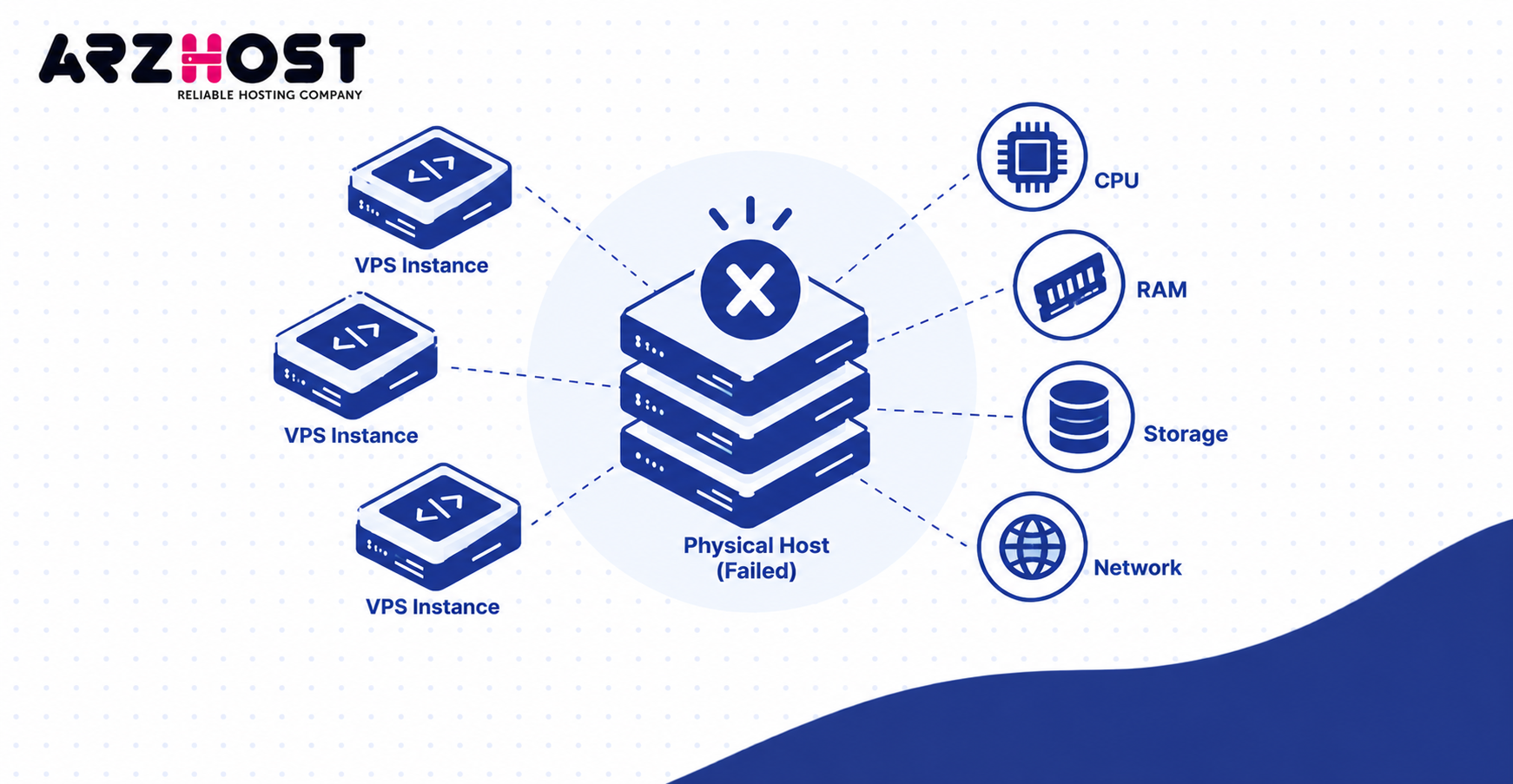
Common Physical Failures: Disk, RAM, CPU, Network, and Power
A physical host can fail because of storage, memory, processor, network, or power problems. Components like NVMe drives, DIMMs, CPUs, NICs, and power supplies can fail independently. Some failures degrade service, while others stop the entire machine.
A single RAID protected disk failure may leave the server running. A failed motherboard or critical RAM module can stop every VPS on that node. Network failures can make machines appear dead even while they still run.
Competitors commonly cover disk, RAM, CPU, network, and power failures because each produces different consequences. MassiveGRID also separates these failure types before explaining standard and HA recovery.
What Happens to Websites, SSH, APIs, and Active Connections?
Active network connections usually break when the VPS stops unexpectedly. SSH sessions, database connections, and HTTP requests cannot continue without the running VM. Clients normally need to reconnect after service returns.
Visitors may see connection errors, gateway errors, or request timeouts. Applications may report API failures, failed logins, or database connection errors. Active downloads and uploads can stop before completion.
The same failure can affect many VPS instances at once. That pattern often indicates host level trouble rather than one guest operating system problem. Provider monitoring normally identifies the wider infrastructure failure.
2. Is Your VPS Data Lost When the Host Dies?
A dead VPS host does not automatically mean your stored data is lost. Data survival depends mainly on where the virtual disk exists. Persistent storage may survive even when the compute host fails.
The important distinction is between memory, persistent storage, and backups. RAM contents disappear during complete power loss. Disk data can survive when the underlying storage remains healthy.
A destroyed local disk creates a different situation. Data may require RAID recovery, storage replication, or backup restoration. The physical host failure alone does not determine the final data outcome.
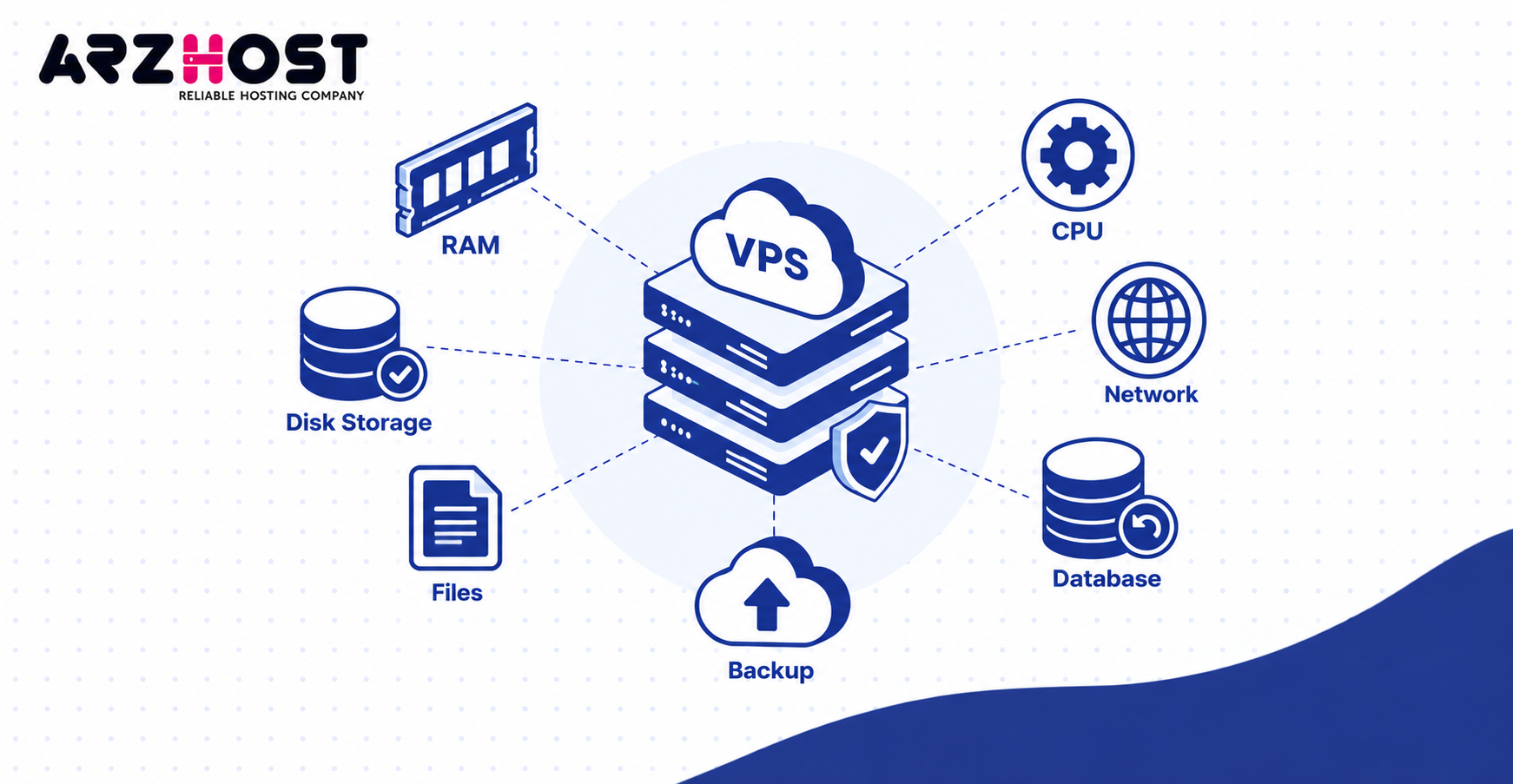
What Happens to Data in RAM?
Data stored only in RAM is lost when the host loses power or crashes completely. RAM is volatile and requires continuous power. High availability does not usually replicate complete VM memory during sudden failure.
RAM only data can include sessions, cached values, and unfinished computations. Examples include Redis cache entries, PHP sessions, and unsaved application state. Those values may need rebuilding after reboot.
Running requests can also disappear before completion. Examples include API requests, report generation jobs, and queued operations. Applications should therefore tolerate retries and interrupted work.
What Happens to Data Already Written to Disk?
Data safely committed to persistent storage usually remains available when only the compute host fails. The storage device or storage cluster must remain healthy. Another host may then access the same virtual disk.
Local SSD or NVMe storage remains physically attached to one machine. Shared storage like SAN, NFS, or network block storage can be available elsewhere. Distributed storage like Ceph can store replicated data across several nodes.
The failure domain matters more than the word “VPS.” A VPS using local disks behaves differently from one using distributed storage. That architectural difference determines many recovery options.
What Happens to Database Transactions and Active Uploads?
Committed database transactions normally survive, while unfinished transactions may be rolled back. Databases like PostgreSQL and MySQL use transaction logging for crash recovery. Correctly configured database engines are designed to recover after unclean shutdowns.
Uncommitted work may disappear during restart. Examples include unfinished orders, incomplete writes, and temporary session changes. Application code should handle these failures without duplicating important operations.
Active uploads can also fail at the moment of host loss. Examples include image uploads, backup transfers, and large media files. Users or applications may need to restart those transfers.
3. VPS Host Failure vs VPS Crash: What Is the Difference?
A VPS crash affects the guest machine, while host failure affects the physical server underneath it. These events can look identical from the customer side. Their recovery paths are very different.
A guest crash may affect only one VPS. A hypervisor or hardware failure can affect every VPS on one node. A storage or network failure can create another separate failure domain.
CreativeON covers several crash categories, including guest failures, resource exhaustion, storage stalls, host failures, and network isolation. That broad approach is useful, but these problems should not be treated as identical.
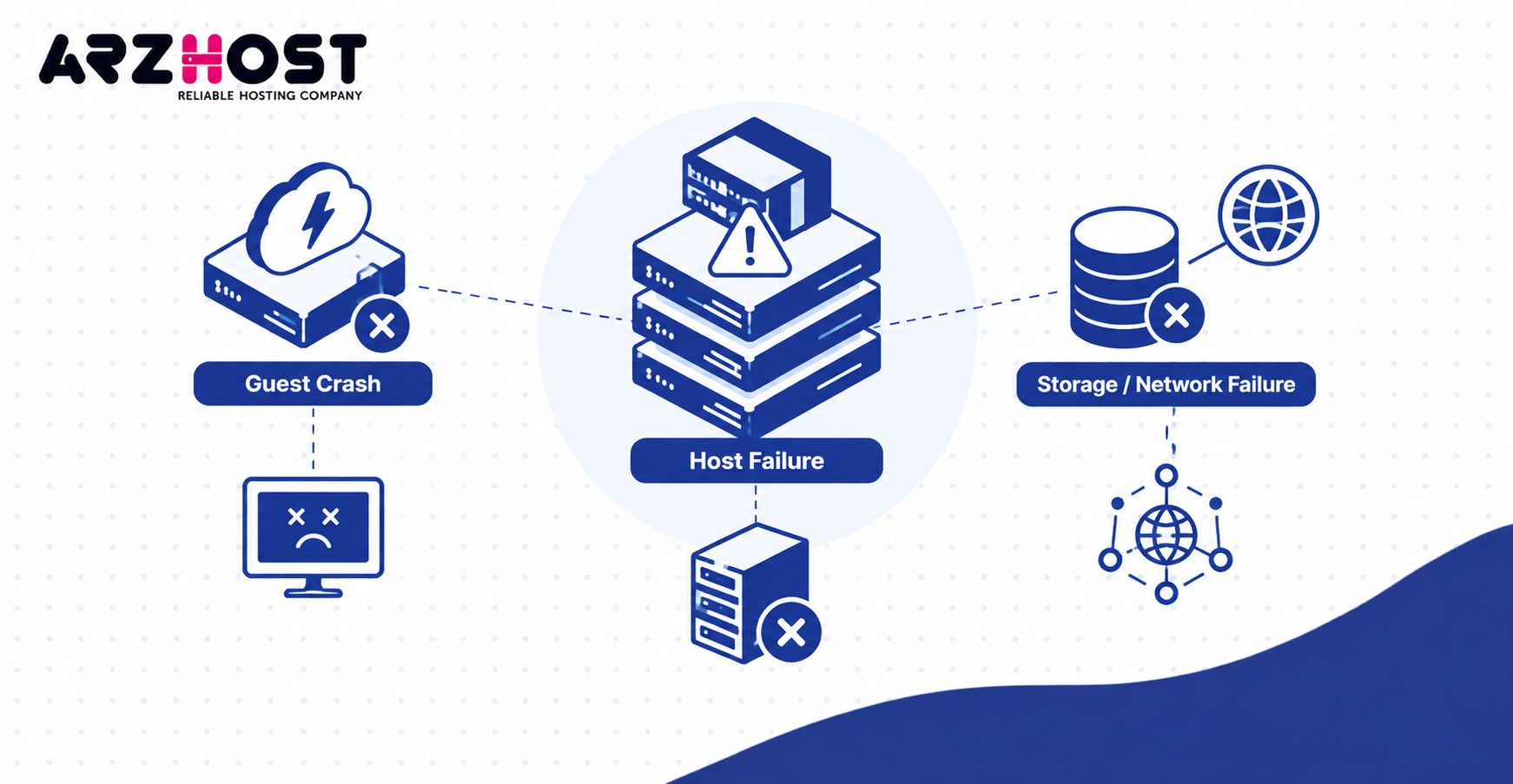
Guest OS or VPS Crash
A guest OS crash happens inside one VPS while the physical host can remain healthy. The hypervisor may continue running every other virtual machine normally. Restarting the affected VPS may solve the problem.
Common causes include kernel panics, memory exhaustion, and software failures. Examples include broken drivers, runaway PHP processes, and corrupted system files. Resource limits can also make a VPS freeze without killing its host.
The provider may still see the VM as powered on. Console access or a forced restart may restore service. Host level failover is usually unnecessary.
Hypervisor or Physical Host Failure
A host level failure stops the virtualization layer or the physical machine itself. Multiple VPS instances can therefore disappear together. Guest level reboot controls may become ineffective.
Hardware failures can involve CPUs, memory, motherboards, or power systems. Hypervisor software can also crash without permanent hardware damage. Providers must identify which layer actually failed.
Recovery may require hardware replacement or another compute node. The VPS cannot repair the failed host from inside its guest operating system. This is why provider side monitoring matters.
Storage and Network Failure
Storage or network failure can make a VPS unavailable even when its CPU continues running. The machine may still exist internally. Users simply cannot reach or use it correctly.
Storage failures can block reads and writes. Examples include failed storage controllers, unavailable Ceph nodes, and disconnected SAN paths. Applications may freeze while waiting for disk operations.
Network failures create different symptoms. Examples include failed NICs, switch problems, or routing failures. The VPS may remain healthy but appear offline from the internet.
4. Why VPS Storage Architecture Determines What Happens Next
Storage architecture often decides whether a VPS can restart quickly on another physical host. Computers can be replaced faster when storage is already available elsewhere. Local only storage creates more dependency on the failed machine.
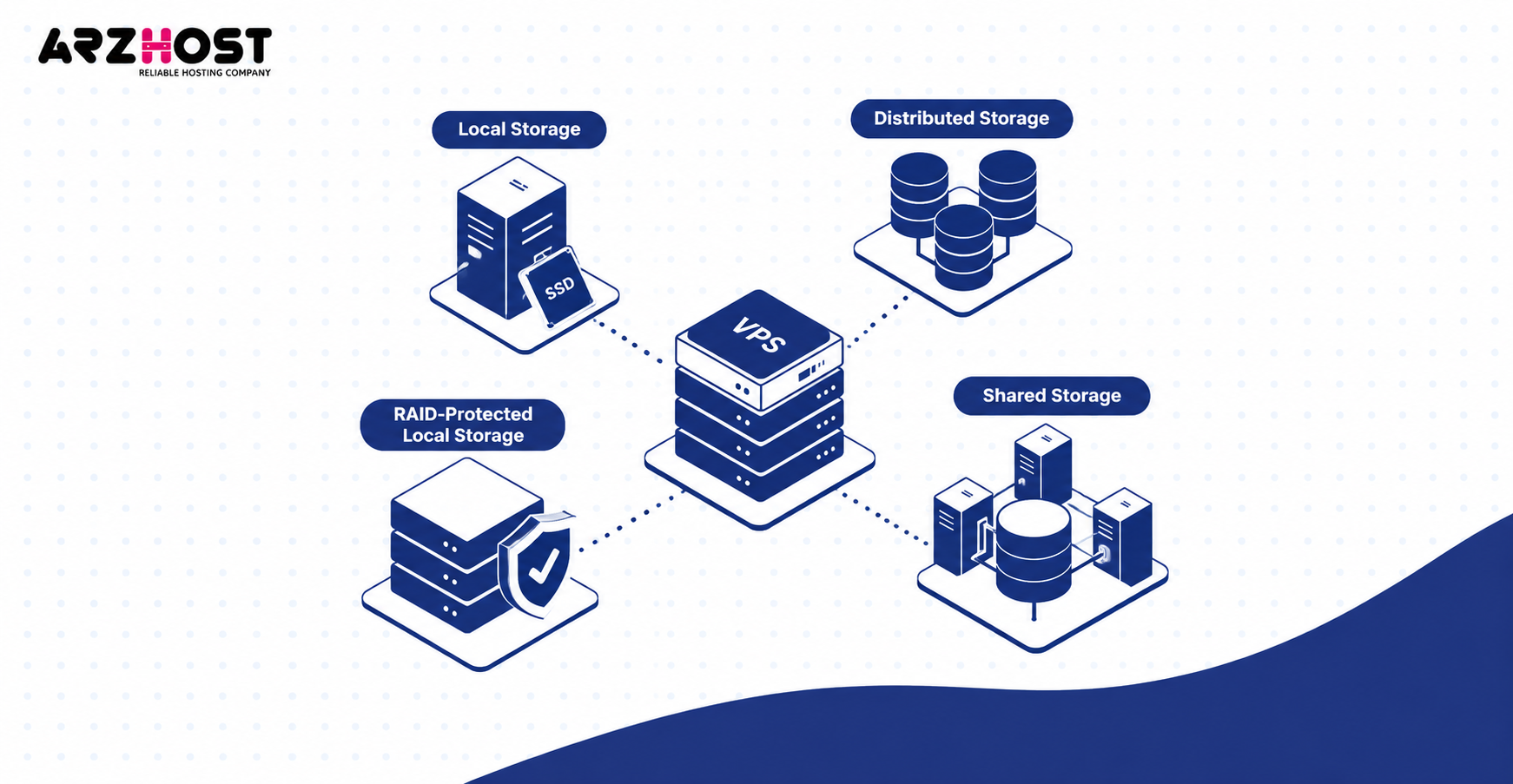
Three common models are local storage, RAID protected local storage, and shared storage. Distributed storage adds replication across several systems. Each model changes the recovery process.
Understanding this layer answers an important customer question. It explains why one provider recovers in minutes while another requires physical repair. “VPS” alone does not describe the infrastructure underneath.
Local SSD or NVMe Storage
Local storage keeps the VPS virtual disk on drives installed inside one physical host. Examples include enterprise SATA SSDs and NVMe devices. This setup can provide strong performance with simple architecture.
The drawback is host dependency. Another compute node cannot automatically access those local disks unless replication exists. The provider may need to repair the original server first.
A CPU failure does not necessarily destroy local storage. The provider might recover intact disks using replacement hardware. Recovery still requires more work than using already shared storage.
RAID Protected Local Storage
RAID protects against certain disk failures, but it does not make the physical host highly available. RAID 1 mirrors data across two drives. RAID 10 combines mirroring and striping across multiple drives.
One disk can fail while the array continues operating. That does not protect against motherboard, CPU, power, or hypervisor failure. The VPS remains tied to the same host architecture.
RAID also does not replace backups. Accidental deletion, malware, and corrupted data can affect the active storage. Independent recovery copies remain necessary.
Shared or Distributed Storage
Shared storage allows another computer host to access the VPS virtual disk after host failure. Examples include SAN, NFS, iSCSI, and network block storage. This removes some dependency on one compute node.
Distributed storage like Ceph adds replication across storage nodes. Data blocks can exist on separate physical machines. The design can tolerate certain disk or node failures without losing the virtual disk.
MassiveGRID uses Ceph as its main example of distributed storage and Proxmox HA for compute recovery. Its article explains that virtual disks remain separate from one failed hypervisor.
5. How a Standard VPS Recovers After Host Failure
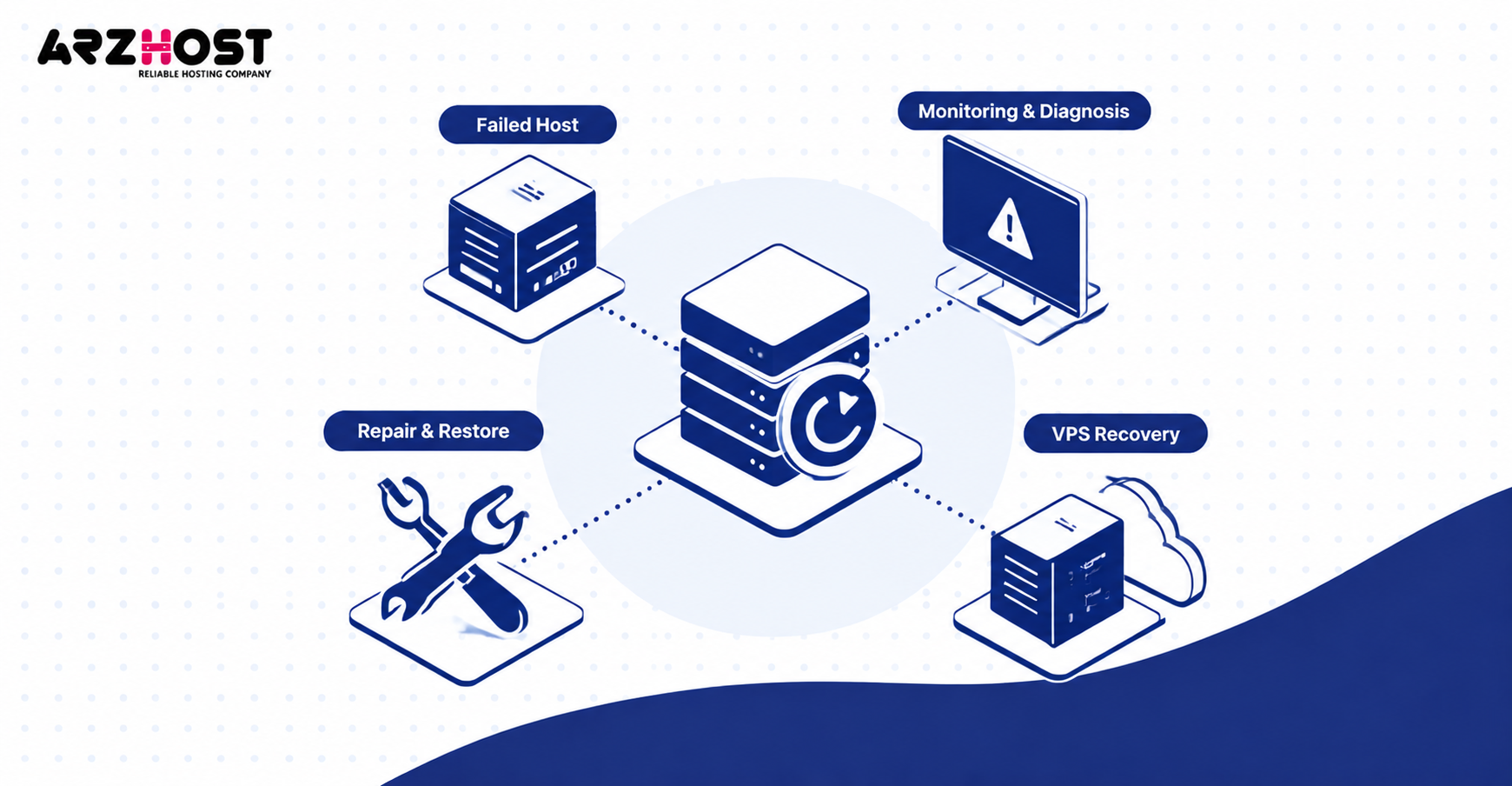
A standard VPS normally returns after the provider repairs the host or restores the workload elsewhere. Recovery is usually more manual than HA failover. The exact process depends on the failed component.
Providers first determine whether the problem involves compute, memory, networking, or storage. They then repair, replace, reboot, migrate, or restore. Customers usually cannot perform these host level tasks themselves.
Recovery time varies significantly between failures. Replacing a failed RAM module differs from restoring a destroyed storage volume. Provider staffing and spare hardware also affect recovery speed.
How the Provider Detects and Diagnoses the Failure
The provider first confirms whether the VPS, hypervisor, storage, or network actually failed. Monitoring systems may show multiple affected virtual machines. Hardware management interfaces can provide additional failure information.
Engineers can inspect hypervisor logs, hardware alerts, and storage health. Examples include kernel logs, IPMI events, and RAID controller status. Network monitoring can reveal switch or routing failures.
This diagnosis prevents unnecessary VPS changes. A customer configuration change cannot fix failed physical RAM. Provider side evidence should determine the next action.
Repair, Reboot, Migration, or Backup Restore
The recovery method depends on whether the original host and storage remain usable. A software crash may need only a hypervisor reboot. Failed hardware may require physical replacement.
If storage remains intact, the provider can restart the original VPS. Shared storage can also permit startup on another host. Destroyed storage may require restoration from a backup.
Live migration is different from failure recovery. Live migration normally requires the source host to remain functional. Google notes that total hardware failures can prevent live migration entirely.
What You Should Not Do During an Active Failure
Avoid making unrelated configuration changes while the provider is recovering the infrastructure. Repeated reboots can make diagnosis harder. Deleting logs can also remove useful evidence.
Do not rebuild the server until the failure scope is clear. A temporary host outage may recover without redeployment. An unnecessary rebuild can create a second recovery problem.
Keep configuration and application changes controlled during incidents. Examples include firewall changes, package upgrades, and database modifications. Record necessary actions so they can be reviewed later.
6. How High Availability VPS Failover Works
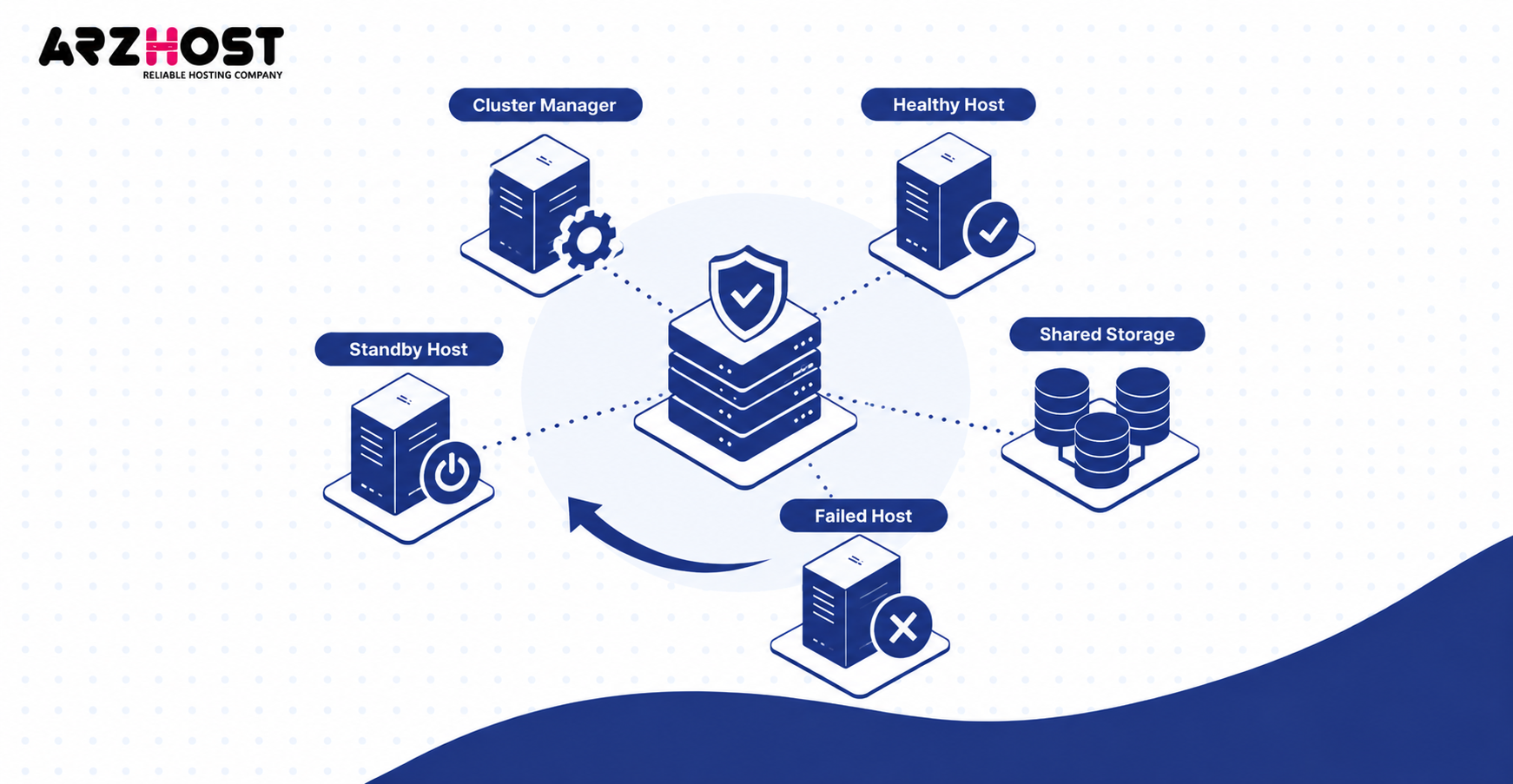
High availability can restart a VPS on another healthy host after the original node fails. This requires more than having two physical servers. The cluster needs storage access, coordination, and available capacity.
HA usually detects failure before choosing another node. It then prevents the failed node from conflicting with recovery. The affected VM starts again on healthy infrastructure.
This is restart-based availability, not continuous VM execution. Active CPU and RAM state normally disappears. Applications must recover when the VM boots again.
Failure Detection, Quorum, and Fencing
The cluster must decide that the failed node is truly unavailable before restarting its VMs elsewhere. Cluster members exchange health information using mechanisms like heartbeats. Quorum determines which side can make authoritative decisions.
Fencing isolates or powers off the failed node. This prevents two hosts from controlling the same virtual disk. Without fencing, split brain can cause serious data corruption.
Proxmox documents self-fencing when an HA node loses stable quorum for roughly one minute. Its documentation explains that this prevents duplicate access during recovery.
Restarting the VPS on a Healthy Host
After safe failure detection, the HA manager selects another host with sufficient resources. The new node needs CPU, RAM, networking, and storage access. It then boots the affected VPS.
Shared storage makes this process easier because the virtual disk already exists independently. Distributed storage can provide the same accessibility with replication. Local only resources can block automatic failover.
The VPS still performs a normal boot process. Services like nginx, MySQL, and Docker must start successfully. HA cannot guarantee application health by itself.
What Happens When There Is Not Enough Failover Capacity?
Failover can fail when surviving nodes lack enough free CPU or memory. A cluster needs spare resources before a failure occurs. Simply having extra hosts is not enough.
Consider three hosts running near full capacity. Losing one host can leave two machines unable to absorb its workloads. Some VMs may remain offline until capacity becomes available.
Capacity planning is therefore part of HA design. Providers can reserve resources for node loss. They can also prioritize critical workloads during recovery.
When Quorum or Shared Infrastructure Fails
HA may stop recovery when the cluster loses quorum or shared dependencies. This behavior can protect data integrity. Starting VMs blindly can create conflicting ownership.
Shared storage can also become unavailable. Examples include Ceph outages, SAN failures, or broken storage networks. Compute redundancy cannot solve missing storage.
Network partitions create another difficult case. A node may be alive but isolated from the cluster. Fencing and quorum exist specifically to handle this uncertainty.
7. What Happens After the VPS Starts Again?
A running VPS does not guarantee that its applications are fully working again. The operating system is only the first recovery layer. Every important service must also return successfully.
Applications may depend on databases, storage mounts, queues, or external APIs. Those dependencies can recover at different speeds. External health checks should verify actual service availability.
CreativeON covers this user facing layer well by describing website, application, and database symptoms. Its article also distinguishes safe stored data from volatile in progress state.
Does Your VPS Keep the Same IP Address?
The VPS can keep its IP address after failover when the provider’s network supports it. Clustered platforms can route the existing address to the replacement host. This depends on provider design.
Restarting on another host does not preserve existing connections. SSH sessions, database connections, and TCP streams normally break. Clients must reconnect after networking returns.
Moving between regions or providers can be different. The VPS may receive a new public address. DNS and firewall rules may then need updating.
Web Servers and Applications
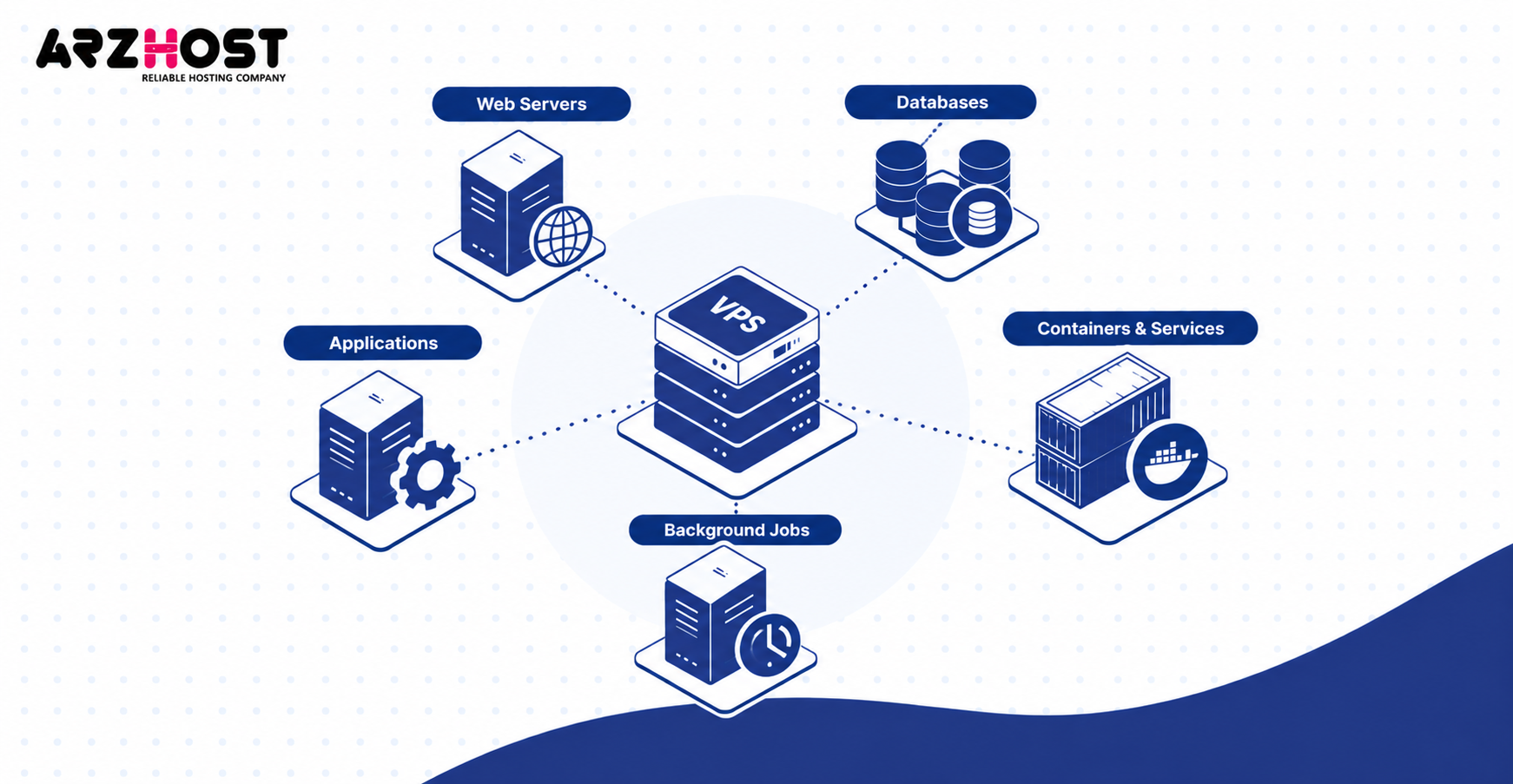
Web services must start correctly before the website becomes available again. Examples include nginx, Apache, PHP-FPM, and Node.js services. Startup configuration should not depend on manual commands.
Applications can fail because dependencies are still unavailable. Examples include database servers, mounted storage, and message queues. Health checks should test complete requests rather than only ping responses.
Automatic startup settings reduce manual recovery work. Services managed by systemd can start during boot. Application logs should confirm successful recovery.
Databases and Filesystems
Databases and filesystems normally perform crash recovery after an unexpected shutdown. Journaling filesystems can replay recorded metadata changes. Databases can process their transaction logs.
Committed database records should normally remain intact on healthy persistent storage. Uncommitted work may be rolled back. Serious storage corruption can still require restoration.
Do not assume “server is online” means the database is healthy. Run application level checks after recovery. Examples include read tests, write tests, and integrity checks.
Docker Containers, Services, and Background Jobs
Containers and background processes return automatically only when restart behavior is configured. Docker supports policies like always and unless-stopped. Systemd services can also be enabled for boot.
Background workloads require separate checking. Examples include queue workers, cron jobs, scheduled backups, and email processors. These processes may not be visible from the website homepage.
Check logs after every unexpected restart. Examples include Docker logs, journal entries, database logs, and application logs. Silent failures can otherwise remain unnoticed.
8. RAID vs High Availability vs Backups vs Disaster Recovery
RAID, HA, backups, and disaster recovery solve different reliability problems. They should not be treated as interchangeable features. Each protects a different failure layer.
RAID protects active storage against certain disk failures. HA reduces service downtime after infrastructure failure. Backups preserve recoverable historical copies.
Disaster recovery addresses larger events. Examples include cluster loss, data center failure, or major corruption. A complete resilience plan can use all four layers.
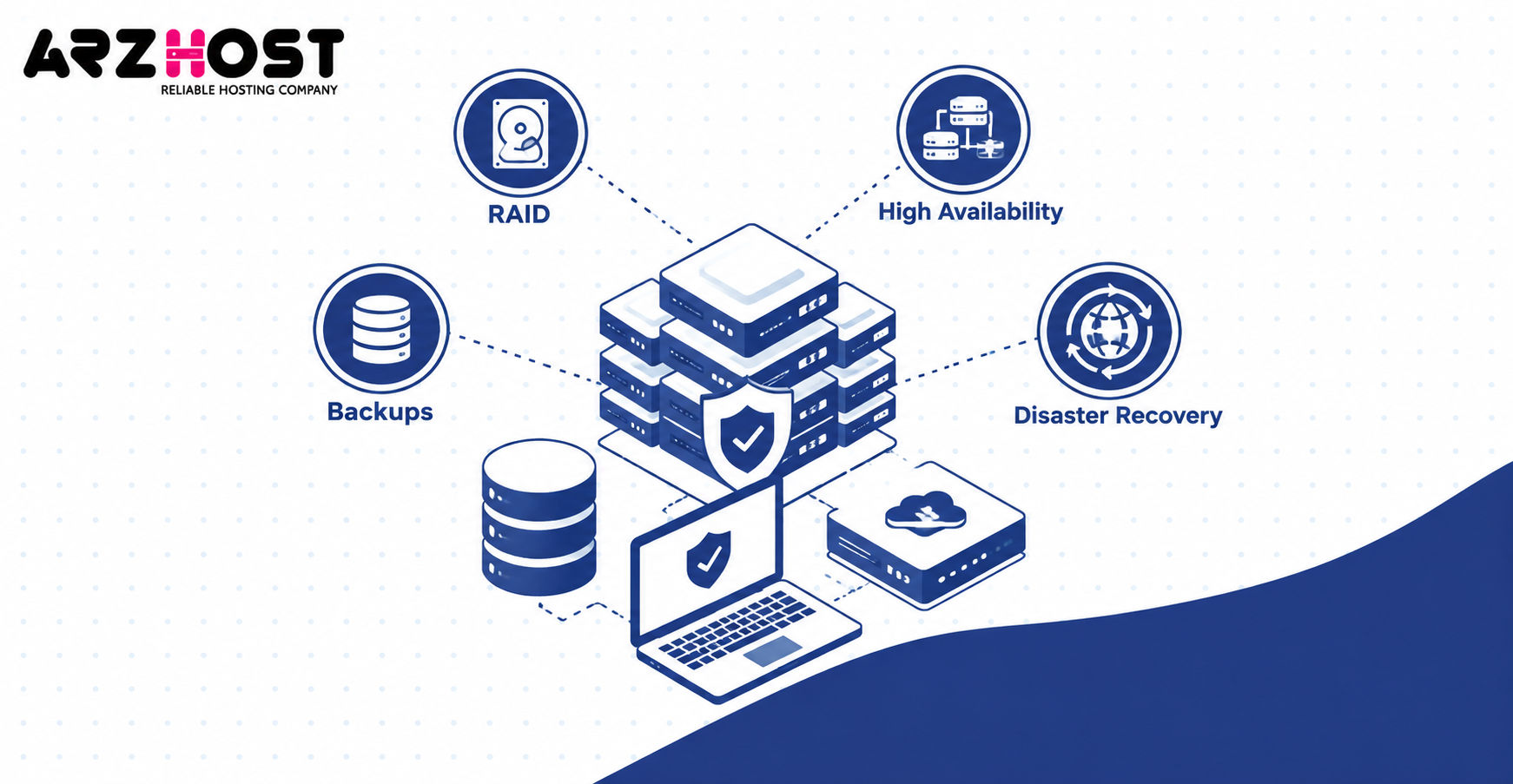
What Each Protection Layer Actually Protects
| Protection layer | Primary purpose | Example |
| RAID | Survive certain disk failures | One SSD fails |
| High availability | Restart workloads after node failure | Hypervisor dies |
| Backup | Restore older data or systems | Files deleted |
| Disaster recovery | Recover from large infrastructure loss | Data center outage |
RAID keeps storage available after supported disk failures, but it cannot restore deleted historical data. HA can move or restart workloads without preserving every application state. Backups provide recovery points instead of immediate uptime.
Snapshots also need careful treatment. A snapshot stored on the same failed infrastructure can become unavailable with that infrastructure. Independent backups reduce that dependency.
Why HA Still Cannot Prevent Every Outage
HA reduces downtime from specific failures, but it cannot remove every single point of failure automatically. Shared storage, networks, and control systems can still fail. Applications can also fail independently.
HA does not protect against bad deployments or accidental deletions. Replication can copy corrupted data quickly. Backups remain necessary even with excellent failover.
The same principle applies to ransomware and configuration mistakes. HA can keep damaged services available. Recovery requires clean independent copies.
Multiple Node and Data Center Failure
Single-cluster HA does not automatically protect against complete data center failure. A cluster can lose power, networking, or storage across the whole site. Local redundancy then becomes insufficient.
Geographic recovery requires infrastructure in another location. Examples include replicated databases, remote backups, and secondary compute capacity. DNS or routing may also redirect traffic.
This is disaster recovery rather than ordinary host failover. The recovery objective must cover an entire location loss. Providers should explain whether their architecture includes geographic redundancy.
9. How Long Does VPS Recovery Take and How Can You Prepare?
VPS recovery can take seconds, minutes, or hours depending on the failure and infrastructure. Automated HA usually restores computers faster than manual hardware repair. Backup restoration can take longer still.
The total time includes detection, isolation, startup, and application recovery. Storage health and available capacity also matter. Provider staffing can affect manual recovery.
Google provides one useful benchmark for managed infrastructure. Compute Engine typically restarts host error VMs within three minutes, with some cases reaching 5.5 minutes. These figures are Google specific, not universal VPS guarantees.
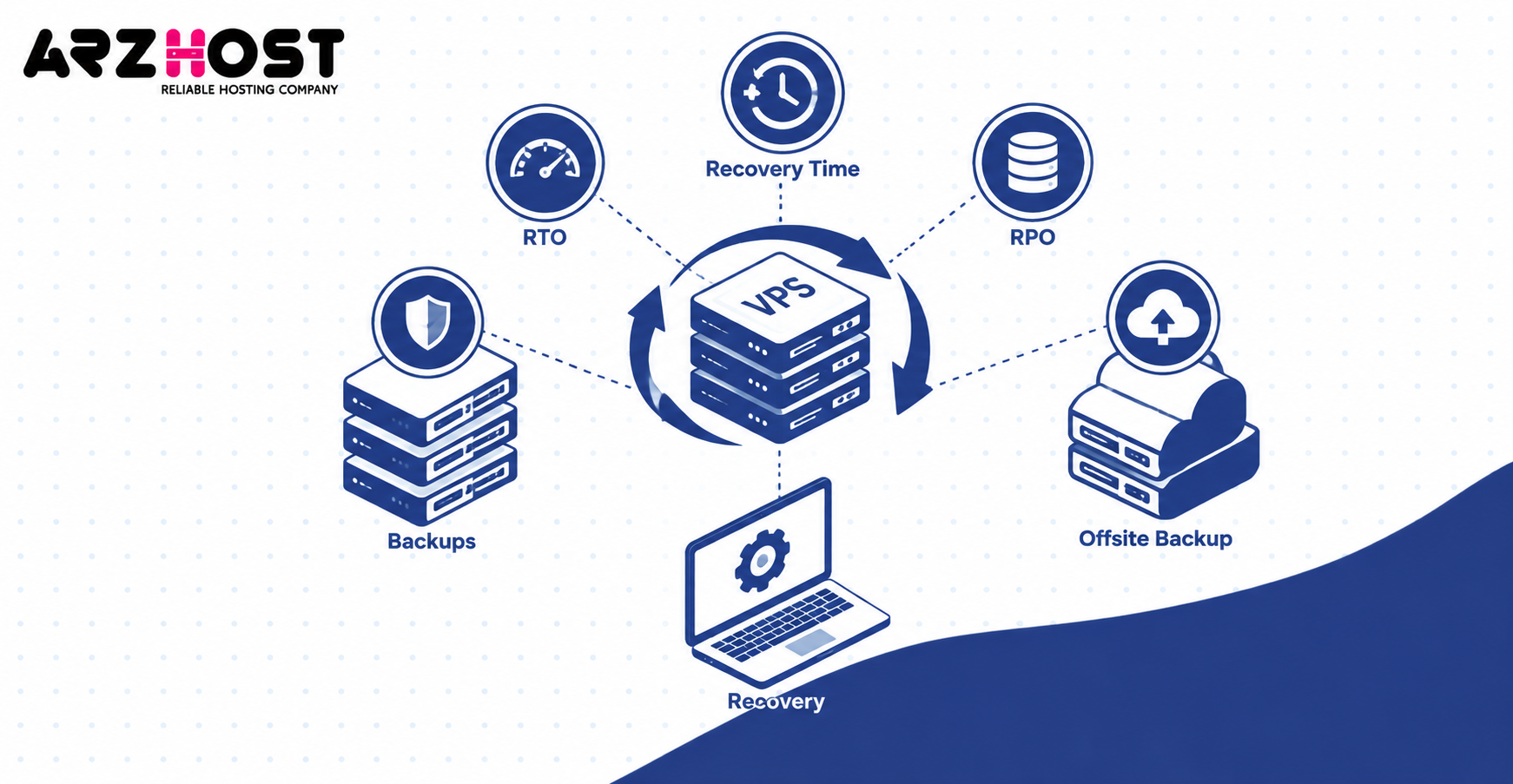
RTO and RPO
RTO measures acceptable recovery time, while RPO measures acceptable data loss measured in time. RTO & RPO values help define recovery requirements. They describe different risks.
An RTO of 15 minutes targets service restoration within 15 minutes. An RPO of one hour allows up to one hour of lost recent changes. Lower targets usually require stronger infrastructure.
Ask whether published values are targets or contractual commitments. Marketing statements may not equal SLA guarantees. The distinction matters during real incidents.
Keep Independent Offsite Backups
Keep at least one backup outside the infrastructure hosting the active VPS. Examples include object storage, another provider, or another data center. Separation protects against larger infrastructure failures.
Backups should include more than website files. Include databases, configuration, application data, and required secrets. Recovery also needs documentation.
Avoid depending entirely on provider snapshots. They may share infrastructure with the original VPS. Independent copies improve recovery options.
Test Your Restore Process
A backup is only useful when it can be restored successfully. Test recovery before an actual outage. Record the time required.
Restore representative systems into isolated environments. Examples include WordPress installations, MySQL databases, and application servers. Verify both data and configuration.
Testing can expose missing files or credentials. It can also reveal outdated procedures. Update documentation after every meaningful infrastructure change.
Monitor the VPS From Outside the Server
External monitoring can detect failure when the entire VPS becomes unreachable. Monitoring only inside the VM disappears with the VM. Independent checks provide a separate view.
Monitor services users actually depend on. Examples include HTTPS endpoints, APIs, SSH ports, and database health endpoints. Basic ping checks alone may miss application failure.
Alerts should reach systems outside the affected infrastructure. Examples include email, SMS, and external incident platforms. This avoids losing alerts with the server.
Document or Automate Server Rebuilding
Repeatable server builds reduce recovery time when the original machine cannot return. Configuration should not exist only in an administrator’s memory. Important settings should be documented or automated.
Tools like Ansible, Terraform, and Docker Compose can reproduce infrastructure. Deployment scripts can reinstall applications consistently. Version control preserves configuration history.
Keep secrets separate from public repositories. Examples include database passwords, API keys, and private certificates. Recovery documentation should explain how those secrets are restored securely.
Provider Responsibilities vs Customer Responsibilities
The provider manages physical infrastructure, while the customer usually manages applications and independent recovery planning. Exact responsibility depends on the service agreement. Managed VPS plans can include more provider-side administration.
Provider responsibilities can include hardware, hypervisors, networking, and storage infrastructure. Customer responsibilities can include application configuration, backups, and software health. Monitoring may be shared between both sides.
Understanding this boundary prevents confusion during incidents. Ask who restores backups and who verifies application functionality. Get those responsibilities documented before a failure occurs.
What to Ask Your VPS Provider Before a Failure
Ask specific architecture questions instead of relying on terms like “cloud” or “high availability.” Those labels do not explain actual recovery behavior. The technical implementation matters.
Ask these questions before hosting critical workloads:
- Where is my VPS disk physically stored?
- Is storage local, shared, or distributed?
- Does host failure trigger automatic failover?
- Is failover automatic or manual?
- What happens to my public IP address?
- What RTO and RPO do you target?
- Are backups stored separately?
- How often are backups tested?
- Is spare failover capacity reserved?
- What happens during data center failure?
The answers reveal the real failure model. A provider using local storage can behave differently from one using replicated storage. The same applies to manual and automated failover.
Conclusion
When a VPS host dies, the immediate result is usually downtime, but data loss is not automatic. The final outcome depends on storage, backups, networking, and failover architecture. Local and distributed systems recover differently.
The most important distinction is between compute failure and storage failure. A dead host can be replaced when persistent data remains available. HA can reduce downtime, but it cannot replace backups.
Protect important workloads with independent backups, tested restores, external monitoring, and repeatable deployments. Ask providers exactly how host failure is handled. That preparation determines how difficult the next incident becomes.
Frequently Asked Questions
Will I Lose Everything If My VPS Host Dies?
No, a host failure does not automatically delete your VPS data. Persistent data can survive when the storage remains healthy. RAM-only data and unfinished operations can still be lost.
Does a VPS Automatically Restart After Host Failure?
It depends on the hosting platform and its HA configuration. Some systems automatically restart VMs on healthy hosts. Standard VPS platforms may require provider intervention.
Can a VPS Move to Another Physical Server Automatically?
Yes, but only when the infrastructure supports automatic failover or recovery. Another host needs access to the VPS storage and enough resources. Local-only dependencies can prevent automatic movement.
How Long Does VPS Recovery Take After Hardware Failure?
Recovery can range from minutes to hours depending on the architecture. Automated failover can be much faster than physical hardware repair. Large backup restores may take longer.
Does RAID Protect a VPS From Host Failure?
RAID protects against specific disk failures, not complete host failure. A failed motherboard, CPU, or hypervisor can still stop the VPS. RAID also does not replace backups.
Is a VPS Snapshot the Same as a Backup?
No, a snapshot and an independent backup serve different purposes. Snapshots often depend on the same underlying storage system. Offsite backups can survive loss of primary infrastructure.
Can a Database Become Corrupted After a Host Crash?
Yes, corruption is possible, but modern database engines include crash-recovery mechanisms. Committed transactions normally recover from healthy persistent storage. Severe storage damage may still require restoration.
Does the VPS Keep the Same IP Address After Failover?
It can keep the same address when the provider’s network supports portable addressing. Restarting on another node does not guarantee IP preservation everywhere. Existing network connections still need reconnecting.
Can VPS Failover Work Without Shared Storage?
Yes, but another replication method must make the VM data available elsewhere. Replicated local storage can support some HA designs. Purely local unreplicated disks usually prevent immediate restart elsewhere.
What Happens If Both the VPS Host and Storage Fail?
Recovery normally depends on another replica or backup when both compute and primary storage are lost. HA alone cannot recreate missing persistent data. Independent backups become the final recovery layer.
Is High Availability Enough Without Backups?
No, high availability and backups protect against different problems. HA reduces downtime after infrastructure failure. Backups recover deleted, corrupted, encrypted, or otherwise unusable data.